108-GB
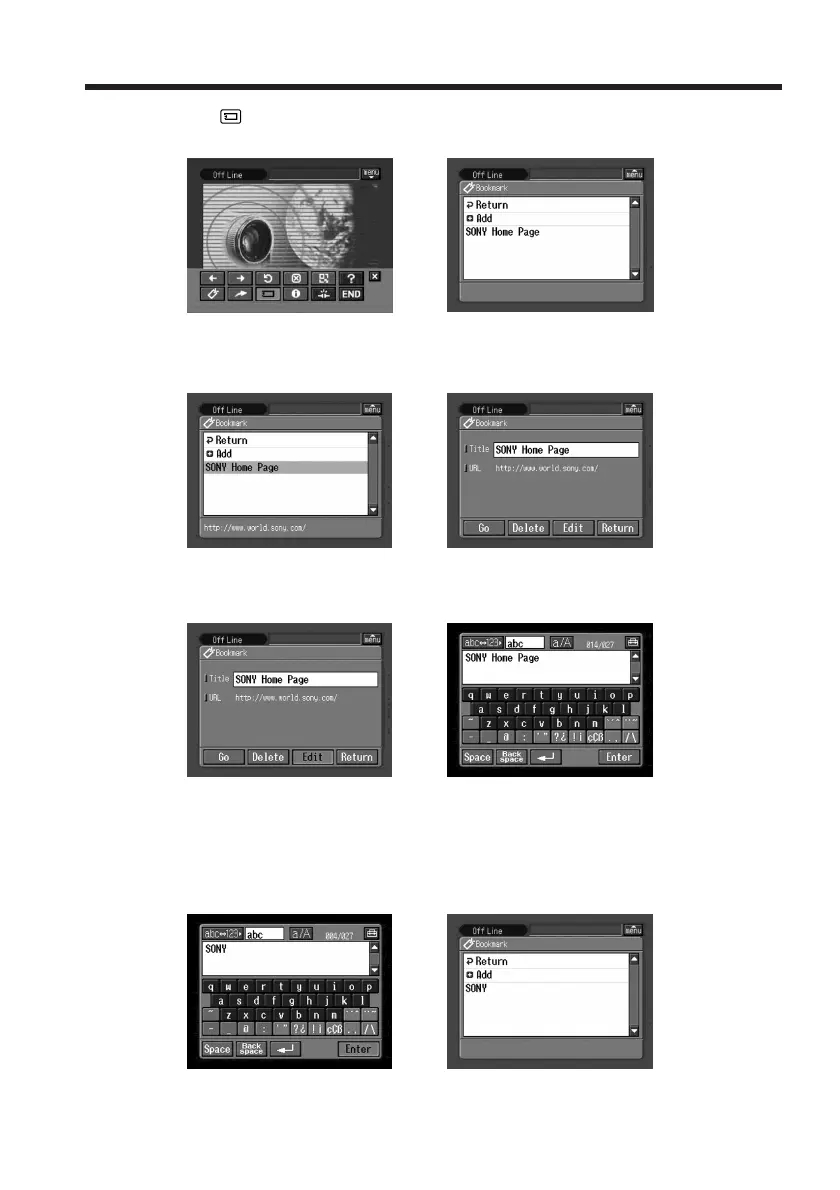
(2) Tap (Page Memo).
The page memo list appears.
,
(3) Tap the page memo you want to edit.
The title and URL of the selected page memo are indicated.
,
(4) Tap [Edit].
The character input screen appears.
,
(5) Edit the name.
For details of how to input characters, see “How to input characters” (p. 9).
(6) Tap [Enter].
The title of the page memo is modified.
,
Viewing web pages














 To Next Page