98-GB
A site that posts information on the Internet is called a “web page” or “web site”. You
can easily retrieve information by accessing a web site on the Internet.
Viewing web pages
1 Entering the URL needed to access the web page
Enter the address of the web page, then access the Internet. Be sure to enter the address
correctly.
Tip on URLs
A web site has a unique address on the Internet. The address is called a URL. This URL
is required to access a web site.
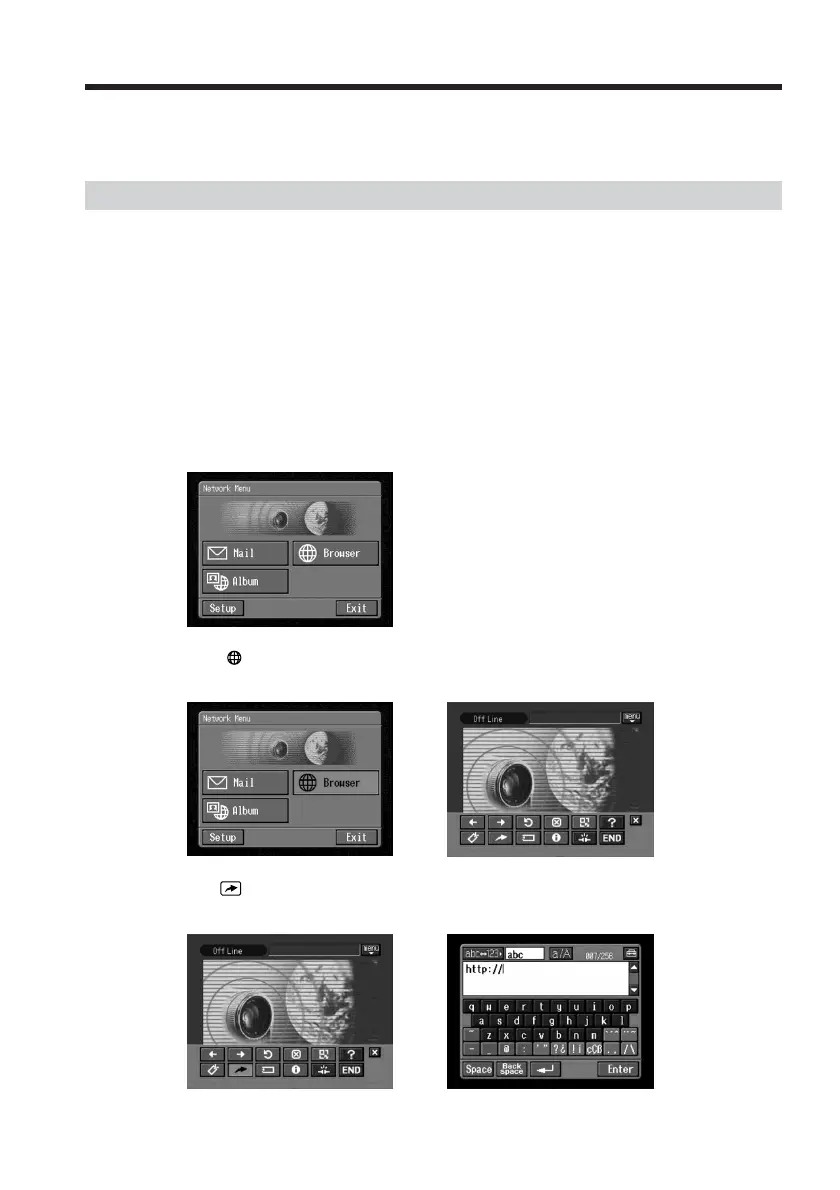
(1) Open the Network Menu.
For details of how to open the Network Menu, see page 7.
(2) Tap [
Browser].
The following screen appears.
,
(3) Tap (New URL).
The character input screen appears.
,
Viewing web pages














 To Next Page