23-GB
Preparation for Network Operation
You have to access the Internet to make your Album on the Web, view web pages, or
send/receive email. This section describes how to set the network preferences to access
the Internet.
Setting your provider preferences for “So-net”
This setup is required to use “So-net” option and “Album on the Web”.
Note
You cannot use “So-net” in a LAN environment that has a firewall, such as in a
company.
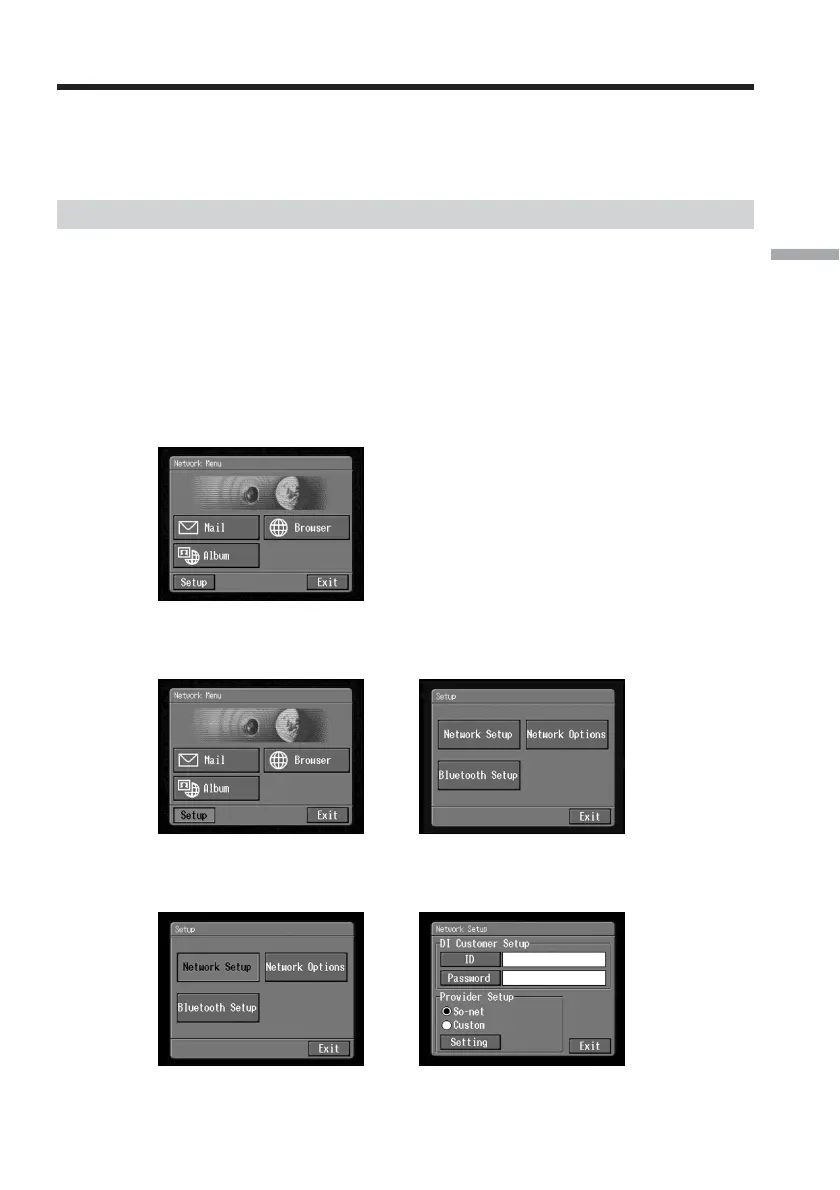
1 Entering your Login name (ID) and password
(1) Open the Network Menu.
For details of how to open the Network Menu, see page 7.
(2) Tap [Setup].
The Setup screen appears.
,
(3) Tap [Network Setup].
The Network Setup screen appears.
,
Setting the network preferences














 To Next Page