9-GB
Basic operations of the network function
How to input characters
You have to frequently enter characters, such as email addresses, or web pages
addresses (URLs), to use the network function. This section describes how to input
characters.
1
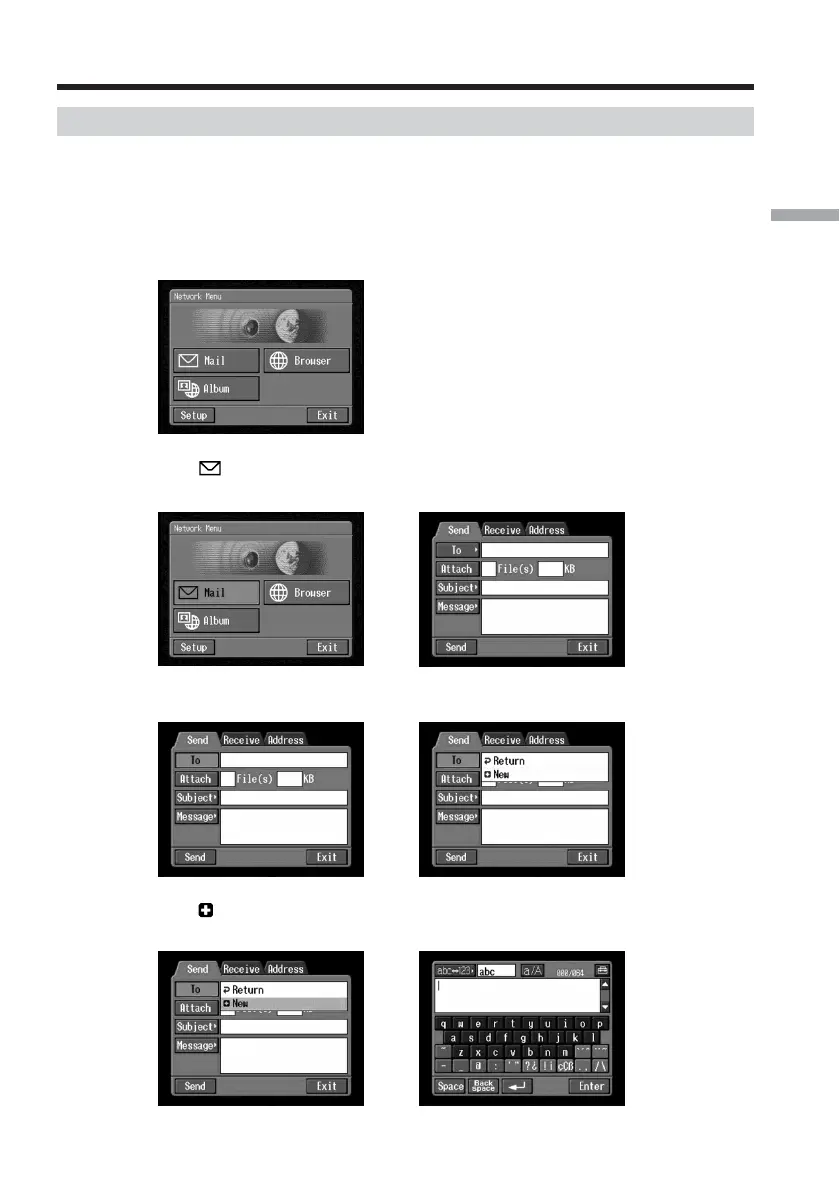
(1) Open the Network Menu.
For details of how to open the Network Menu, see page 7.
(2) Tap [
Mail].
The Send screen appears.
,
(3) Tap [To].
,
(4) Tap [ New].
The character input screen appears.
,
Inputting characters














 To Next Page