18-GB
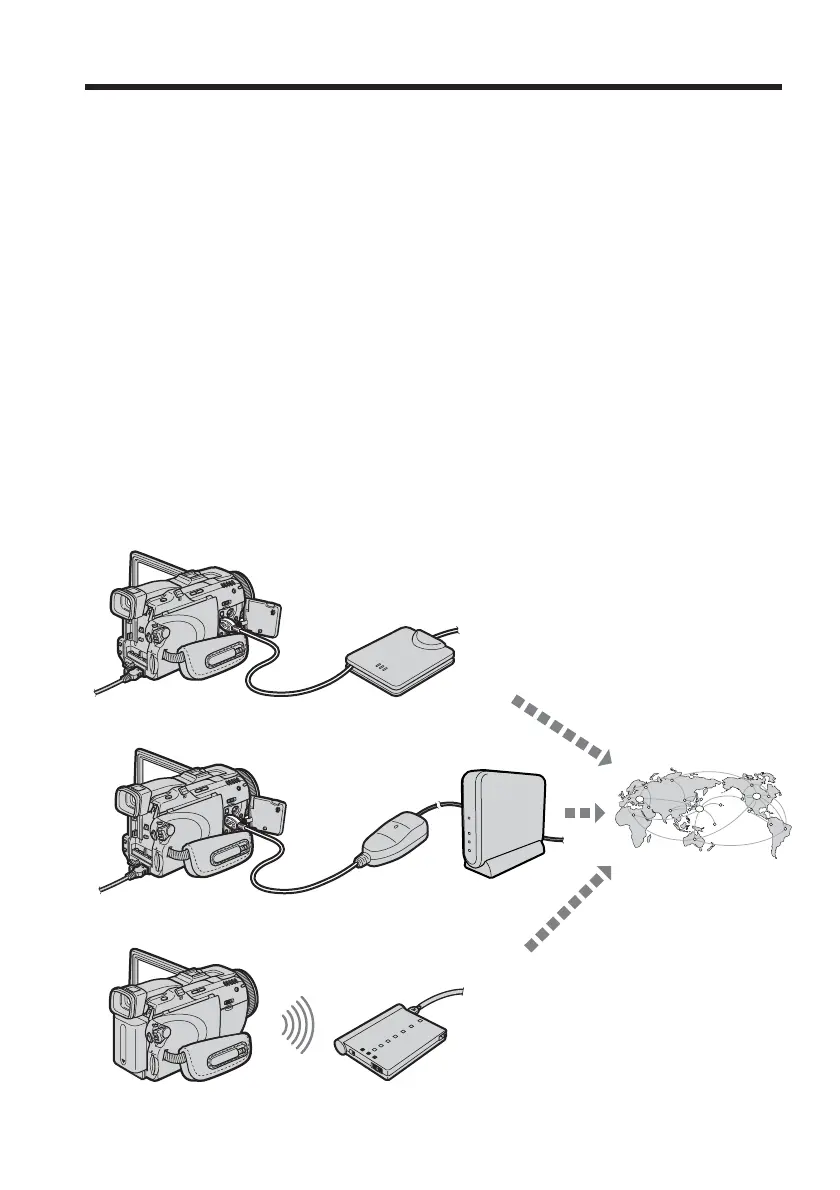
There are three network functions, namely Album on the Web, email, and browser. To
use the Album on the Web and “So-net” option, you need to finish customer
registration.
“So-net” is charged service.
For details, refer to the supplied leaflet “Start Here!”.
To fully enjoy the network functions, you have to finish the following registrations with
a computer (steps 1 to 3) and setup tasks via your camcorder (steps 4 and 5):
1 DI customer registration (p. 19)
2 Registration for “So-net” ** (p. 21)
3 Registration for Album on the Web (p. 22)
4 Network Setup (p. 23)
5 USB device Setup (p. 47) or Bluetooth device registration*
(p. 52)
* You can carry out Bluetooth device registration with the DCR-TRV80E only.
** Registration for “So-net” is not necessary if you use other providers.
URL for Registration: “http://www.sony-imaging.com/registration/”
– Preparation for Network Operation –
Using the network functions
Your camcorder
Your camcorder
Your camcorder
USB-PSTN Modem
Adaptor (optional)
To the Internet via
your provider
USB-Ethernet
Adaptor (optional)
Modem Adaptor with Bluetooth
Function (optional)
Router
(optional)














 To Next Page