74-GB
This section describes the basic procedure for sending/receiving email via the Internet.
Email is very convenient, since you can send it anytime, and you can also send still
images and/or moving pictures stored in a “Memory Stick” by attaching them to email.
Sending email
By entering the destination email address, you can send an email message instantly.
1 Specifying a destination address
Be careful to enter the address correctly.
Tip
You can select an email address from the address book. For details, see “Selecting a
destination address from the address book” (p. 90).
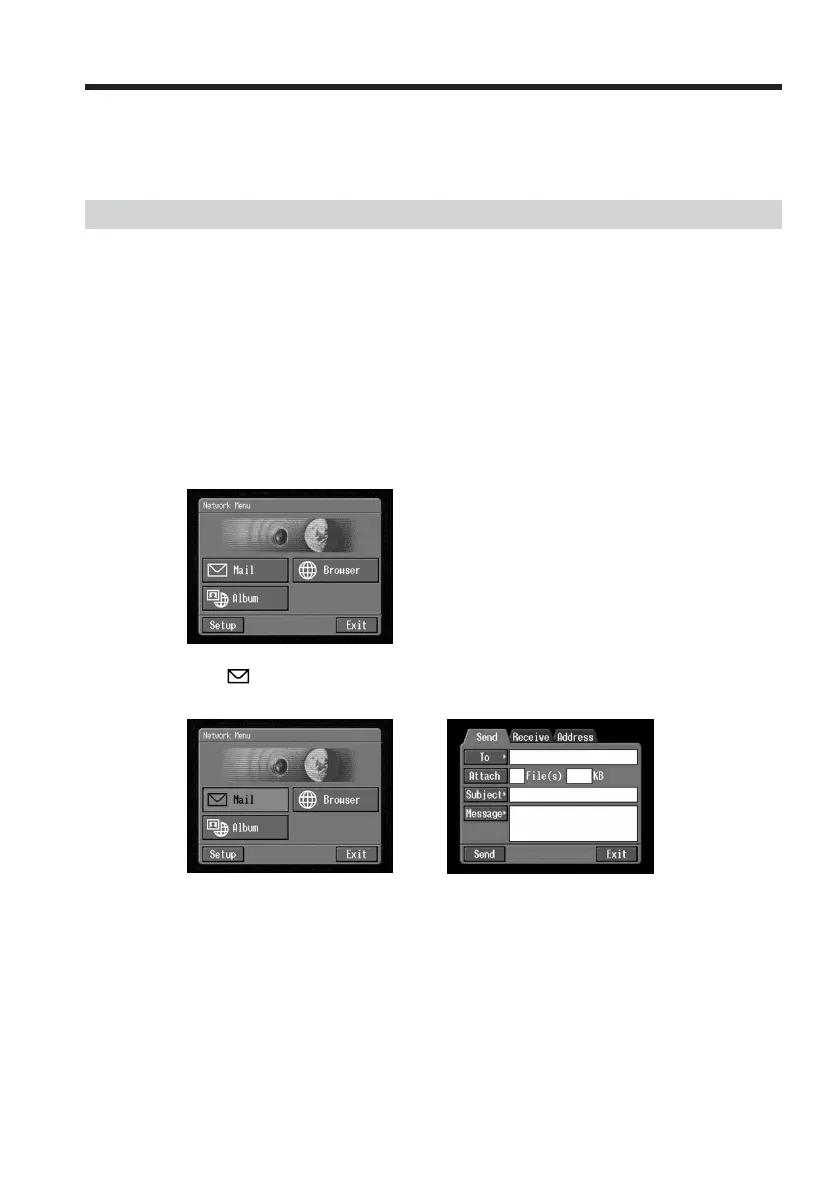
(1) Open the Network Menu.
For details of how to open the Network Menu, see page 7.
(2) Tap [
Mail].
The Send screen appears.
,
Using email














 To Next Page