111-GB
Network Operation
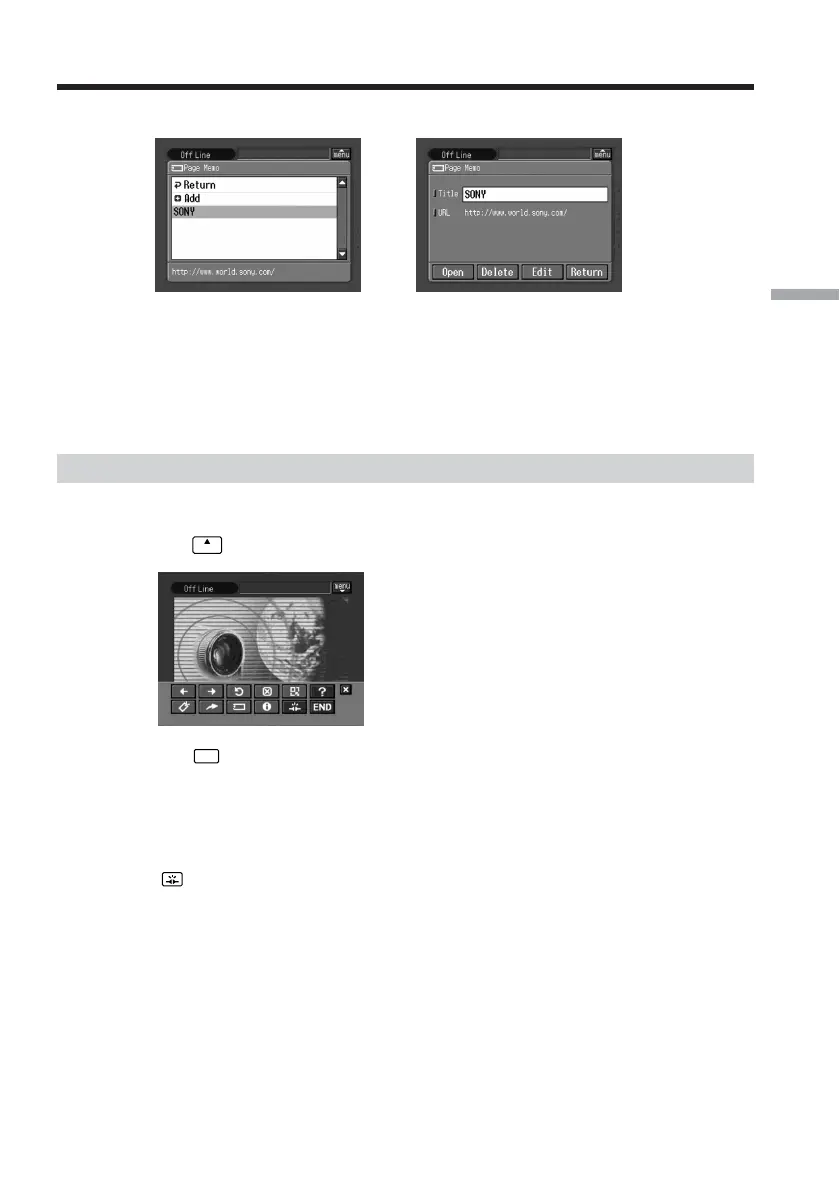
(3) Tap the page memo you want to display.
,
(4) Tap [Open].
The web page stored in page memo appears.
To select another page memo
Tap [Return] in step 3. The page memo list appears. Tap another page memo.
Shutting down the browser
To finish viewing a web page
(1) Tap
menu
on the upper right of the LCD screen to display the menu bar.
(2) Tap
END
.
The browser is closed.
When you use a dial-up connection, the telephone line is disconnected
automatically.
To only disconnect the line
Tap . The line is disconnected.
Note
When shutting down the browser, a verification message may appear, depending on
your camcorder.
Viewing web pages








 To Next Page