110-GB
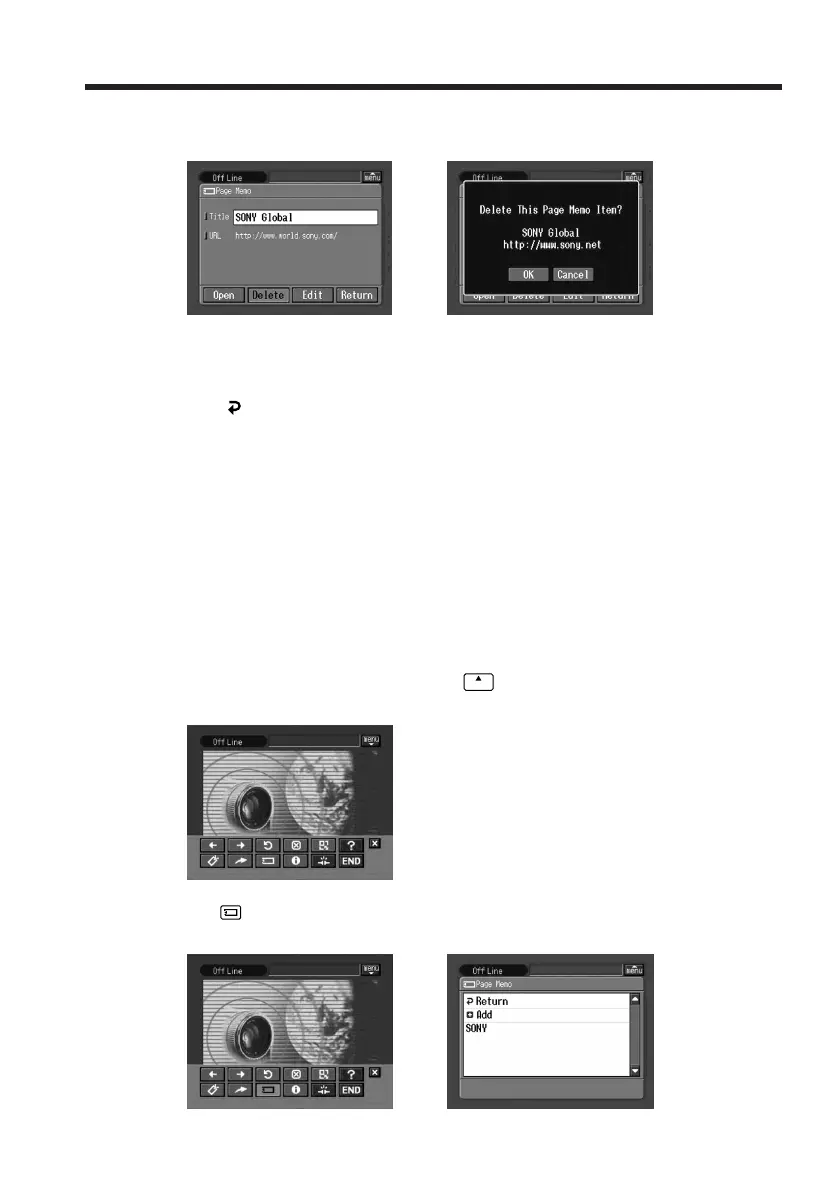
(4) Tap [Delete].
The verification message “Delete This Page Memo Item?” appears.
,
(5) Tap [OK].
The selected page memo is deleted and the page memo list appears again.
(6) Tap [
Return].
The browser screen appears again.
To cancel deleting the page memo
Tap [Cancel] in step 5.
Displaying a web page stored in a page memo
You can display a page memo stored on a “Memory Stick.”
Before operation
Insert the “Memory Stick” that contains the page memo you want to display into your
camcorder.
(1) If the menu bar is not displayed, tap
menu
on the upper right of the LCD screen.
The menu bar appears.
(2) Tap
.
The page memo list appears.
,
Viewing web pages




 To Next Page