17-GB
Basic operations of the network function
Inputting characters
Character input setting
Keyboard
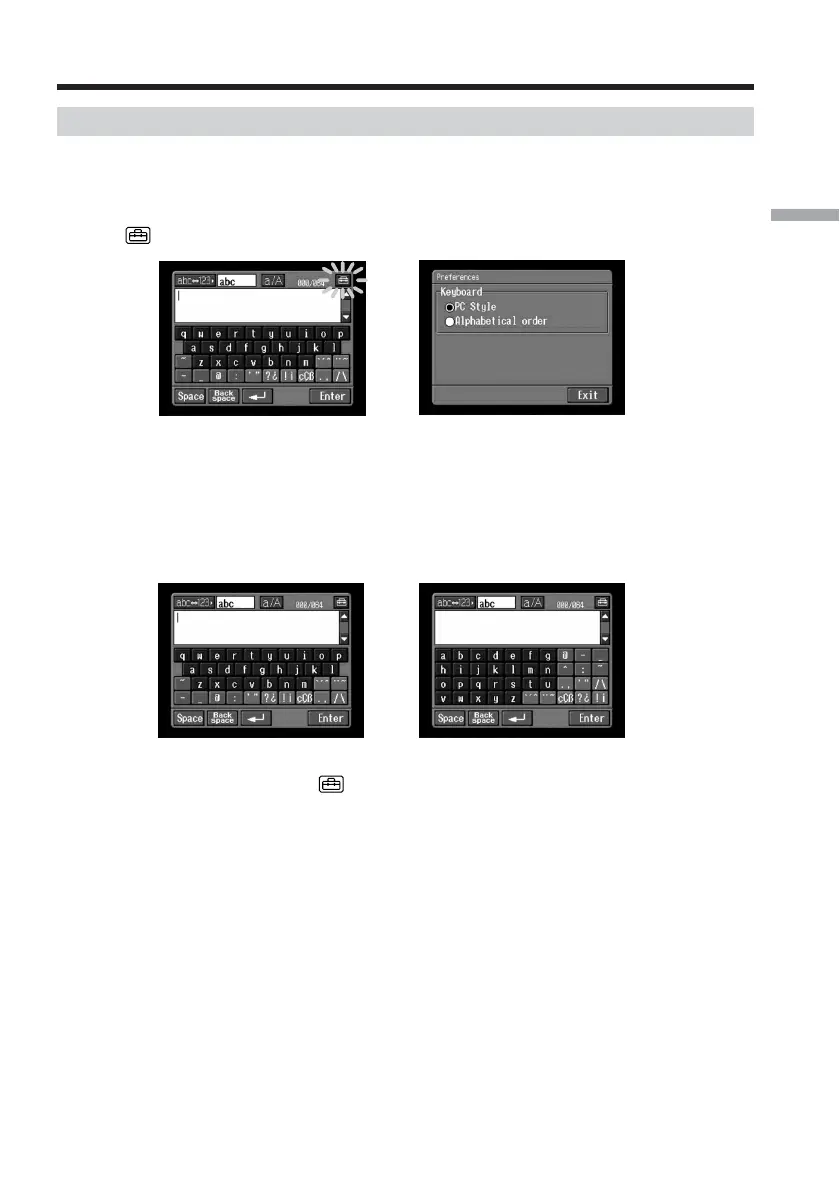
When [abc] is selected on page 12, you can select between two types of keyboard
arrangement (PC Style or Alphabetical order). The default setting is PC Style.
1 Tap in the character input screen.
,
2 Tap the desired arrangement.
– PC Style (PC arrangement keyboard)
– Alphabetical order (ABC arrangement keyboard)
To switch the settings, tap on the upper right of the LCD screen.
Alphabetical orderPC Style














 To Next Page