48-GB
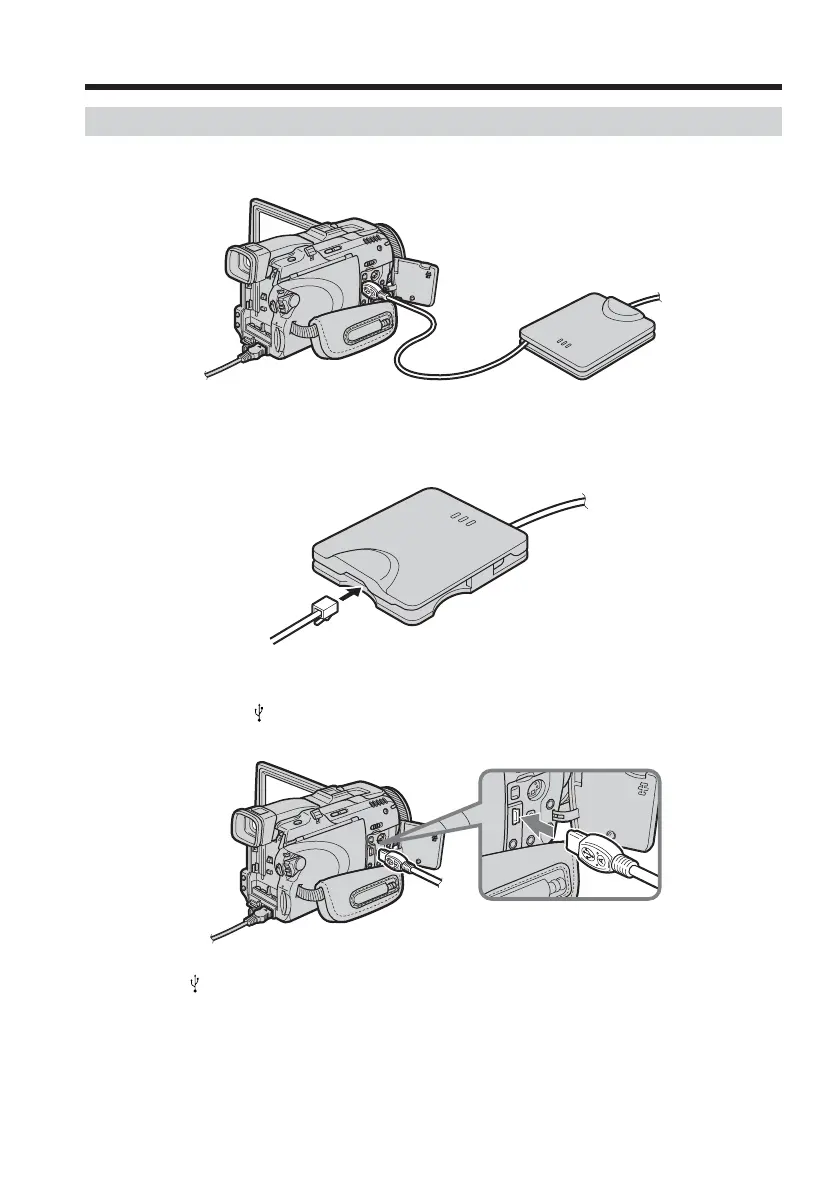
Connecting to a telephone line via the USB-PSTN Modem Adaptor
Connect your camcorder to a telephone line via a USB Modem Adaptor to access the
Internet.
The following procedure shows you how to connect to a telephone line via the Sony
USB-PSTN Modem Adaptor.
(1) Connect the USB-PSTN Modem Adaptor to the telephone cord.
(2) Open the jack cover of your camcorder.
(3) Connect
(USB) jack of your camcorder and the USB connector of the USB-
PSTN Modem Adaptor.
Tip
The (USB) jack location is different depending on the model.
For details, refer to the operating instructions supplied with your camcorder.
Setting up USB devices














 To Next Page