49-GB
Preparation for Network Operation
(4) Open the Network Menu.
For details of how to open the Network Menu, see page 7.
Note
Connect the USB-PSTN Modem Adaptor with your camcorder directly. Your camcorder
cannot access the Internet when connected through a USB hub.
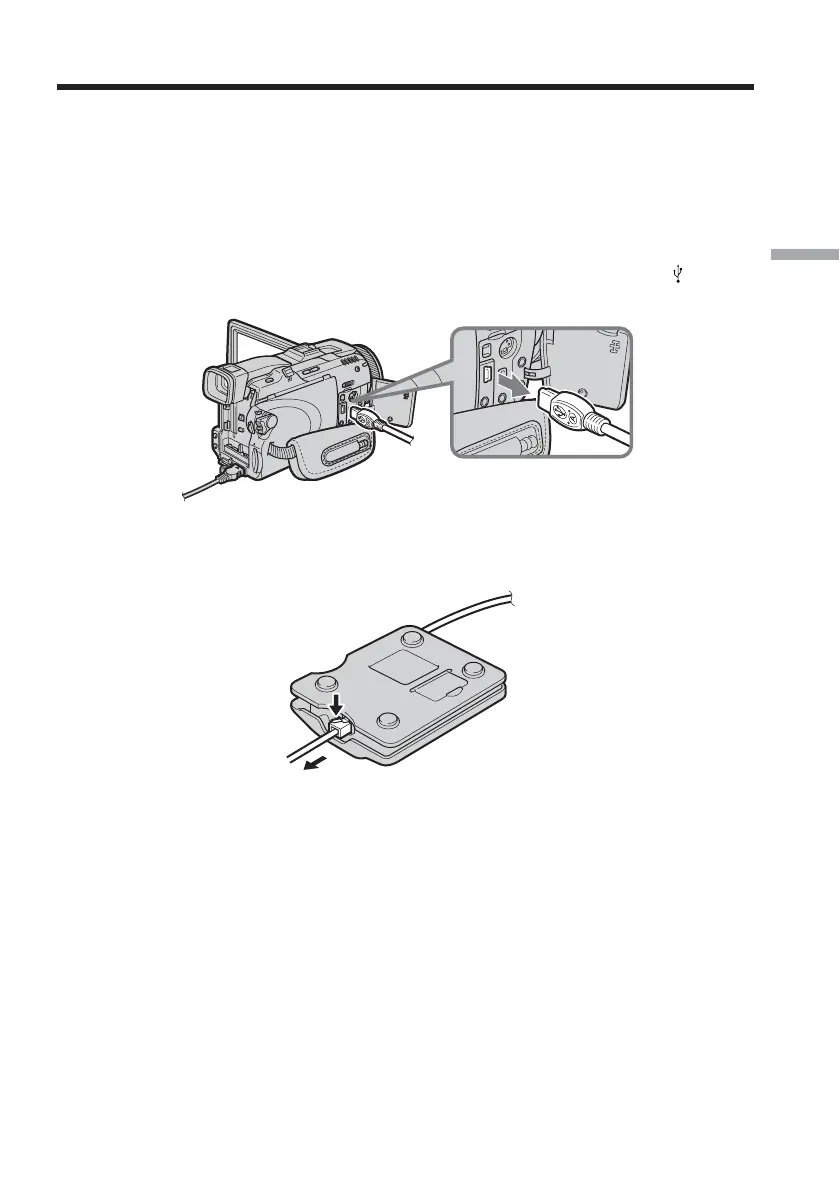
To disconnect your camcorder from the telephone line
(1) Remove the USB connector of the USB-PSTN Modem Adaptor from (USB)
jack of your camcorder.
(2) Close the jack cover of your camcorder.
(3) Remove the telephone cord from the USB-PSTN Modem Adaptor.
Setting up USB devices














 To Next Page