60-GB
You can upload and store still images and/or moving pictures to Sony’s “Album on the
Web” on the Internet.
For details, access Sony’s “Album on the Web” site
“http://www.sonystyle-imaging.com/”.
You can make your personal album and send email with its URL as invitation cards to
your friends.
You can also access your Album on the Web with a computer. To do so, log in to the
“Album on the Web” site with your Login name (ID) and password.
Uploading still images and/or moving pictures to your Album on
the Web
Once you have your personal Album on the Web, you can upload still images and/or
moving pictures to the album, and send invitation cards (email) to your friends. This
section describes how to upload your still images and/or moving pictures and send
invitation cards (email).
Upload moving pictures within the file size constraints of “Album on the Web”. For
details, access “http://www.sonystyle-imaging.com/”.
Before operation
Store the desired still images and/or moving pictures in a “Memory Stick” and insert it
into your camcorder.
1 Selecting an album
First, select an album to upload still images and/or moving pictures to.
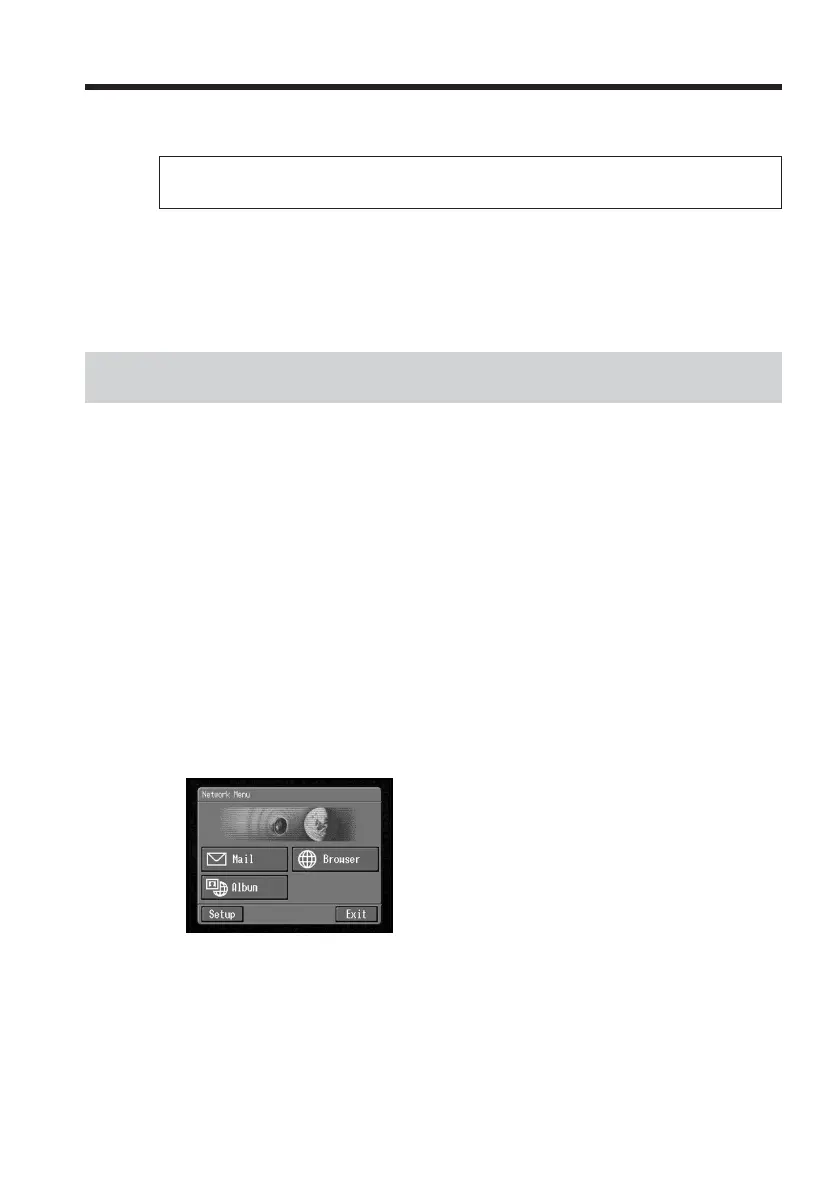
(1) Open the Network Menu.
For details of how to open the Network Menu, see page 7.
– Network Operation –
Making your Album on the Web














 To Next Page