28-GB
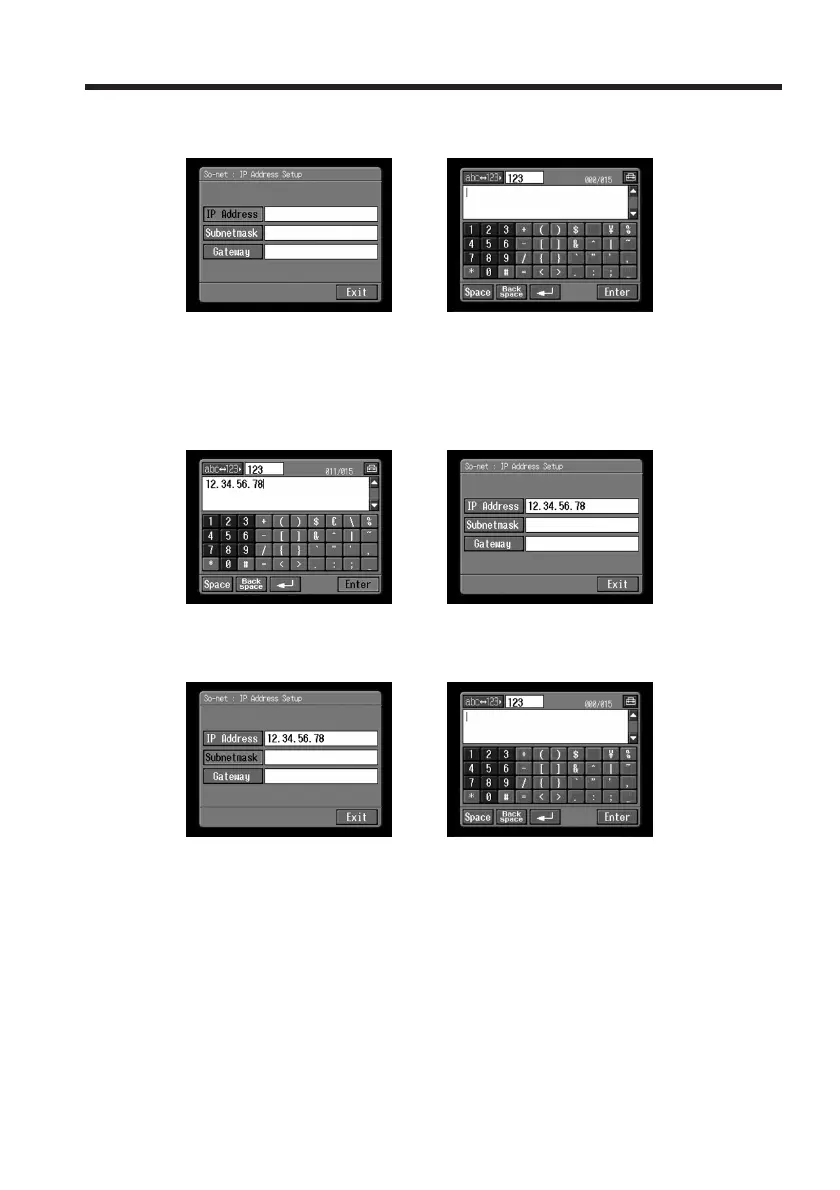
(5) Tap [IP Address].
The character input screen appears.
,
(6) Enter your IP address.
For details of how to input characters, see “How to input characters” (p. 9).
(7) Tap [Enter].
The So-net : IP Address Setup screen appears again.
,
(8) Tap [Subnetmask].
The character input screen appears again.
,
(9) Enter your subnet mask.
For details of how to input characters, see “How to input characters” (p. 9).
Setting the network preferences














 To Next Page