31-GB
Preparation for Network Operation
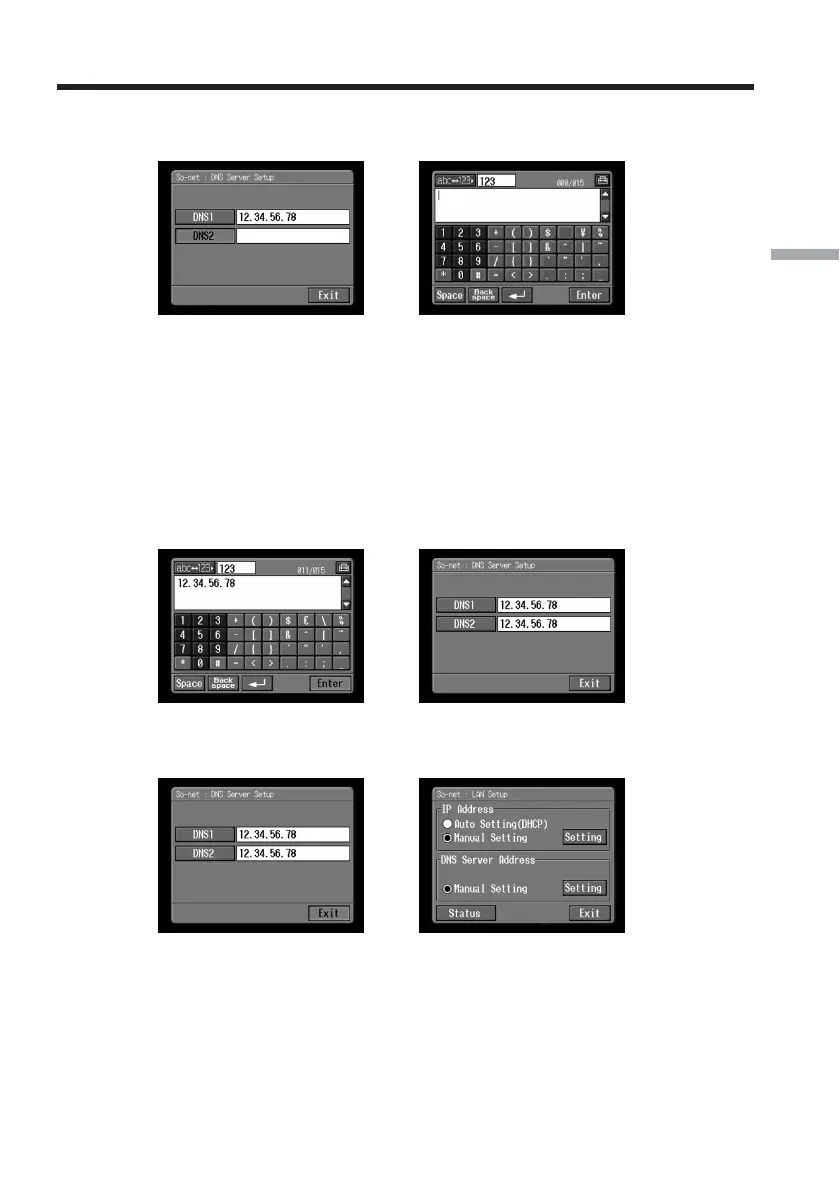
(6) Tap [DNS2].
The character input screen appears.
,
Tips
•This entry may be unnecessary, depending on your provider.
For details, consult your provider.
•This “DNS2” is sometimes referred to as the “secondary DNS server”, etc.
(7) Enter DNS2.
For details of how to input characters, see “How to input characters” (p. 9).
(8) Tap [Enter].
The So-net : DNS Server Setup screen appears again.
,
(9) Tap [Exit].
The So-net : LAN Setup screen appears again.
,
Setting the network preferences














 To Next Page