39-GB
Preparation for Network Operation
4 Setting your LAN connection
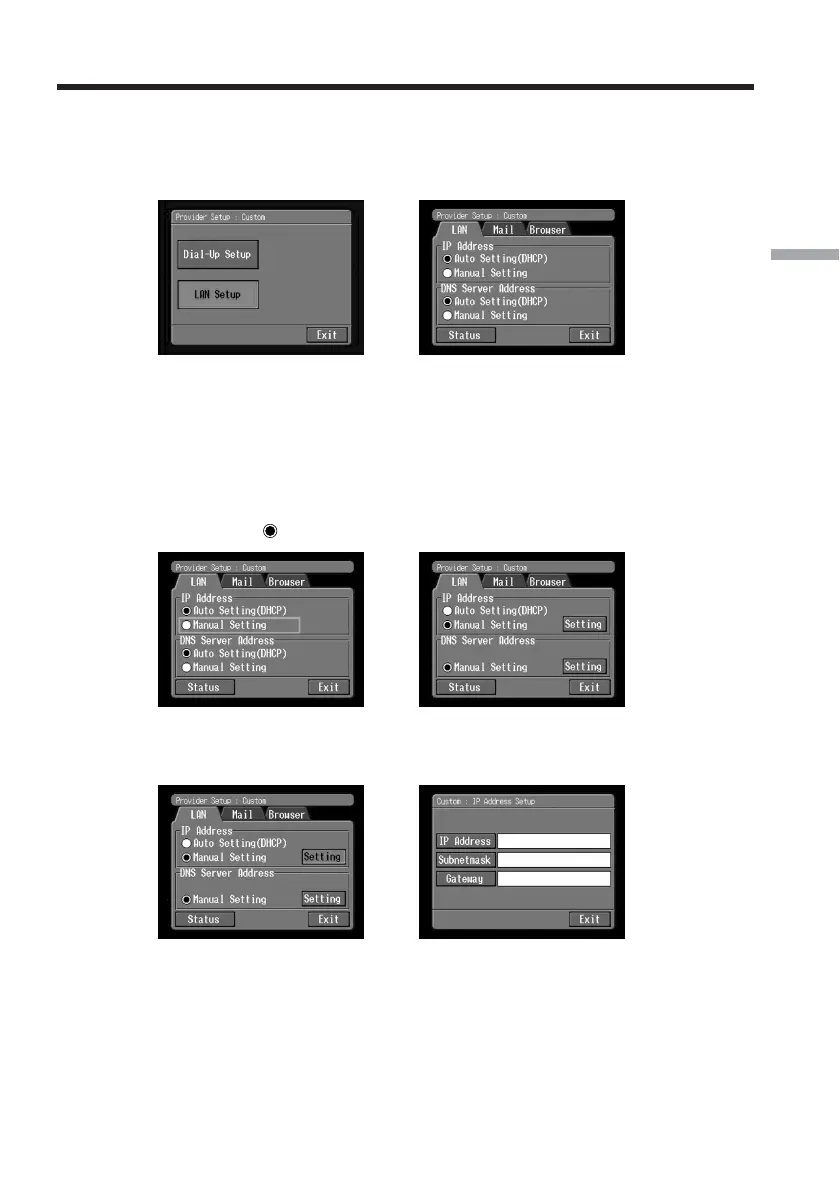
(1) Tap [LAN Set up] and tap [LAN].
The Provider Setup : Custom screen appears.
,
(2) Register your IP address.
To obtain your IP address automatically, confirm that [Auto Setting (DHCP)] is
selected and go to 5 (p. 42). You can confirm your detailed LAN settings by
tapping [Status]. To register your IP address manually, follow the procedure
below.
(3) Tap [Manual Setting].
a changes to
.
,
(4) Tap [Setting].
The Custom : IP Address Setup screen appears.
,
Setting the network preferences














 To Next Page