41-GB
Preparation for Network Operation
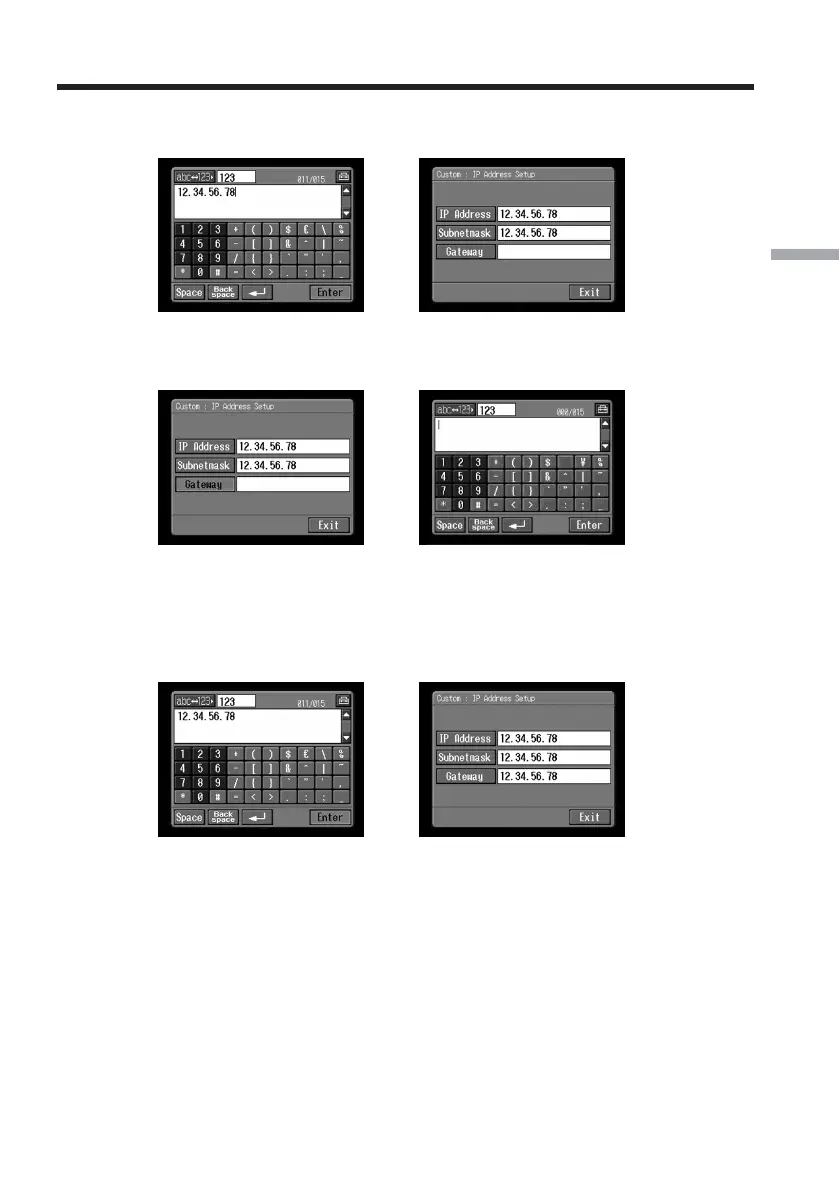
(10)Tap [Enter].
The Custom : IP Address Setup screen appears again.
,
(11)Tap [Gateway].
The character input screen appears.
,
(12)Enter the gateway.
For details of how to input characters, see “How to input characters” (p. 9).
(13)Tap [Enter].
The Custom : IP Address Setup screen appears again.
,
(14)Tap [Exit].
The Provider Setup : Custom screen appears again.
Setting the network preferences














 To Next Page