68-GB
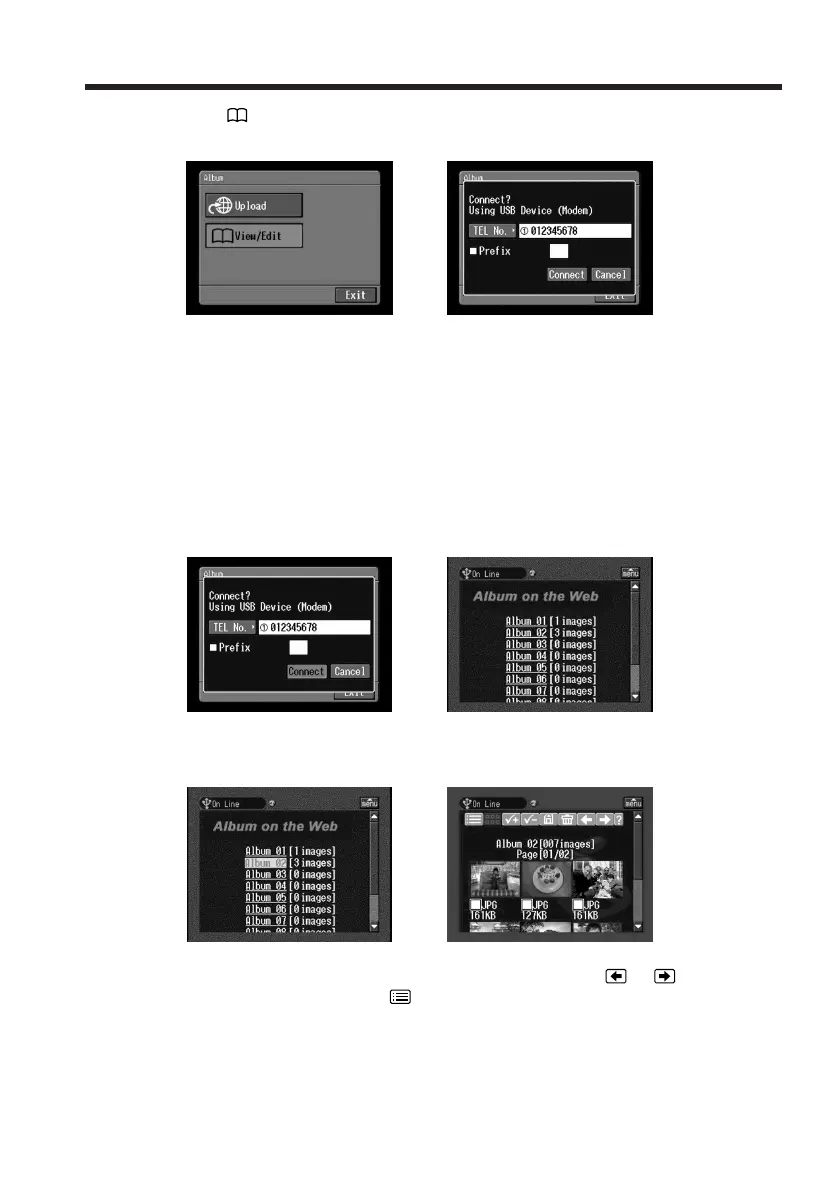
(4) Tap [ View/Edit].
The screen for verifying the connection appears.
,
(5) Tap [Connect].
If you use a dial-up connection, dial the telephone number displayed on the
screen for verifying the connection. If you want to dial other telephone
numbers, tap [TEL No.] to display the list of registered telephone numbers.
Tap the desired telephone number to select it.
To connect to an outside line, for example in a hotel, check the item “Prefix
No.” and enter the prefix number.
When you use a LAN connection, the screen for verifying the connection may
not appear.
After the connection is established, the album list page appears.
,
(6) Tap the album number that you want to view or edit.
The index page appears.
,
To view other still images and/or moving pictures, tap or .
To view other albums, tap
.
To see a description of each function button
Tap [?].
Making your Album on the Web














 To Next Page