77-GB
Network Operation
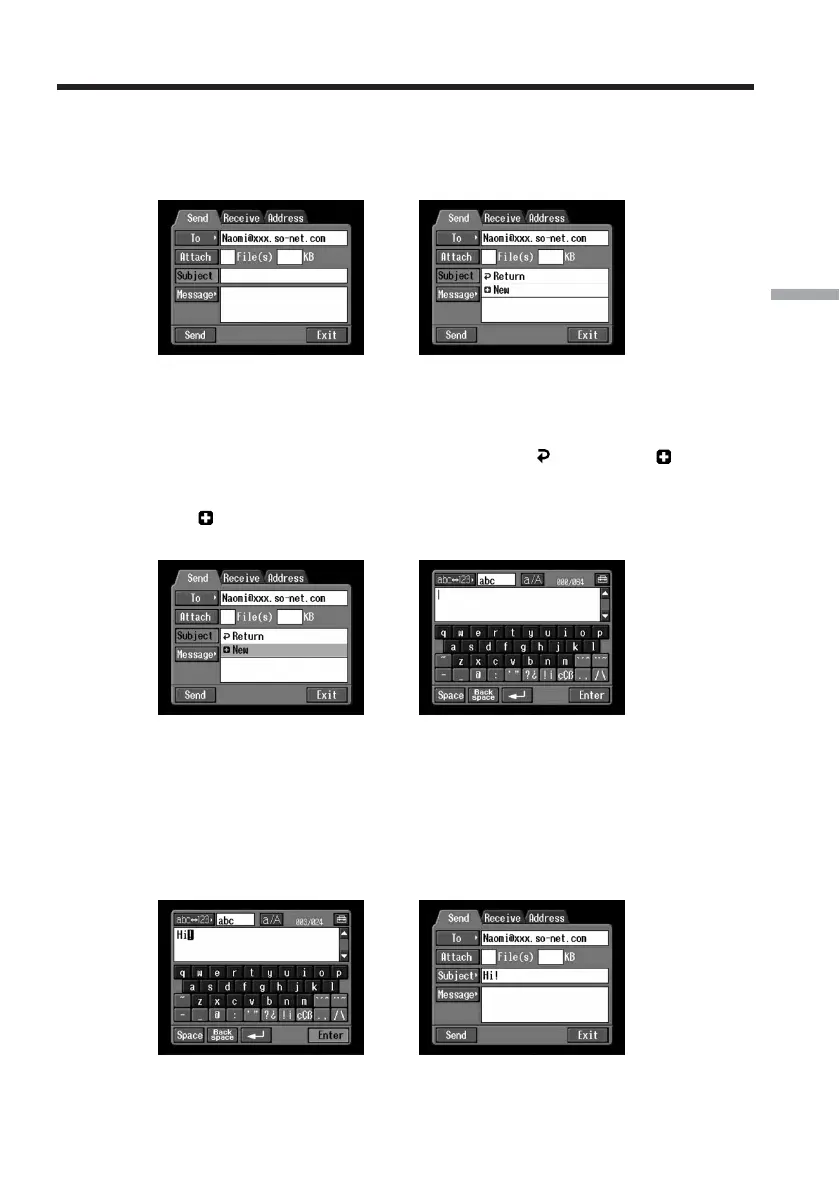
2 Entering the subject of a message
(1) Tap [Subject].
The subject list appears. The list shows the six most recently used subjects.
,
If you want to use a subject shown on the list, tap it. After selecting the subject,
go to “3 Entering the text of a message” (p. 78).
Tip
The most recently selected subject is listed under [
Return] and [ New].
You cannot edit or delete the subject.
(2) Tap [
New].
The character input screen appears.
,
(3) Enter the subject.
For details of how to input characters, see “How to input characters” (p. 9).
Note
You can enter up to 24 characters in a subject.
(4) Tap [Enter].
The Send screen appears again.
,
Using email














 To Next Page