84-GB
Attaching your signature to messages
You can attach your signature to the last column of the email message. You can enter
information such as your name, address and telephone number as a signature.
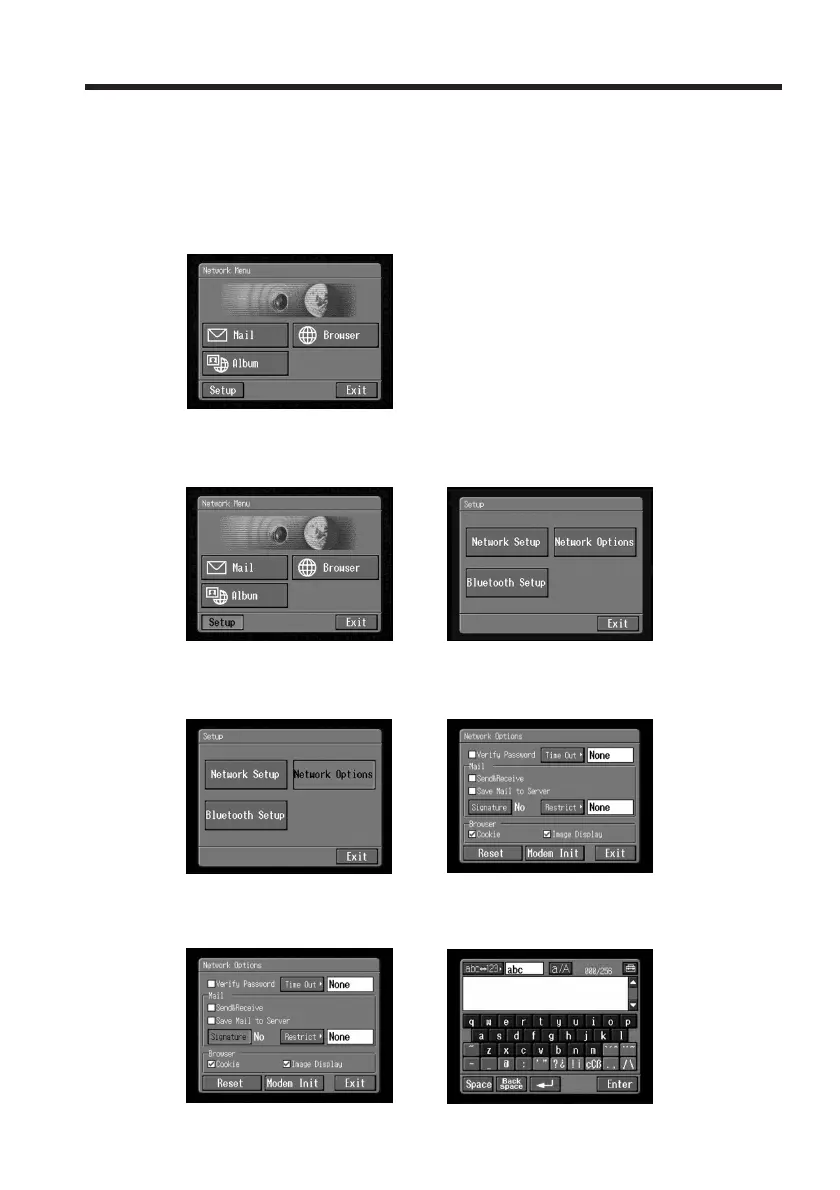
(1) Open the Network Menu.
For details of how to open the Network Menu, see page 7.
(2) Tap [Setup].
The Setup screen appears.
,
(3) Tap [Network Options].
The Network Options screen appears.
,
(4) Tap [Signature].
The character input screen appears.
,
Using email














 To Next Page