86-GB
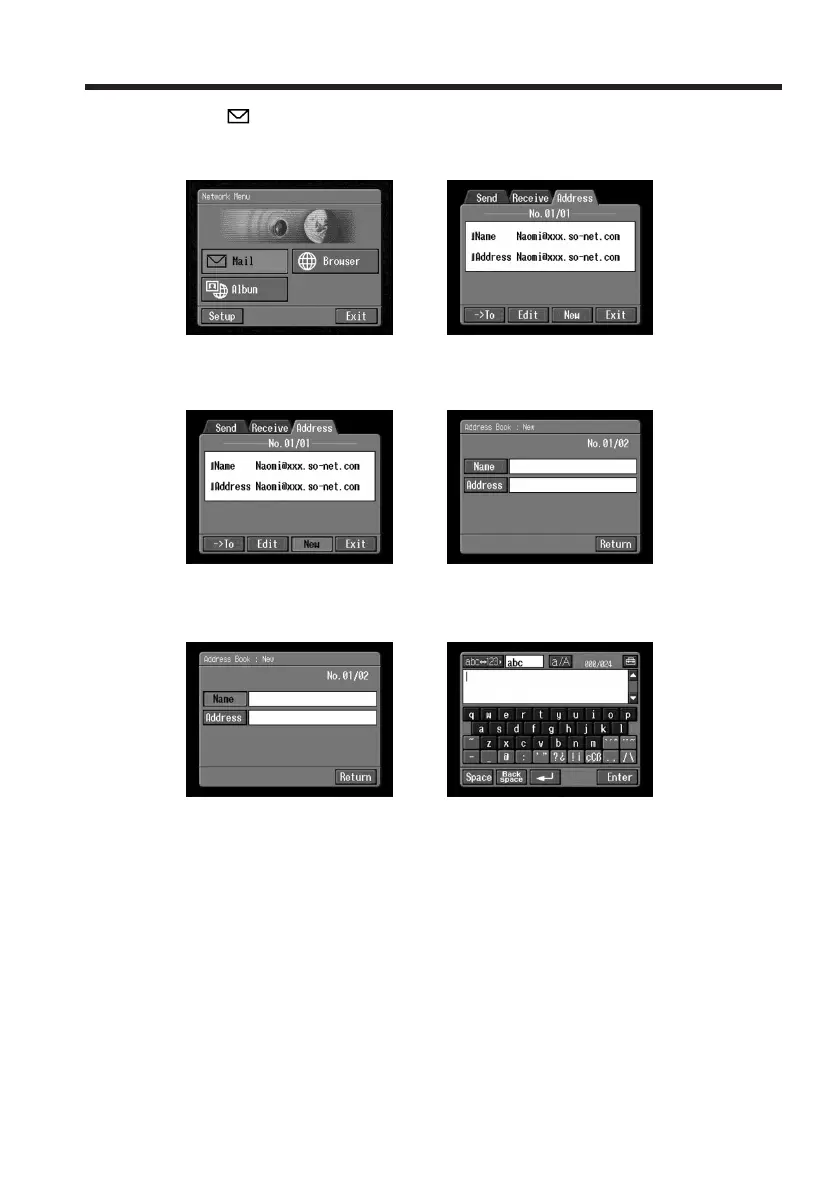
(2) Tap [ Mail].
If the Address screen does not appear, tap Address. The Address screen will
appear.
,
(3) Tap [New].
The Address Book : New screen appears.
,
(4) Tap [Name].
The character input screen appears.
,
(5) Enter the destination name.
For details of how to input characters, see “How to input characters” (p. 9).
Note
You can enter up to 24 characters in the [Name] box.
Using email














 To Next Page