95-GB
Network Operation
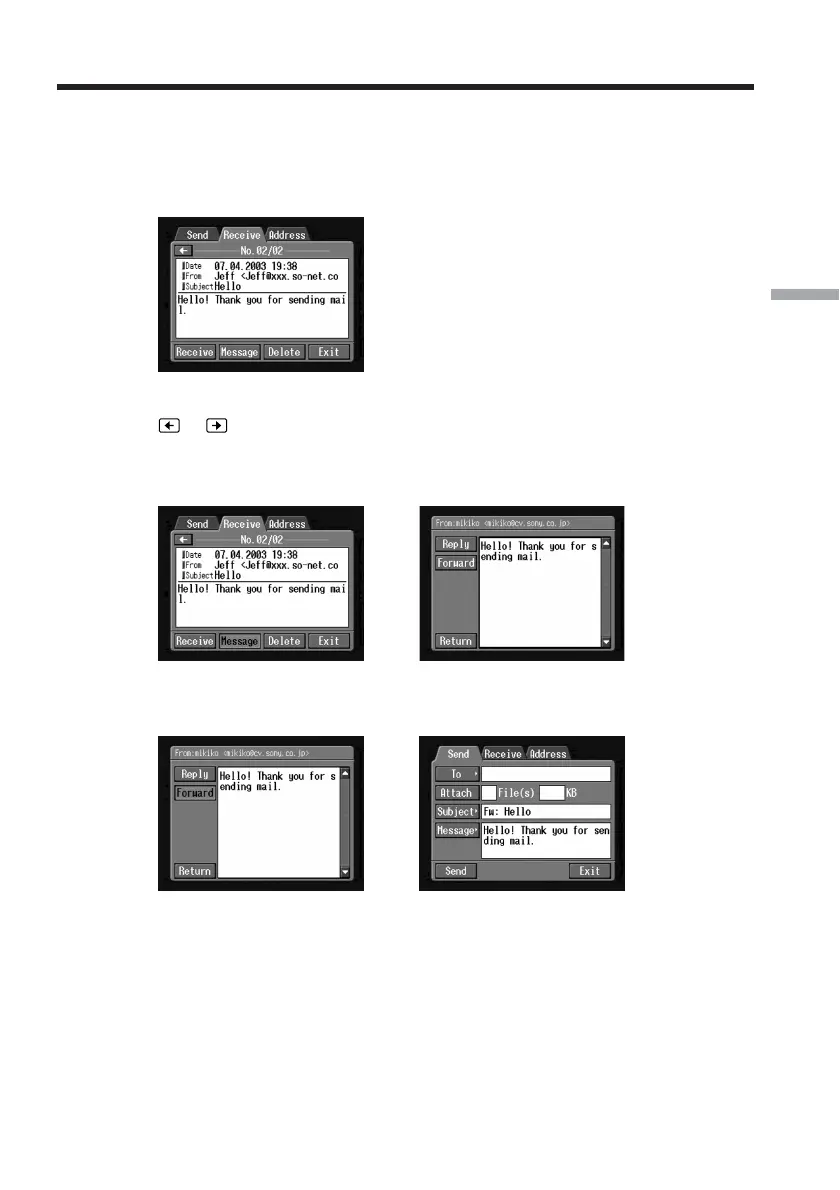
Forwarding a message to others – Forward
You can forward a received message to others.
(1) Display the Receive screen.
(2) Display the email containing the message that you want to forward by tapping
or .
(3) Tap the area where the message is displayed or tap [Message].
The selected message is displayed.
,
(4) Tap [Forward].
The Send screen appears.
,
Tips
•An attached file is not automatically forwarded. If you want to send an attached
file, see “Attaching still images and/or moving pictures to email” (p. 82).
•“Fw:” is added to the beginning of the subject line.
(5) Follow from step 3 described in “1 Specifying a destination address”
(p. 74) or “Selecting a destination address from the address book” (p. 90) to
specify the destination address.
Using email














 To Next Page