EasyManua.ls Logo

Sony Digital8 M2000 - Page 13

Sony Digital8 M2000
46 pages
Print Icon
To Next Page IconTo Next Page
To Previous Page IconTo Previous Page
Loading...
Y
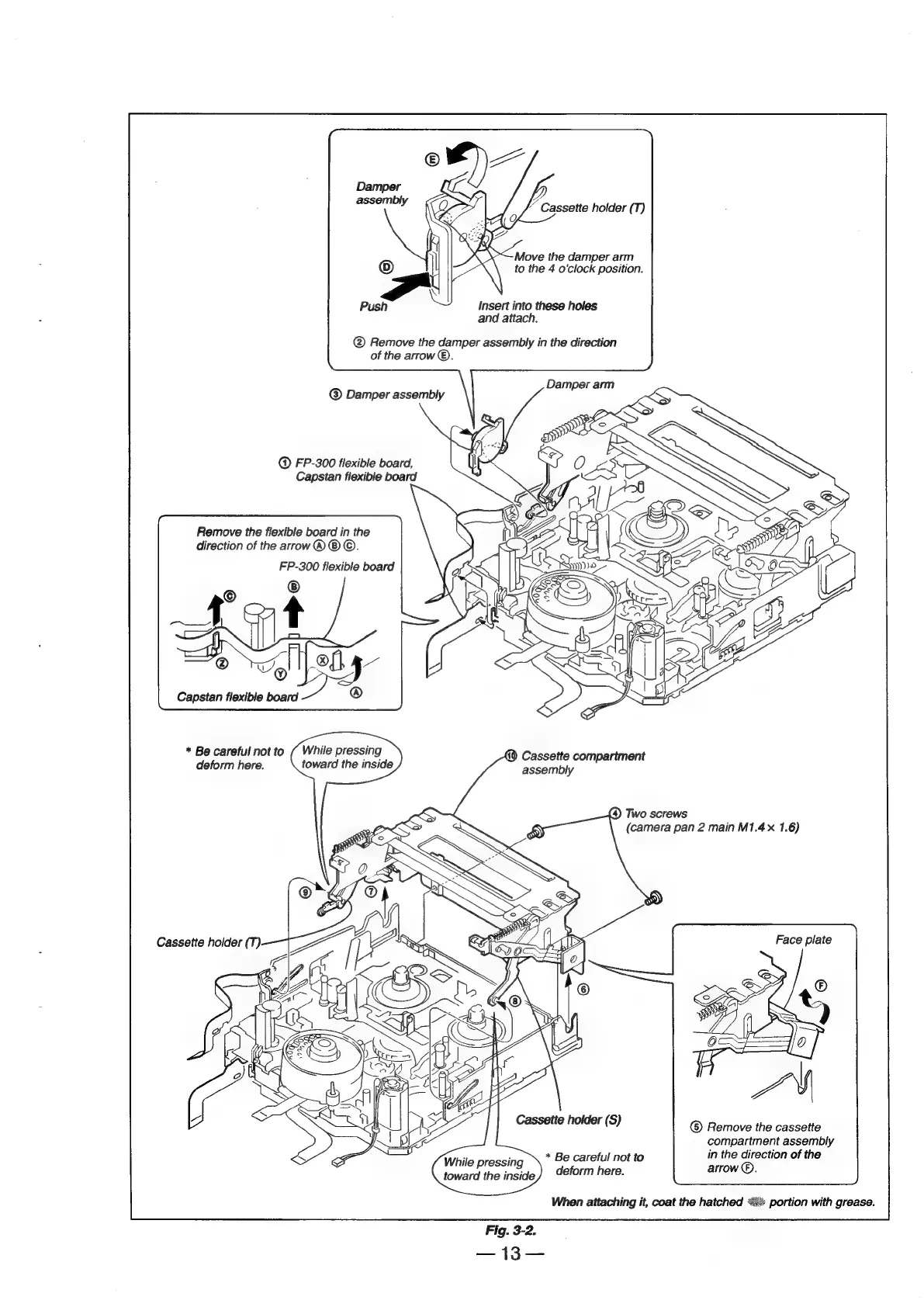
Cassette
holder
(T)
Move
the
damper
arm
to
the
4
o'clock
position.
Push
Insert
into
these
holes
and
attach.
@
Remove
the
damper
assembly
in
the
direction
of
the
arrow
®.
Damper
arm
®
Damper
assembly
.
Sy
@
ND
FP-300
flexible
board,
i
Capstan
flexible
board
Remove
the
flexible
board
in
the
direction
of
the
arrow
®
®
©.
FP-300
flexible
board
Capstan
flexible
board
*
Be
careful
not
to
(
While
pressing
deform
here.
toward
the
inside
&)
Cassette
compartment
assembly
Two
screws
(camera
pan
2
main
M1.4x
1.6)
Face
plate
Remove
the
cassette
compartment
assembly
*
Be
careful
not
to
in
the
direction
of
the
While
pressing
Askin
Hare:
arrow
®.
toward
the
inside
When
attaching
it,
coat
the
hatched
“4%
portion
with
grease.
Fig.
3-2.

Table of Contents

Related product manuals