EasyManua.ls Logo

Sony Digital8 M2000 - Capstan Motor Azimuth Position Adjustment

Sony Digital8 M2000
46 pages
Print Icon
To Next Page IconTo Next Page
To Previous Page IconTo Previous Page
Loading...
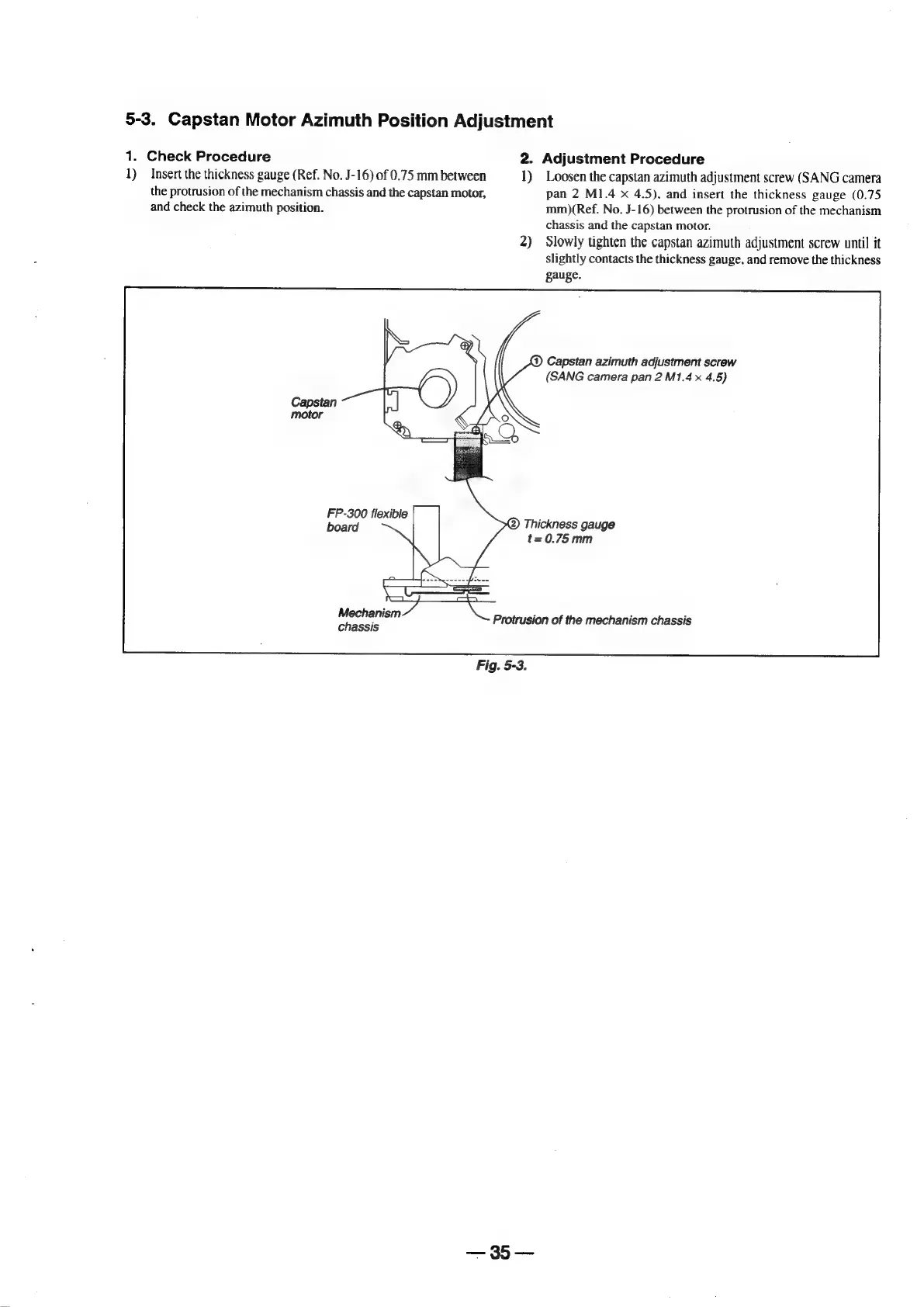
5-3.
Capstan
Motor
Azimuth
Position
Adjustment
1.
Check
Procedure
2.
Adjustment
Procedure
1)
Insert
the
thickness
gauge
(Ref.
No.
J-16)
of
0.75
mm
between
1)
Loosen
the
capstan
azimuth
adjustment
screw
(SANG
camera
the
protrusion
of
the
mechanism
chassis
and
the
capstan
motor,
pan
2
M1.4
x
4.5),
and
insert
the
thickness
gauge
(0.75
and
check
the
azimuth
position.
mm)(Ref.
No.
J-16)
between
the
protrusion
of
the
mechanism
chassis
and
the
capstan
motor.
2)
Slowly
tighten
the
capstan
azimuth
adjustment
screw
until
it
slightly
contacts
the
thickness
gauge,
and
remove
the
thickness
gauge.
@)
Capstan
azimuth
adjustment
screw
(SANG
camera
pan
2
M1.4
x
4.5)
FP-300
flexible
;
board
(2)
Thickness
gauge
t=0.75mm
Mechanism
;
Protrusion
of
the
mechanism
chassis
chassis
Fig.
5-3.

Table of Contents

Related product manuals