Setup Menu 6-13
Chapter 6 Setup Menu
119
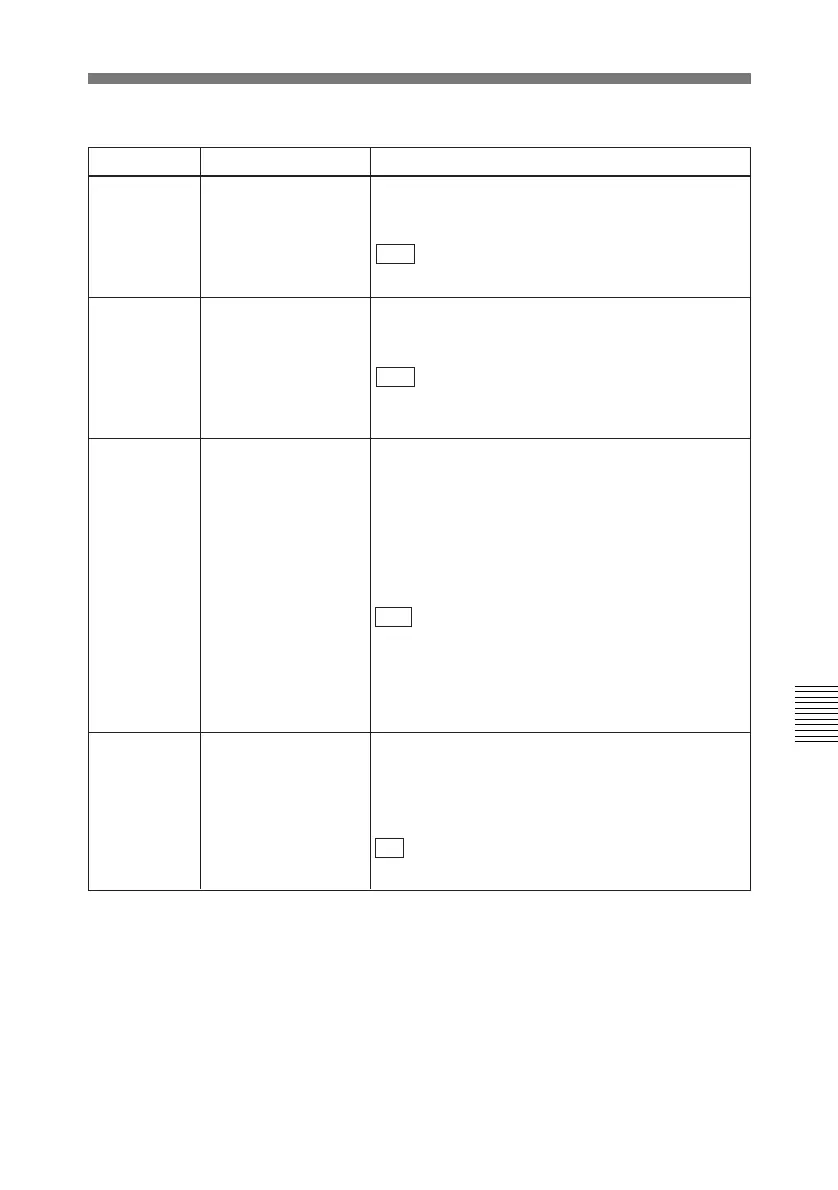
VARIABLE SPEED
LIMIT IN KEY PANEL
CONTROL
120 CTL LOCK IN VAR/
SHTL
122 AUTO EE WITH
ANALOG TAPE
Select whether or not the setting of item 108 also
applies to a cassette recorded in Betacam/Betacam
SP format.
Item 108 selects the VTR modes in which input
video and audio signals are automatically handled
in E-E mode, when a cassette recorded in Betacam
SX format is inserted and the monitor output switch
on the control panel is set to PB/EE.
DIS : When a cassette recorded in Betacam/
Betacam SP format is inserted, always use PB
mode.
ENA: When a cassette recorded in Betacam/
Betacam SP format is inserted, follow the setting of
item 108.
Select whether the tape transport should be phase-
locked to the CTL during playback in variable or
shuttle mode.
OFF : Not phase-locked.
ON: Phase-locked at the following speeds: –1, –0.5,
+0.5 and 1.0 times normal.
Select the playback speed range when carrying out
playback in variable mode from the control panel of
this unit.
OFF : –1 to +1 times normal speed.
ON: 0 to +1 times normal speed.
Item number Item name Settings
Menu items in the 100s, relating to the control panels (continued)
127 CASSETTE SELECT
WARNING
Select whether or not to flash the WARNING
indicator during playback of a Betacam SP tape
when the tape’s recording mode does not agree
with the playback mode set on the unit (SP TAPE
switch position).
ON : Flash.
OFF: Do not flash.



 To Next Page