Preparations 2-13
Chapter 2 Preparations
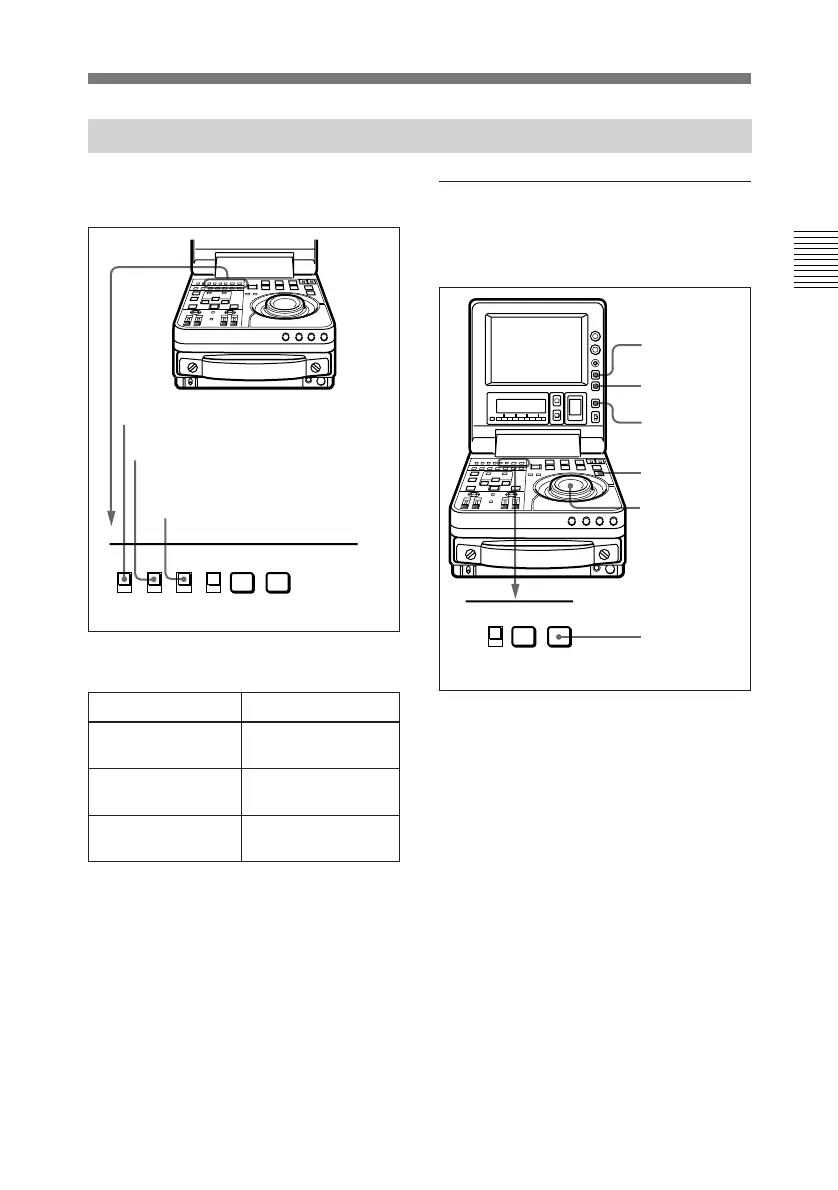
Set the switches and sub LCD menu
items as shown below.
Sub LCD menu settings
2-5-1 Setting an Initial Value and Recording Timecode
To set an initial timecode
value
Perform the following procedure.
1 Press the CTL/TC/U-BIT button
and select TC.
2 Press the HOLD button.
The first digit of the time data
(hours:minutes:seconds:frames) in
the sub LCD begins to flash.
To set all digits to 0
Press the RESET button.
3 Confirm the JOG indicator lights,
and select jog mode if not.
(Shuttle mode is not
recommendable.)
INT/EXT: INT
INT
EXT
PRESET
REGEN
F-RUN
R-RUN
PB MENU
PB/EE
TC GENERATOR
SET
PRESET/REGEN: PRESET
F-RUN/R-RUN: Either
position
Item Setting
VITC ON/OFF
(home page)
Desired setting (ON
for recording)
VITC/LTC/AUTO
(home page)
No setting required
(ignored)
DF/NDF (general
settings page)
Desired setting (in
525 mode)
RESET button
2
1
3,5
7
3,4,5,6
PB MENU
PB/EE
SET
(Continued)



 To Next Page