Setting Edit Points
3-8 Editing
Chapter 3 Editing
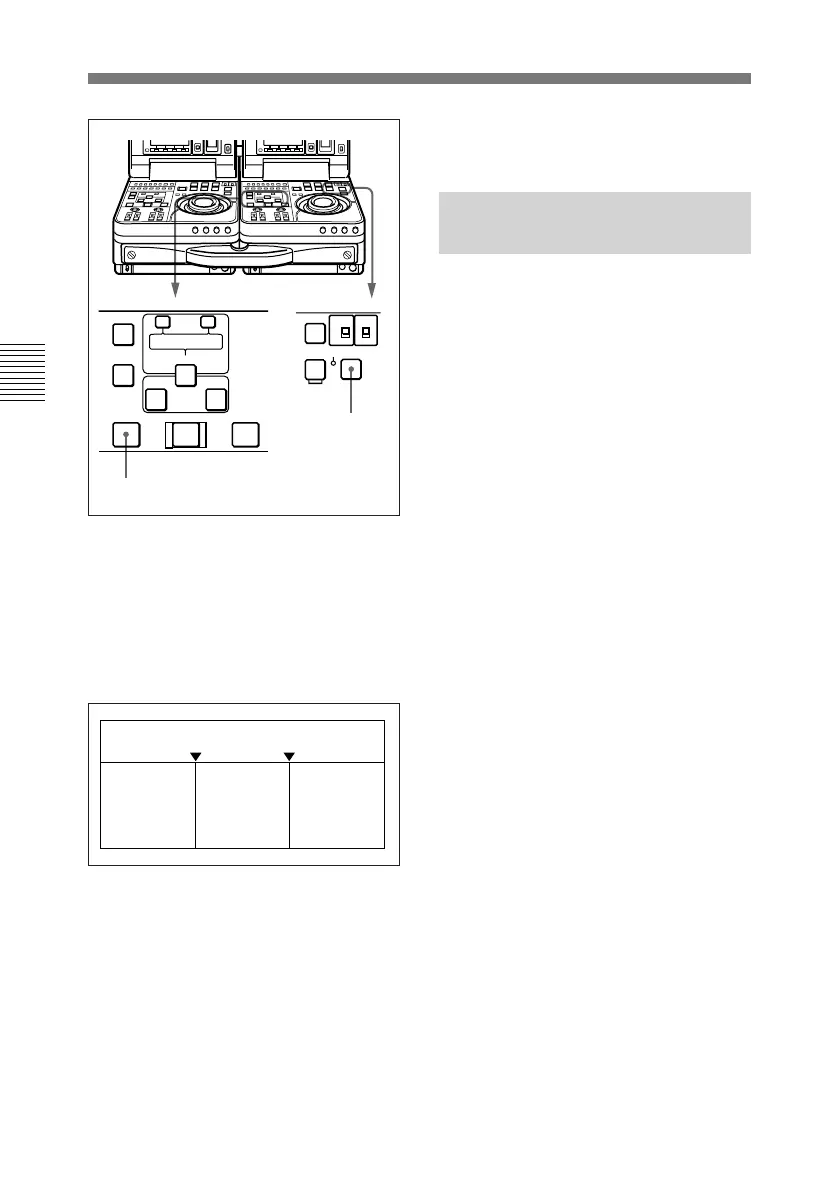
During the preview, you can see the
video in the recorder side LCD
monitor and listen to the audio
through the recorder side speaker.
The figure below shows the video and
audio signals which can be monitored.
After the preview, modify, delete, or
reset edit points as required.
For more information about modifying
edit points, see section 3-3-5
“Modifying Edit Points”.
To stop a preview
Press the STOP button on the recorder
unit.
The tape stops when the button was
pressed.
3-3-5 Modifying Edit
Points
Once you set edit points, you can
delete them or modify them as
required in units of one frame.
When edit points have been set
incorrectly, for example when an OUT
point is located before an IN point or
when the durations of editing
segments on the player and recorder
unit do no match, the DELETE
buttons flash to alert you that a
preview or edit cannot be conducted.
Correct the edit points as required.
To turn a flashing DELETE
button off without deleting an
edit point
Press the DELETE button.
Displacing the recorder/player
IN points at the same time
You can automatically displace the IN
points on the recorder and player by
the same offset from the
synchronizing point.
1 Press the IN button and ENTRY/
SHIFT button simultaneously, to
set the synchronizing point for the
recorder and player.
2 Hold down the recorder IN button,
and rotate the jog or shuttle dial,
to cue up to the edit start point.
3 Holding down the IN button, press
the ENTRY/SHIFT button.
CH-1/2
CH-3/4
METER
SX
SP PB ONLY
SP TAPE
F FWD STOP
STANDBY
EDIT
AUTO EDIT
AUDIO IN
TRIM
LIST MARK
GOOD
SHOT
ENTRY SHIFT
IN OUT
–+
DELETE
PREVIEW REVIEW
PREVIEW button
STOP button
IN point OUT point
Recorder
unit’s
playback
signals
Player
unit’s
E-E
signals
Recorder
unit’s
playback
signals



 To Next Page