Editing 3-15
Chapter 3 Editing
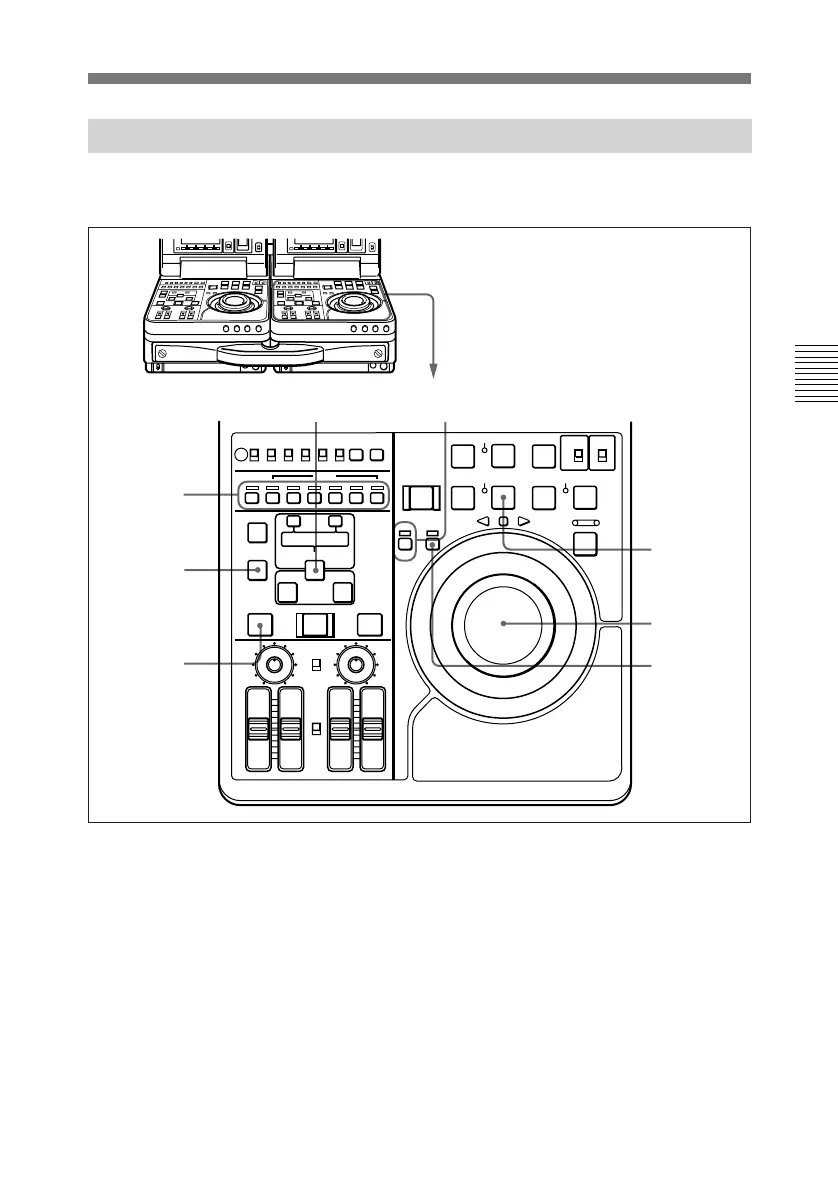
3-5-2 Setting Edit Points and Playback Speeds
Perform the following procedure.
1 Press the ASSEMBLE or INSERT
button to select edit mode.
2 Press the PLAYER/DMC button
together with the ENTRY/SHIFT
button.
The PLAYER/DMC indicator
flashes and the unit enters DMC
edit mode.
When the playback speed is stored
in memory, the indicator flashes
one time per second. When not, it
flashes four times per second.
To exit DMC edit mode
Press the PLAYER/DMC or
RECORDER button together with
the DELETE button.
3 If the PLAYER indicator is lit,
press the RECORDER button.
4 To set edit points, press the
ENTRY/SHIFT button together
with the IN or OUT button.
DELETE
button
PLAY
button
1
6,9
3
2,4,6,7
8
2,5,6,7
OFF
ON
LOCAL
REC INHI
REMOTE
INT
EXT
PRESET
REGEN
F-RUN
R-RUN
PB MENU
PB/EE
TC GENERATOR
SET
AUDIO IN
VIDEO
CH-1 CH-2 CH-3 CH-4
AUDIO
TRIM
LIST MARK
GOOD
SHOT
ENTRY SHIFT
IN OUT
ASSEMBLE INSERT
TC
–+
DELETE
EJECT REW PLAY F FWD
SERVO
CH-1/2
CH-3/4
PREROLL
REC SEQ EDIT
METER
SX
SP PB ONLY
SP TAPE
REC
INHI
REVERSE
PLAYER
DMC
RECORDER
FORWARD
SHUTTLE JOG
VAR
)
0
r
p
6
4
AUTO EDIT
AUDIO INPUT
PB
AUDIO
CH-1
PREVIEW REVIEW
CH-2
PRESET
VARIABLE
CH-1
PRESET
VARIABLE
CH-2 CH-3 CH-4
STOP
STANDBY
(Continued)



 To Next Page