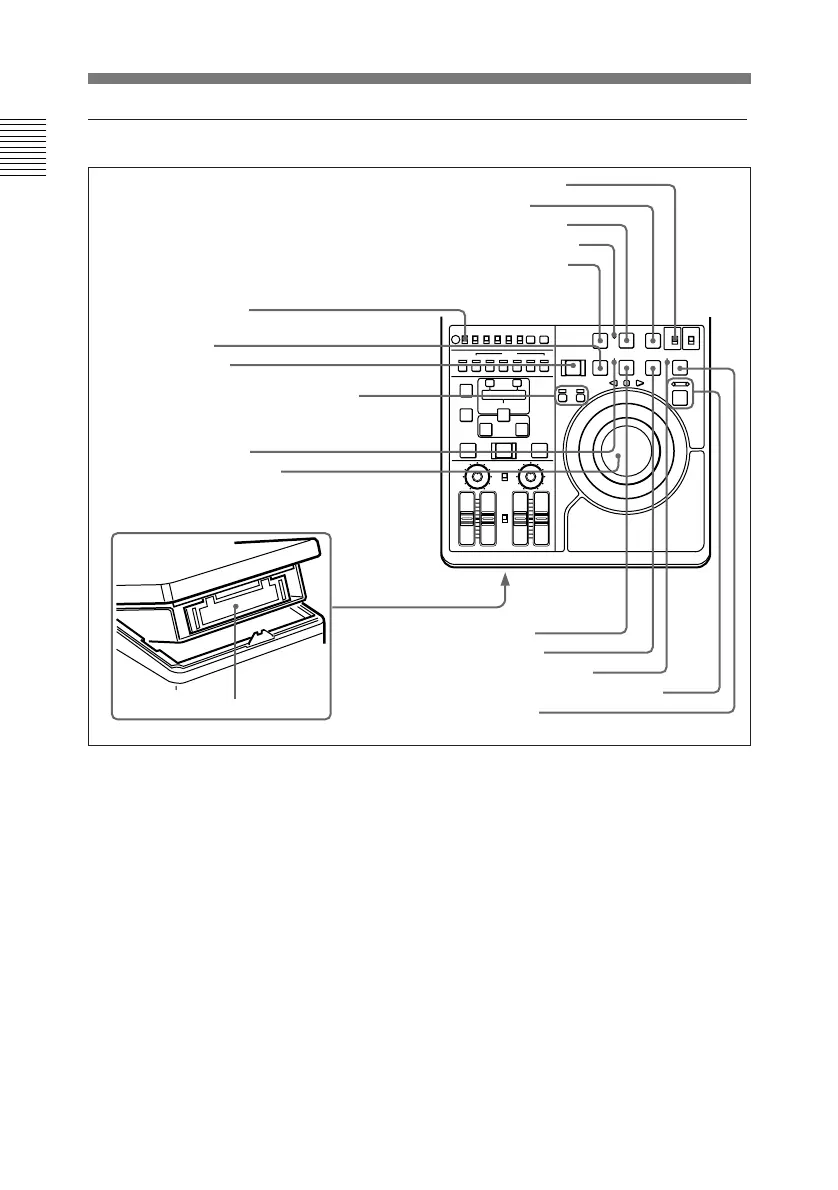
Locations and Functions of Parts
1-8 Overview
Chapter 1 Overview
Tape transport section
1 PREROLL button
Press to run the tape up to the preroll
point (located in advance of the IN
point by the amount of the preroll
time). You can set the preroll time
using setup menu item 001. You can
set the state of the unit at the end of
preroll by using setup menu item 401.
By pressing this button at the same
time as the IN/OUT or AUDIO IN
buttons in the editing section, you can
search for a timecode set in advance
and stop at that position. (The tape is
cued up to the preset timecode
position.)
2 REC INHI (recording inhibit)
indicator
Lights under the following situations.
• Set the REC INHI switch !§ to ON.
• Press in the erasure prevention plug.
• Insert the Betacam SP cassette and
set the SP TAPE switch 5 to SP PB
ONLY.
• Insert the Betacam cassette (oxide
tape).
!£ PLAYER/DMC and RECORDER
buttons/indicators
!¡ Jog and shuttle dials
5 SP TAPE switch
2 REC INHI indicator
!™ SERVO indicator
!¢ EJECT button
!§ REC INHI switch
3 REC/SEQ button
4 EDIT button
!¶ Cassette compartment
7 Search button and indicators
8 STANDBY indicator
0 PLAY button
9 F FWD button
6 STOP button
1 PREROLL button
!∞ REW button



 To Next Page