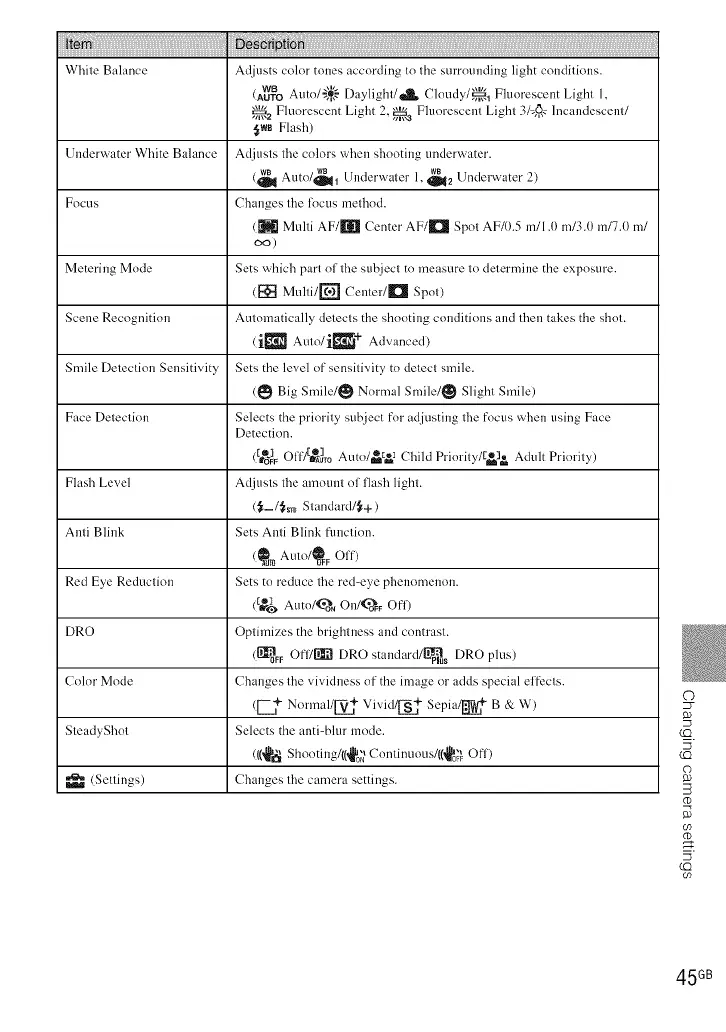
White Balance Adjusts color tones according to the surrounding light conditions.
wB Auto/'}+{-'-Daylight/_ Cloudy/_l Fluorescent Light 1,
(AUTO
_a Fluorescent Light 2, _ Fluorescent Light 31@,cIncandescent/
{_wsFlash)
Underwater White Balance Adjusts the colors when shooting underwater.
(_ wB wB lAutO/_l Underwater 1, _2 L nderwater 2)
Focus Changes the locus methnd.
(_ Multi AF/II'q Center AF/I'_ Spot AF/O.5 m/l .(t m/3.0 m/7.0 m/
co)
Metering Mode Sets which part of the subject to measure to determine the exposure.
([_1 Multi/[_ Center/IMI Spot)
Scene Recognition Automatically detects the shooting conditions and then takes the shot.
(i_"_ Auto/ir[!_ + Ad....... d)
Smile Detection Sensitivity Sets the level of sensitivity to detect smile.
(_ Big Smile/_ N....... 1Smile/_ Slight Smile)
Face Detection Selects the priority subject fnr adjusting the fncus when using Face
Detection.
(_}_ Ol'fTg_m Auto/_ 3 Child Prinrity/[_elg= Adult Prinrity)
Flash Level Adjusts the amount nf flash light.
(_-/_sr0 Standard/_+)
Anti Blink Sets Anti Blink function.
(_r0 Aut°/l_F Off)
Red Eye Reduction Sets to reduce the red-eye phenomenon.
([re_ Auto/_oN On/Ka_F_Off)
DRO Optimizes the brightness and cnntrast.
(_FF Of'IYEII[_DRO standard/lJJ_tus DRO plus)
Color Mode Changes the vividness of the image or adds special effects.
([-- _+N......... 1/V_ Vivid/_ Sepia/[_LuW+ B & W)
SteadyShnt Selects the anti-blur mode.
(((_lh_Shonting/((_0_ Cnnti ......... /((_ Off)
(Settings) Changes the camera settings.
(C)
09
45 GB













 To Next Page