MENU in viewing mode
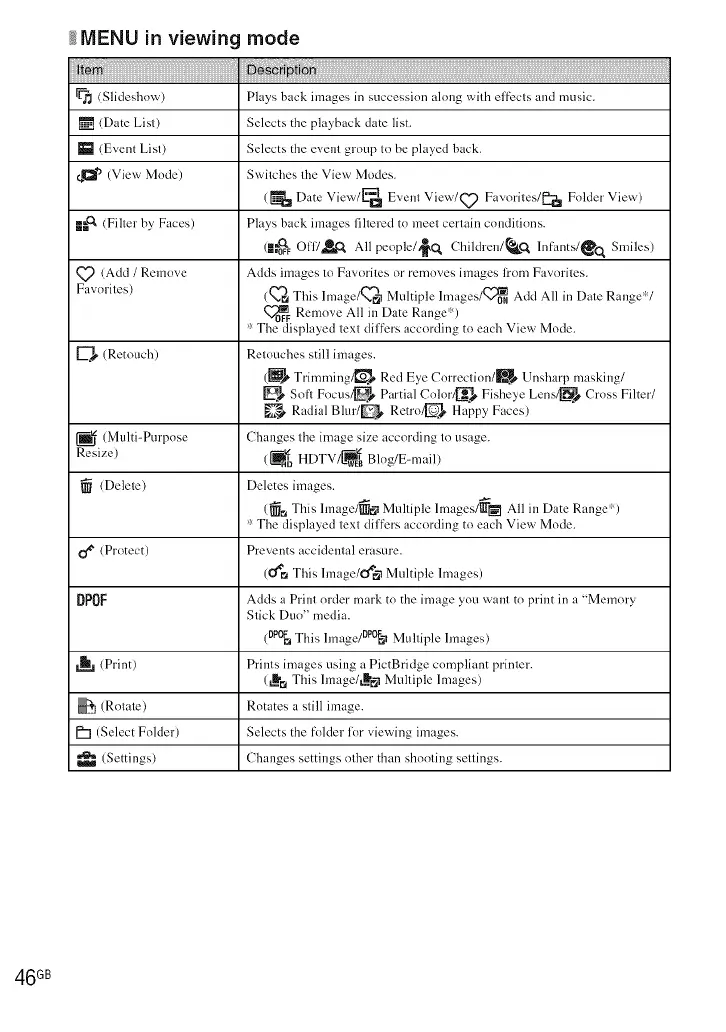
(Slideshow) Plays back images in succession along with effi:cts and music.
[] (Date List) Selects the playback date list.
_1 (Event List) Selects the event group to be played back.
¢,a *a(View Mode) Switches the View Modes.
(_ Date View/_'la Event View/Q_) Favorites/[_ Folder View)
m_ (Filter by Faces) Pl;,ys back im:_ges filtered to meet cert;dn conditions.
(L'_FF0117,_ All people/,_Q Children/_kCt lnf'ants/_o _ Smiles)
Q_ (Add / Remove Adds im:_ges to Favorites or removes im:_ges li'om F:,,_orites.
F........ires) (Q'_ This lmage/_ Multiple lm;iges/Q_0 NAdd All in D:,te Range"V
Remove All in Date Range:')
":The displayed text differs according to each View Mode.
(Retouch) Retouches still images.
(_ Trimming/_ Red Eye Correction/B Unsharp ...... king/
Soft F....... _ Pm'tial Color_ Fisheye Lens/_s C ...... Filter/
R_ldial Blur/_ Retro/_-ls H_lppy F...... )
(Multi=Purpose Changes the image size according to usage.
Resize) (_ HDTV/_ Blog/E-mail)
(Delete) Deletes images.
(_ This hnage/_N Multiple lmages/_[_ All in Date Range")
'::The displayed text differs according to each View Mode.
(Protect) Prevents accidemal erasure.
(U*mThis hnage/O'_N Multiple lmages)
DPOF Adds a Print order mark to the image you want to print in a "Memory
Stick Duo" media.
(0p0_ This hnage/DP°_ Multiple hnages)
,_, (Print) Prints images using a PictBridge compliant printer.
(LIt'_This hnage/t_bN Multiple lmages)
(Rotate) Rotates a still image.
P"l (Select Folder) Selects the folder for viewing images.
(Settings) Changes settings olher than shooling settings.
46 GB













 To Next Page