EasyManua.ls Logo

Sony EV-S7000 - Page 49

Sony EV-S7000
84 pages
Print Icon
To Next Page IconTo Next Page
To Previous Page IconTo Previous Page
Loading...
Note
¢
When
rewinding
at
high
speed,
you
will
not
see
the
time
counter.
After
the
tape
is
rewound
to
the
beginning,
the
time
counter
displays
“QOHOOMO0S.”
Notes
¢
If
you
use
VOICE
BOOST
on
any
tapes
other
than
those
recorded
on
a
video
camera,
the
audio
portion
of
the
tape
will
be
difficult
to
hear.
*
The
VOICE
BOOST
function
operates
in
standard
hi-fi
sound,
and
doesn’t
function
when
using
PCM
audio
sound.
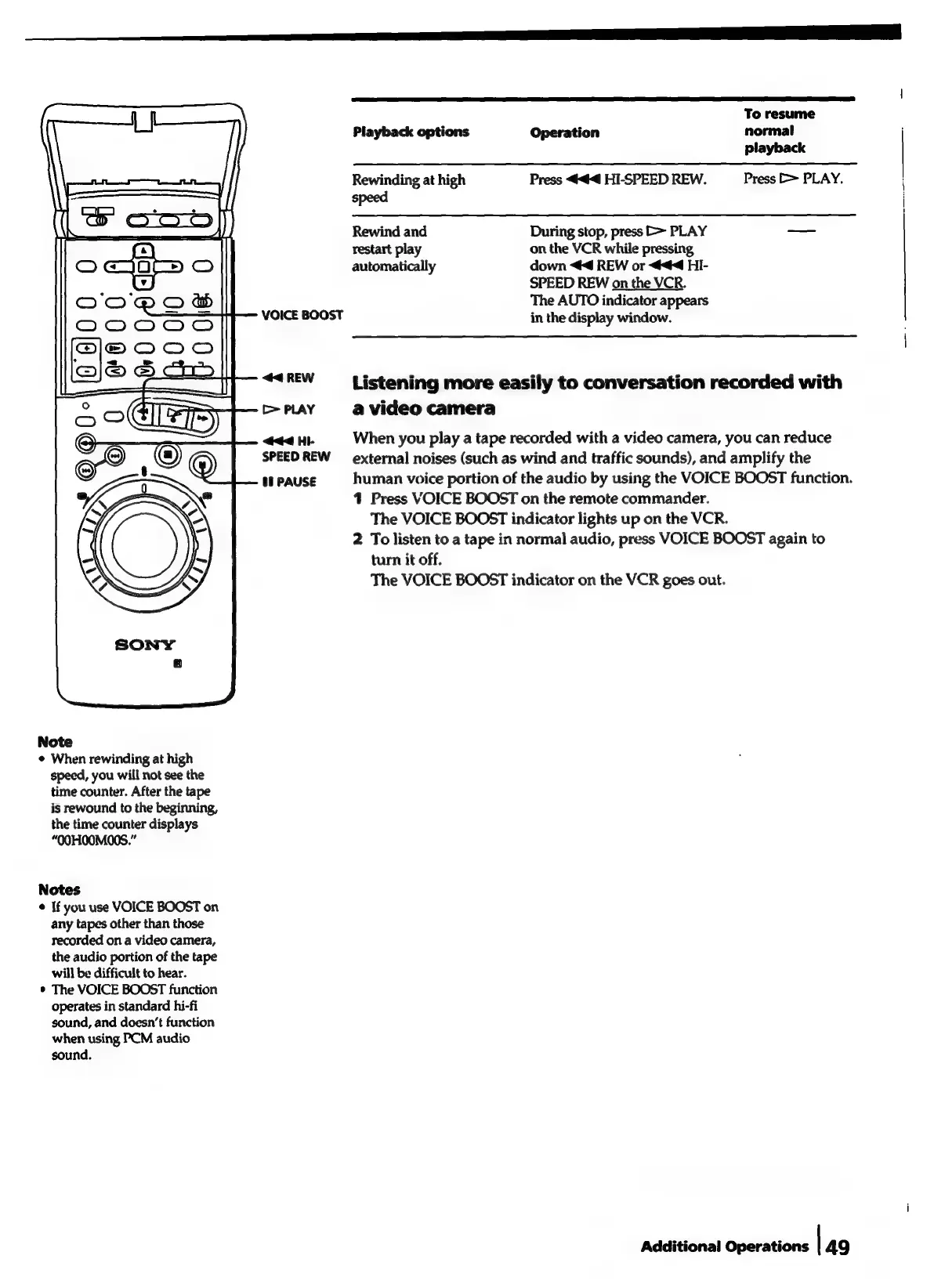
VOICE
BOOST
<<
REW
C>
PLAY
44
Hi-
SPEED
REW
08
PAUSE
Playback
options
Rewinding
at
high
speed
Rewind
and
During
stop,
press
>>
PLAY
restart
play
automatically
Operation
Press
<4
HI-SPEED
REW.
on
the
VCR
while
pressing,
down
<4
REW
or
444
HI-
SPEED
REW
on
the
VCR.
The
AUTO
indicator
appears
in
the
display
window.
To
resume
normal
playback
Press
>
PLAY.
Listening
more
easily
to
conversation
recorded
with
a
video
camera
When
you
play
a
tape
recorded
with
a
video
camera,
you
can
reduce
external
noises
(such
as
wind
and
traffic
sounds),
and
amplify
the
human
voice
portion
of
the
audio
by
using
the
VOICE
BOOST
function.
4
Press
VOICE
BOOST
on
the
remote
commander.
The
VOICE
BOOST
indicator
lights
up
on
the
VCR.
2
To
listen
to
a
tape
in
normal
audio,
press
VOICE
BOOST
again
to
turn
it
off.
The
VOICE
BOOST
indicator
on
the
VCR
goes
out.
Additional
Operations
|
49

Related product manuals