EasyManua.ls Logo

Sony EV-S7000 - Troubleshooting

Sony EV-S7000
84 pages
Print Icon
To Next Page IconTo Next Page
To Previous Page IconTo Previous Page
Loading...
Additional
Information
Troubleshooting
Symptom
Remedy
Power
The
POWER
switch
does
not
©
Connect
the
AC
power
cord
securely.
function.
¢
Make
sure
the
VCR
is
not
standing
by
for
timer
recording.
Clock
The
clock
has
stopped
and
“-:--”
¢
The
clock
stops
if
the
VCR
is
disconnected
from
the
wall
outlet
for
lights
in
the
display
window.
more
than
an
hour.
Reset
the
clock
(and
timer).
Playback
The
playback
picture
does
not
¢
Make
sure
the
TV
is
set
to
the
channel
for
the
VCR,
or
set
it
to
video
appear
on
the
TV
screen.
input.
The
picture
is
not
clear.
¢
Adjust
the
tracking
in
the
TRACKING
ADJUST
menu.
¢
The
video
heads
are
dirty
(see
below).
Clean
the
video
heads
using
the
Sony
video
head
cleaning
cassette.
If
this
cleaning
cassette
is
not
available
in
your
area,
have
the
heads
cleaned
at
your
nearest
Sony
service
facility
(a
standard
service
charge
will
be
required).
Do
not
use
a
commercially
available
wet-type
cleaning
cassette,
as
it
may
damage
the
video
heads.
The
video
heads
may
have
to
be
replaced.
Consult
your
local
Sony
dealer
for
more
information.
The
picture
has
no
sound.
¢
The
tape
is
defective.
Use
a
new
tape.
Both
main
and
SAP
sounds
are
e
When
you
play
a
bilingual
tape,
make
sure
the
AUDIO
MONITOR
heard.
switch
on
the
operation
panel
is
set
to
STD.
(continued)
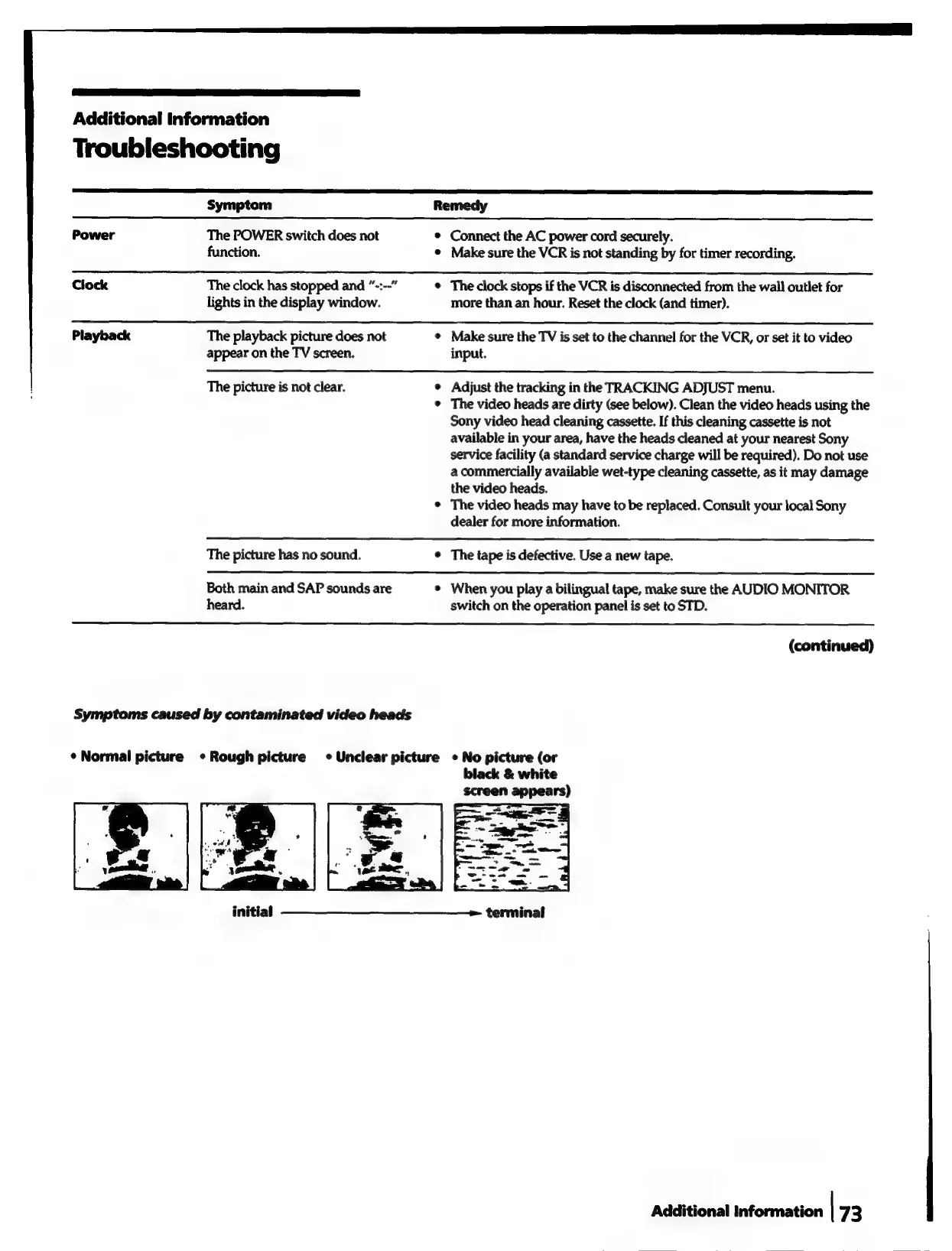
Symptoms
caused
by
contaminated
video
heads
¢
Normal
picture
¢
Rough
picture
«Unclear
picture
«
No
picture
(or
black
&
white
initial
——__—_________——-
terminal
Additional
information
|
‘73

Related product manuals