EasyManua.ls Logo

Sony EV-S7000 - Editing; Shuttle editing

Sony EV-S7000
84 pages
Print Icon
To Next Page IconTo Next Page
To Previous Page IconTo Previous Page
Loading...
Editing
Shuttle
editing
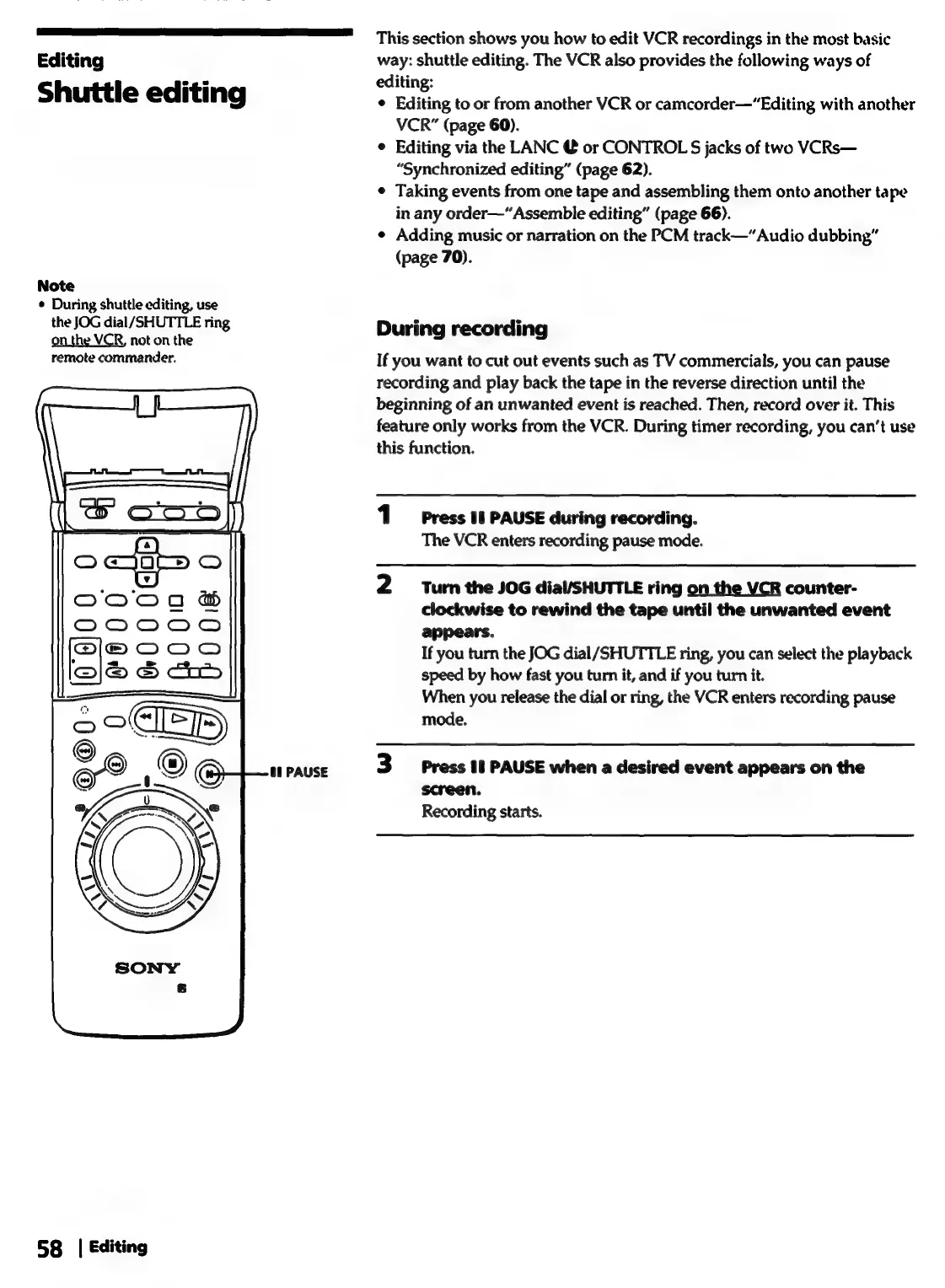
Note
¢
During
shuttle
editing,
use
the
JOG
dial/SHUTTLE
ring
on
the
VCR,
not
on
the
remote
commander.
|
(oe
ob)
58
|
Editing
al
PAUSE
This
section
shows
you
how
to
edit
VCR
recordings
in
the
most
basic
way:
shuttle
editing.
The
VCR
also
provides
the
following
ways
of
editing:
Editing
to
or
from
another
VCR
or
camcorder—“Editing
with
another
VCR”
(page
60).
Editing
via
the
LANC
@
or
CONTROL
S
jacks
of
two
VCRs—
“Synchronized
editing”
(page
62).
Taking
events
from
one
tape
and
assembling
them
onto
another
tape
in
any
order—“
Assemble
editing”
(page
66).
Adding
music
or
narration
on
the
PCM
track—“Audio
dubbing”
(page
70).
During
recording
If
you
want
to
cut
out
events
such
as
TV
commercials,
you
can
pause
recording
and
play
back
the
tape
in
the
reverse
direction
until
the
beginning
of
an
unwanted
event
is
reached.
Then,
record
over
it.
This
feature
only
works
from
the
VCR.
During
timer
recording,
you
can’t
use
this
function.
Press
If
PAUSE
during
recording.
The
VCR
enters
recording
pause
mode.
Turn
the
JOG
dial/SHUTTLE
ring
on
the VCR
counter-
clockwise
to
rewind
the
tape
until
the
unwanted
event
appears.
If
you
turn
the
JOG
dial/SHUTTLE
ring,
you
can
select
the
playback
speed
by
how
fast
you
turn
it,
and
if
you
turn
it.
When
you
release
the
dial
or
ring,
the
VCR
enters
recording
pause
mode.
Press
18
PAUSE
when
a
desired
event
appears
on
the
screen.
Recording
starts.