EasyManua.ls Logo

Sony EV-S7000 - Using the SET UP menu

Sony EV-S7000
84 pages
Print Icon
To Next Page IconTo Next Page
To Previous Page IconTo Previous Page
Loading...
Using
the
SET
UP
menu
32
|
Getting
Started
The
SET
UP
menu
allows
you
to
make
a
number
of
optional
setup
choices.
For
a
list
of
menu
choices,
see
the
following
page.
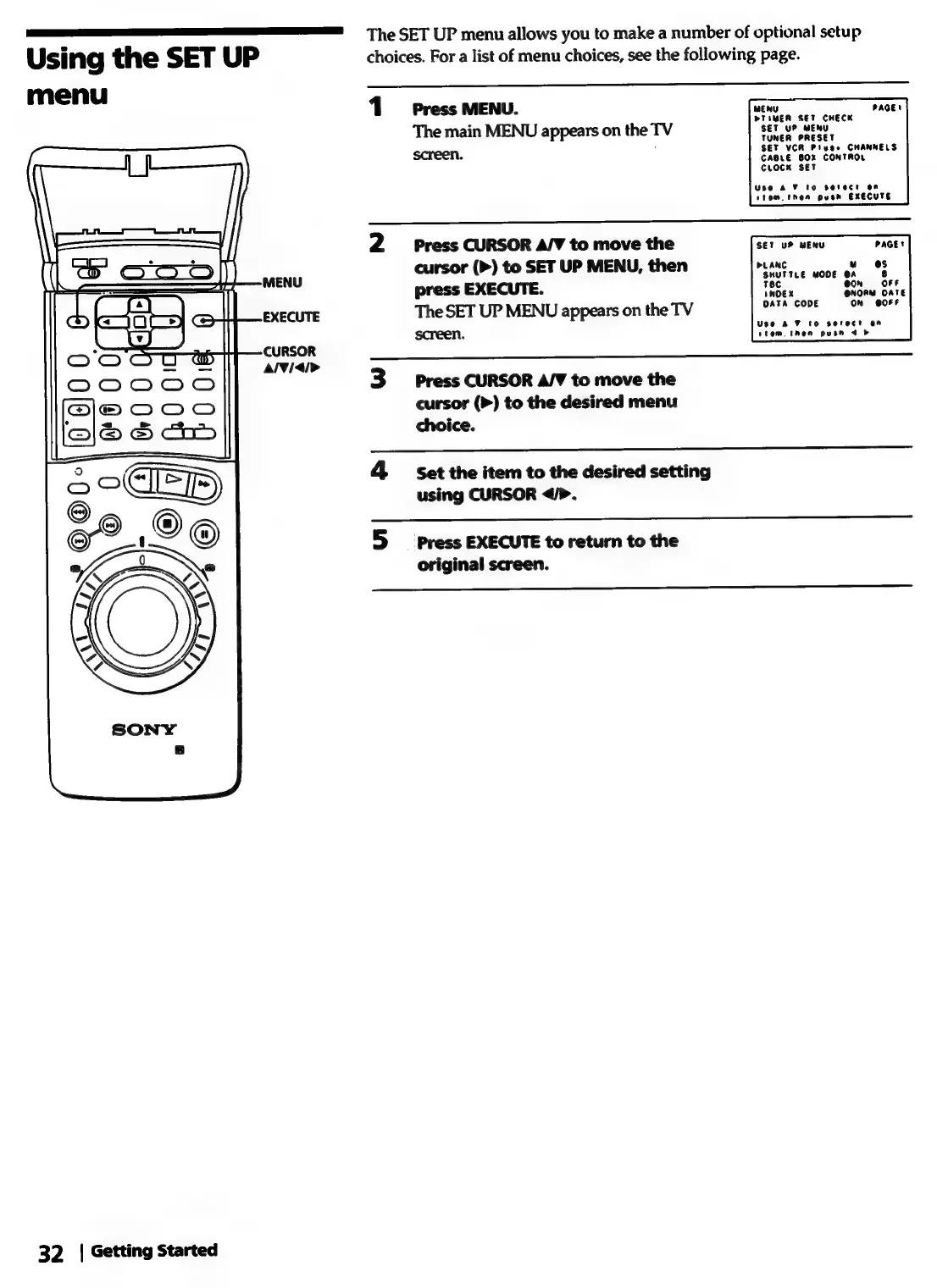
1
Press
MENU.
The
main
MENU
appears
on
the
TV
screen.
MENU
PAGE!
PTIMER
SET
CHECK
SET
YP
MENU
TUNER
PRESET
SET
VCR
Piuee
CHANNELS
CABLE
BOX
CONTROL
CLOCK
SET
Use
& 7
to
serect
on
stom.
then
push
EXECUTE
2
Press
CURSOR
A/V
to
move
the
cursor
(>)
to
SET
UP
MENU,
then
a
press
EXECUTE.
Tec
ead
The
SET
UP
MENU
appears
on
the
TV
ne
screen.
SET
UP
MENU
PAGEt
HOEX
DATA
CODE
On
00!
Use
AF
to
sotect
an
stem.
then
pusn
4
3
Press
CURSOR
A/V
to
move
the
cursor
(>)
to
the
desired
menu
choice.
4
Set
the
item
to
the
desired
setting
using
CURSOR
</>.
5
si
press
EXECUTE
to
return
to
the
original
screen.

Related product manuals