EasyManua.ls Logo

Sony EV-S7000 - Basic Operations; Playing a tape

Sony EV-S7000
84 pages
Print Icon
To Next Page IconTo Next Page
To Previous Page IconTo Previous Page
Loading...
Basic
Operations
Playing
a
tape
Tip
©
For
further
information
on
searching
and
playback
functions,
see
“Playing
/
searching
at
various
speeds”
on
page
48,
34
|
Basic
Operations
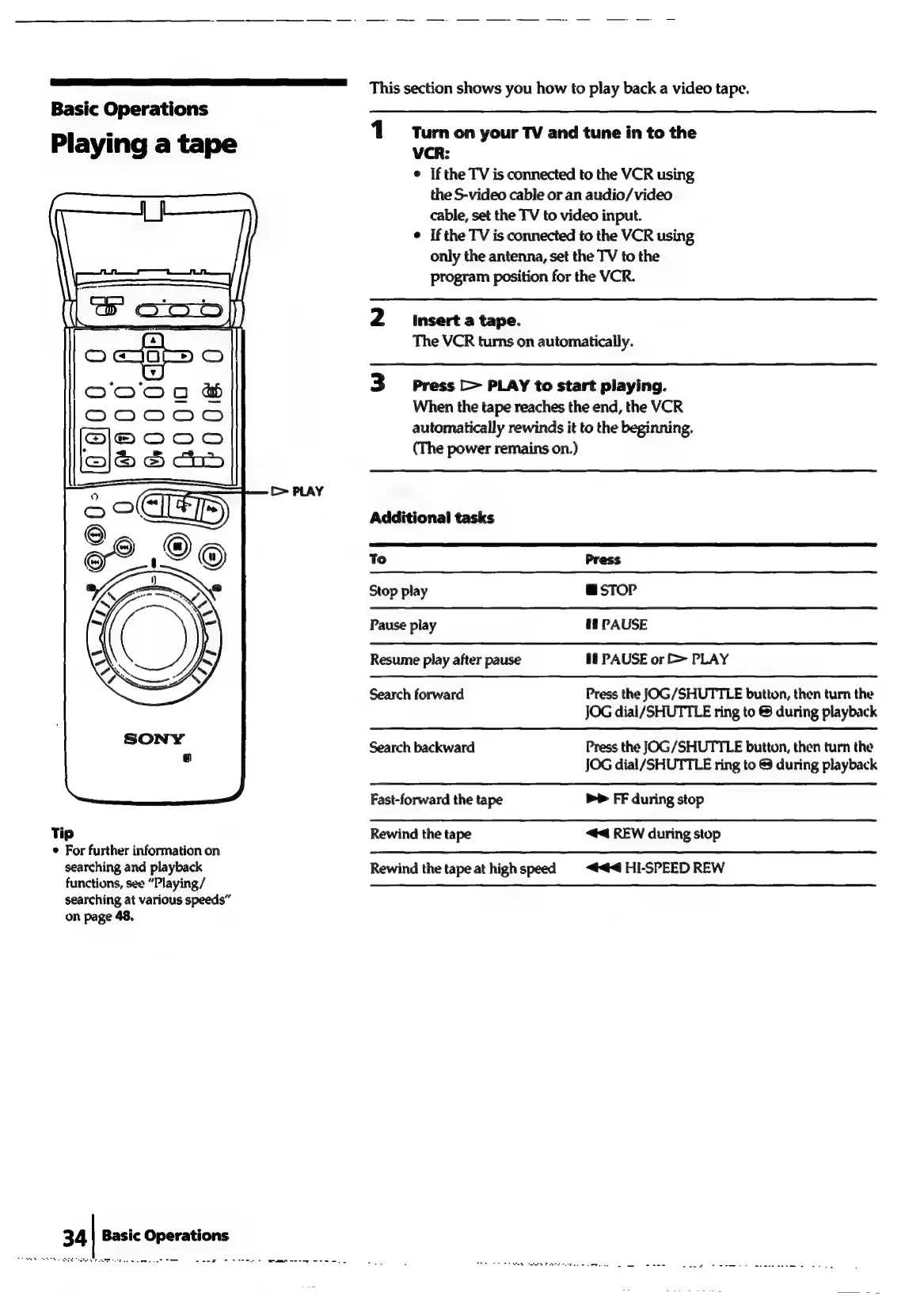
This
section
shows
you
how
to
play
back
a
video
tape.
Turnon
your
TV
and
tune
in
to
the
VCR:
¢
Ifthe
TV
is
connected
to
the
VCR
using
the
S-video
cable
or
an
audio/video
cable,
set
the
TV
to
video
input.
¢
Ifthe
TV
is
connected
to
the
VCR
using
only
the
antenna,
set
the
TV
to
the
program
position
for
the
VCR.
2
imserta
tape.
The
VCR
turns
on
automatically.
3
Press
>
PLAY
to
start
playing.
When
the
tape
reaches
the
end,
the
VCR
automatically
rewinds
it
to
the
beginning.
(The
power
remains
on.)
Additional
tasks
To
Press
Stop
play
msTOoP
Pause
play
&8
PAUSE
Resume
play
after
pause
1
PAUSE
or
>
PLAY
Search
forward
Press
the
JOG/SHUTTLE
button,
then
turn
the
JOG
dial/SHUTTLE
ring
to
during
playback
Search
backward
Press
the
JOG/SHUTTLE
button,
then
turn
the
JOG
dial/SHUTTLE
ring
to
@
during
playback
Fast-forward
the
tape
b>
FF
during
stop
Rewind
the
tape
44
REW
during
stop
Rewind
the
tape
at
highspeed
<4
HI-SPEED
REW

Related product manuals