EasyManua.ls Logo

Sony EV-S7000 - Audio dubbing

Sony EV-S7000
84 pages
Print Icon
To Next Page IconTo Next Page
To Previous Page IconTo Previous Page
Loading...
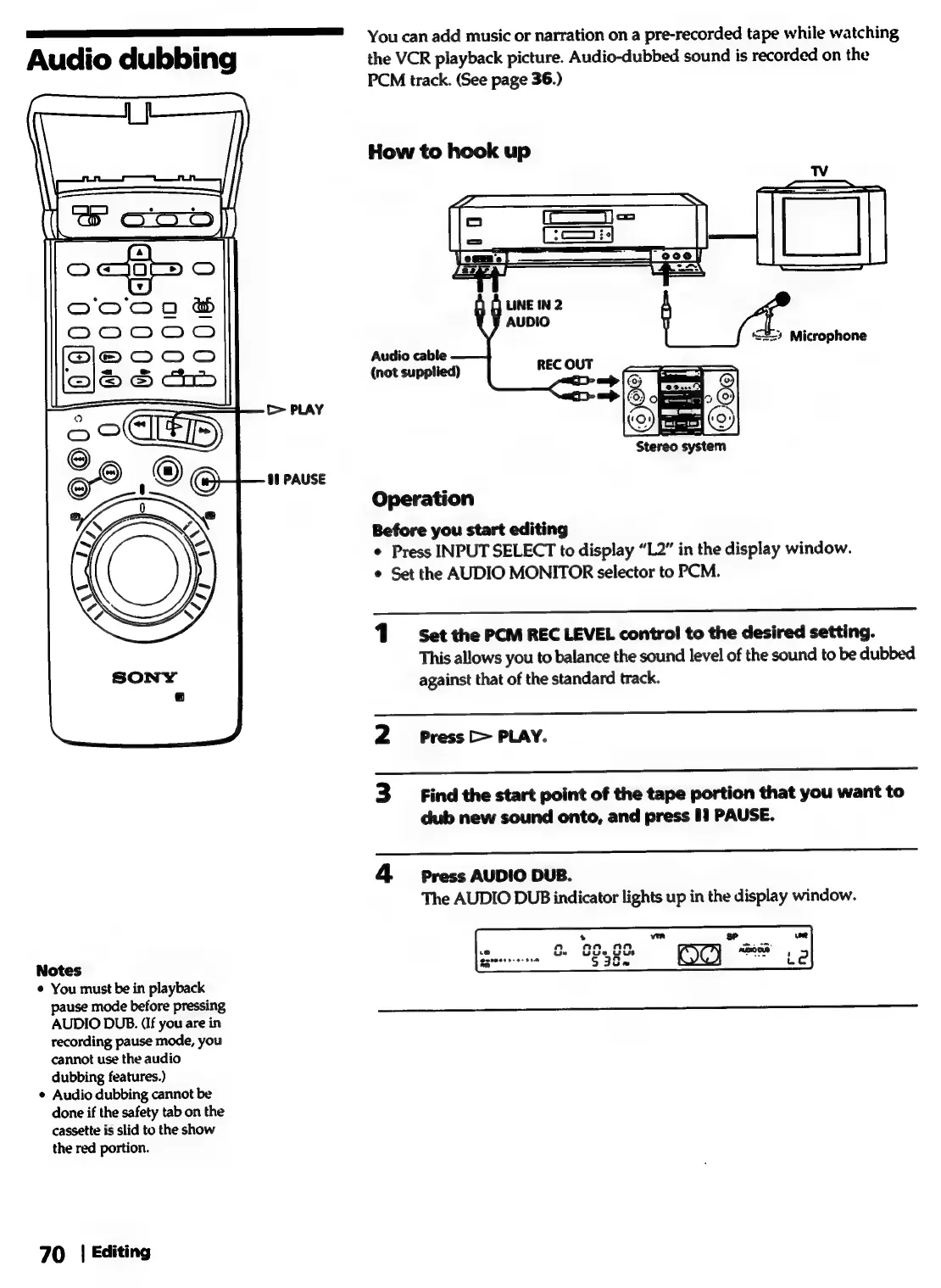
You
can
add
music
or
narration
on
a
pre-recorded
tape
while
watching
Audio
dubbing
the
VCR
playback
picture.
Audio-dubbed
sound
is
recorded
on
the
PCM
track.
(See
page
36.)
How
to
hook
up
Audio
cable
(not
supplied)
>
PLAY
00
PAUSE
Operation
Before
you
start
editing
¢
Press
INPUT
SELECT
to
display
“L2”
in
the
display
window.
¢
Set
the
AUDIO
MONITOR
selector
to
PCM.
i
———
1°
Set
the
PCM
REC
LEVEL
control
to
the
desired
setting.
This
allows
you
to
balance
the
sound
level
of
the
sound
to
be
dubbed
against
that
of
the
standard
track.
2
siPress
[>
PLAY.
3
Find
the
start
point
of
the
tape
portion
that
you
want
to
dub
new
sound
onto,
and
press
1
PAUSE.
4
Press
AUDIO
DUB.
The
AUDIO
DUB
indicator
lights
up
in
the
display
window.
Notes
¢
You
must
be
in
playback
pause
mode
before
pressing
AUDIO
DUB.
(If
you
are
in
recording
pause
mode,
you
cannot
use
the
audio
dubbing
features.)
¢
Audio
dubbing
cannot
be
done
if
the
safety
tab
on
the
cassette
is
slid
to
the
show
the
red
portion.
70
|
Editing