EasyManua.ls Logo

Sony EV-S7000 - Page 59

Sony EV-S7000
84 pages
Print Icon
To Next Page IconTo Next Page
To Previous Page IconTo Previous Page
Loading...
Note
¢
The
picture
may
be
distorted
for
a
moment
at
the
cut-out
point
(recording
end
point).
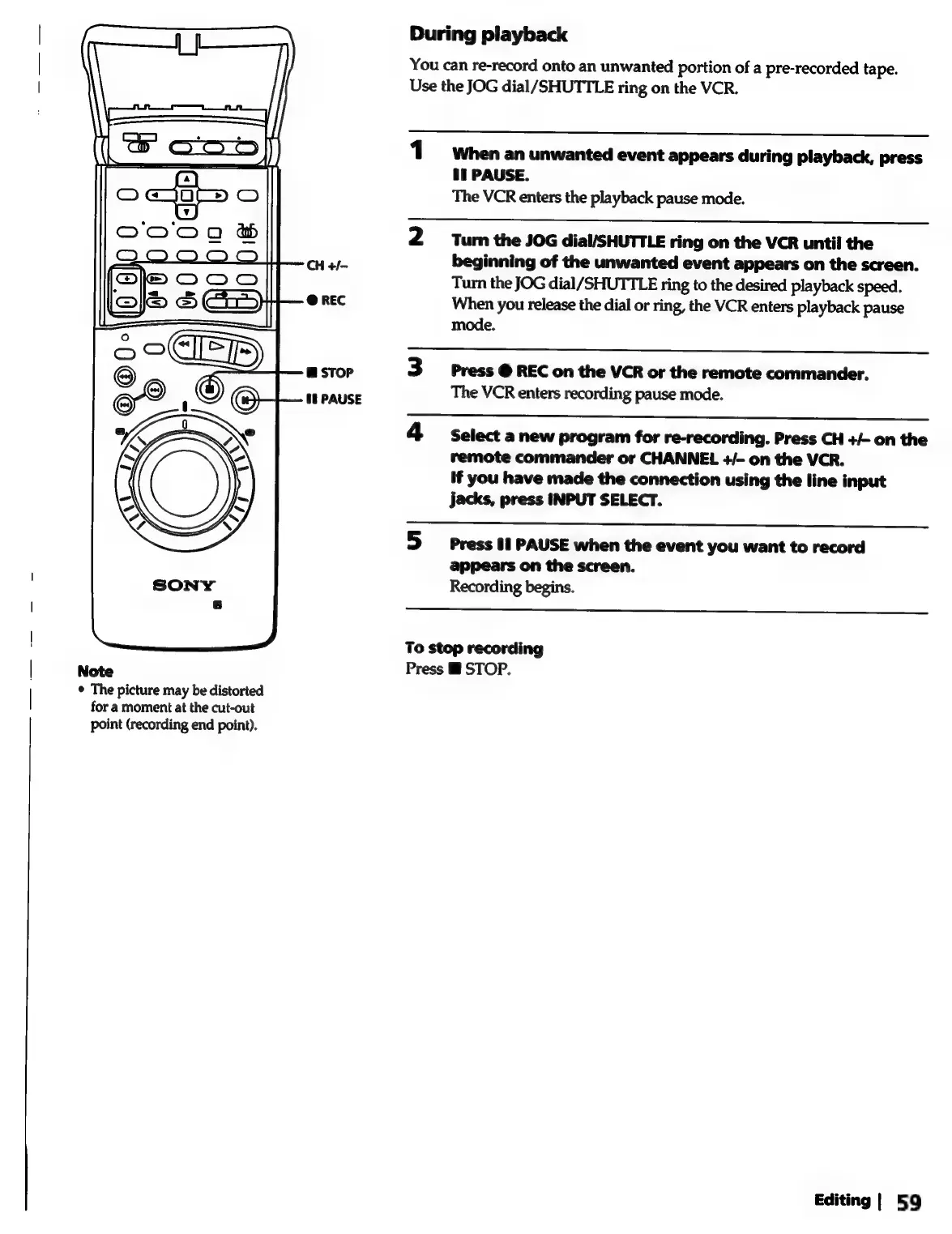
During
playback
You
can
re-record
onto
an
unwanted
portion
of
a
pre-recorded
tape.
Use
the
JOG
dial/SHUTTLE
ring
on
the
VCR.
1°
Whenan
unwanted
event
appears
during
playback,
press
bi
PAUSE.
The
VCR
enters
the
playback
pause
mode.
2
Turn
the
JOG
dial/SHUTTLE
ring
on
the
VCR
until
the
beginning
of
the
unwanted
event
appears
on
the
screen.
Turn
the
JOG
dial/SHUTTLE
ring
to
the
desired
playback
speed.
When
you
release
the
dial
or
ring,
the
VCR
enters
playback
pause
mode.
3
Press
@
REC
on
the
VCR
or
the
remote
commander.
The
VCR
enters
recording
pause
mode.
4
select
anew
program
for
re-recording.
Press
CH
+/-
on
the
remote
commander
or
CHANNEL
+/-
on
the
VCR.
If
you
have
made
the
connection
using
the
line
input
jacks,
press
INPUT
SELECT.
5
press
tt
PAUSE
when
the
event
you
want
to
record
appears
on
the
screen.
Recording
begins.
To
stop
recording
Press
Mi
STOP.
Editing
|
59