EasyManua.ls Logo

Sony EV-S7000 - Additional Information (continued); Troubleshooting (continued)

Sony EV-S7000
84 pages
Print Icon
To Next Page IconTo Next Page
To Previous Page IconTo Previous Page
Loading...
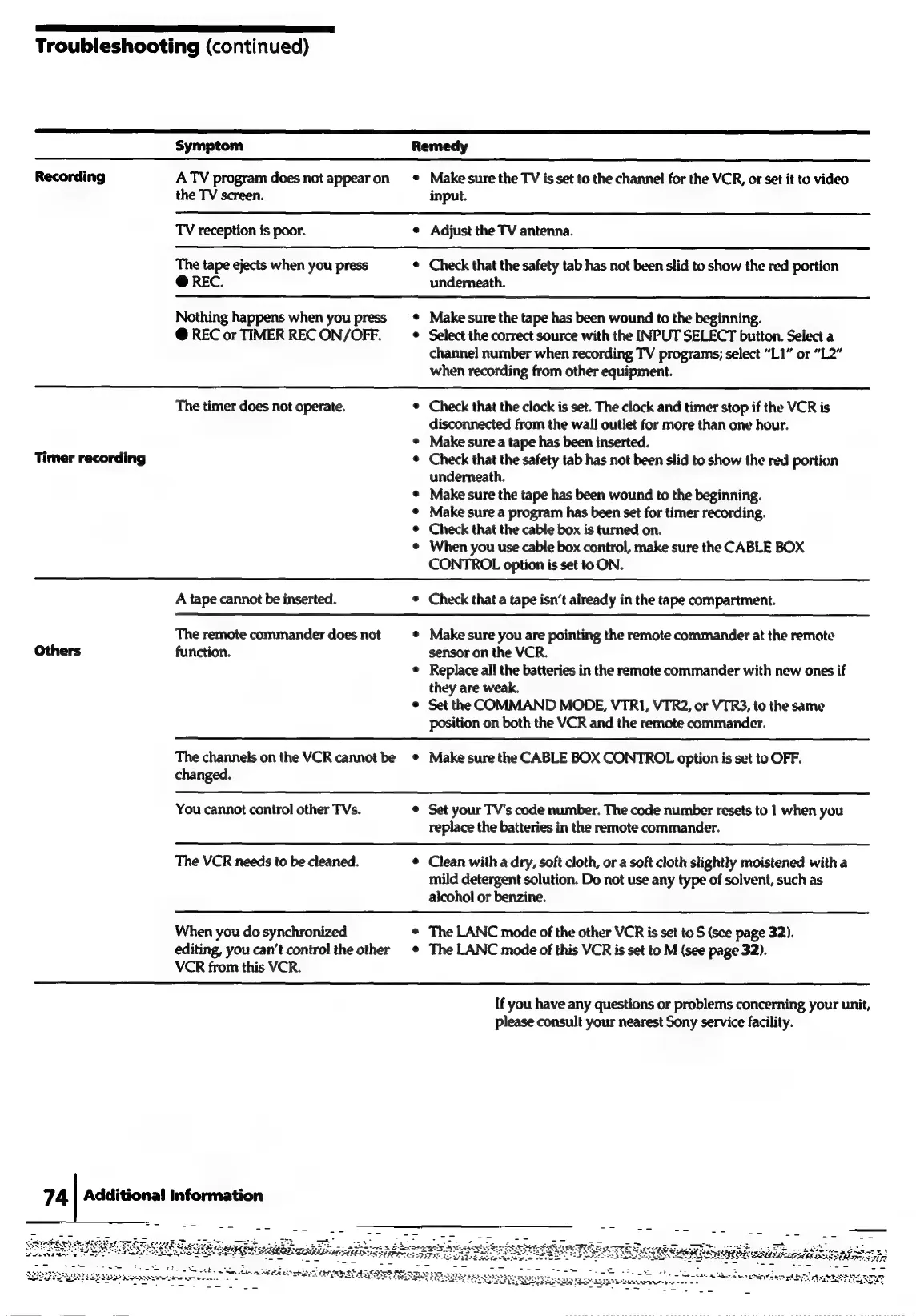
Troubleshooting
(continued)
Symptom
Remedy
Recording
ATV
program
does
not
appearon
¢
Make
sure
the
TV
is
set
to
the
channel
for
the
VCR,
or
set
it
to
video
the
TV
screen.
input.
TV
reception
is
poor.
¢
Adjust
the
TV
antenna.
The
tape
ejects
when
you
press
¢
Check
that
the
safety
tab
has
not
been
slid
to
show
the red
portion
@
REC.
underneath.
Nothing
happens
when
you
press
=
*
~Make
sure
the
tape
has
been
wound
to
the
beginning.
@
REC
or
TIMER
RECON/OFF.
_—®_
Select
the
correct
source
with
the
INPUT
SELECT
button.
Select
a
channel
number
when
recording
TV
programs;
select
“L1”
or
“L2”
when
recording
from
other
equipment.
The
timer
does
not
operate.
¢
Check
that
the
clock
is
set.
The
clock
and
timer
stop
if
the
VCR
is
disconnected
from
the
wall
outlet
for
more
than
one
hour.
¢
Make
sure
a
tape
has
been
inserted.
Check
that
the
safety
tab
has
not
been
slid
to
show
the
red
portion
underneath.
Make
sure
the
tape
has
been
wound
to
the
beginning.
Make
sure
a
program
has
been
set
for
timer
recording.
Check
that
the
cable
box
is
turned
on.
When
you
use
cable
box
control,
make
sure
the
CABLE
BOX
CONTROL
option
is
set
to
ON.
Timer
recording
e
A
tape
cannot
be
inserted.
¢
Check
that
a
tape
isn’t
already
in
the
tape
compartment.
The
remote
commander
does
not
¢
Make
sure
you
are
pointing
the
remote
commander
at
the
remote
rs
function.
sensor
on
the
VCR.
¢
Replace
all
the
batteries
in
the
remote
commander
with
new
ones
if
they
are
weak.
¢
Set
the
COMMAND
MODE,
VTR1, VTR2,
or
VTR3,
to
the
same
position
on
both
the
VCR
and
the
remote
commander.
;
The
channels
on
the
VCR
cannot
be
¢
Make
sure
the
CABLE
BOX
CONTROL
option
is
set
to
OFF.
changed.
You
cannot
control
other
TVs.
¢
Set
your
TV's
code
number.
The
code
number
resets
to
1
when
you
replace
the
batteries
in
the
remote
commander.
The
VCR
needs
to
be
cleaned.
¢
Clean
with
a
dry,
soft
cloth,
or
a
soft
cloth
slightly
moistened
with
a
mild
detergent
solution.
Do
not
use
any
type
of
solvent,
such
as
alcohol
or
benzine.
When
you
do
synchronized
°
The
LANC
mode
of
the
other
VCR
is
set
to
S
(see
page
32).
editing,
you
can’t
control
the
other
*
The
LANC
mode
of
this
VCR
is
set
to
M
(see
page
32).
VCR
from
this
VCR.
If
you
have
any
questions
or
problems
concerning
your
unit,
please
consult
your
nearest
Sony
service
facility.
74
|
Additional
Information
--
ro,
=
SE
LEE
aS:
Soe
oun
Teh
ae
ene
ASS
Aes
Mme
re
wee
.
ee,
Dry
nae
eet
ri
CER
ET
AED
PRs
PE
FES
eg
cee
SS
EGTSS
SO
RRL
as
a
eeeyeee

Related product manuals