EasyManua.ls Logo

Sony EV-S800 - Page 19

Sony EV-S800
44 pages
Print Icon
To Next Page IconTo Next Page
To Previous Page IconTo Previous Page
Loading...
During
recording...
If
stereo
programmes
are
received,
“STEREO”
indicator
will
be
displayed
in
the
window.
If
bilingual
programmes
are
received,
select
the
sound
to
be
monitored
with
AUDIO
MONITOR
MAIN/SUB/MAIN.
SUB.
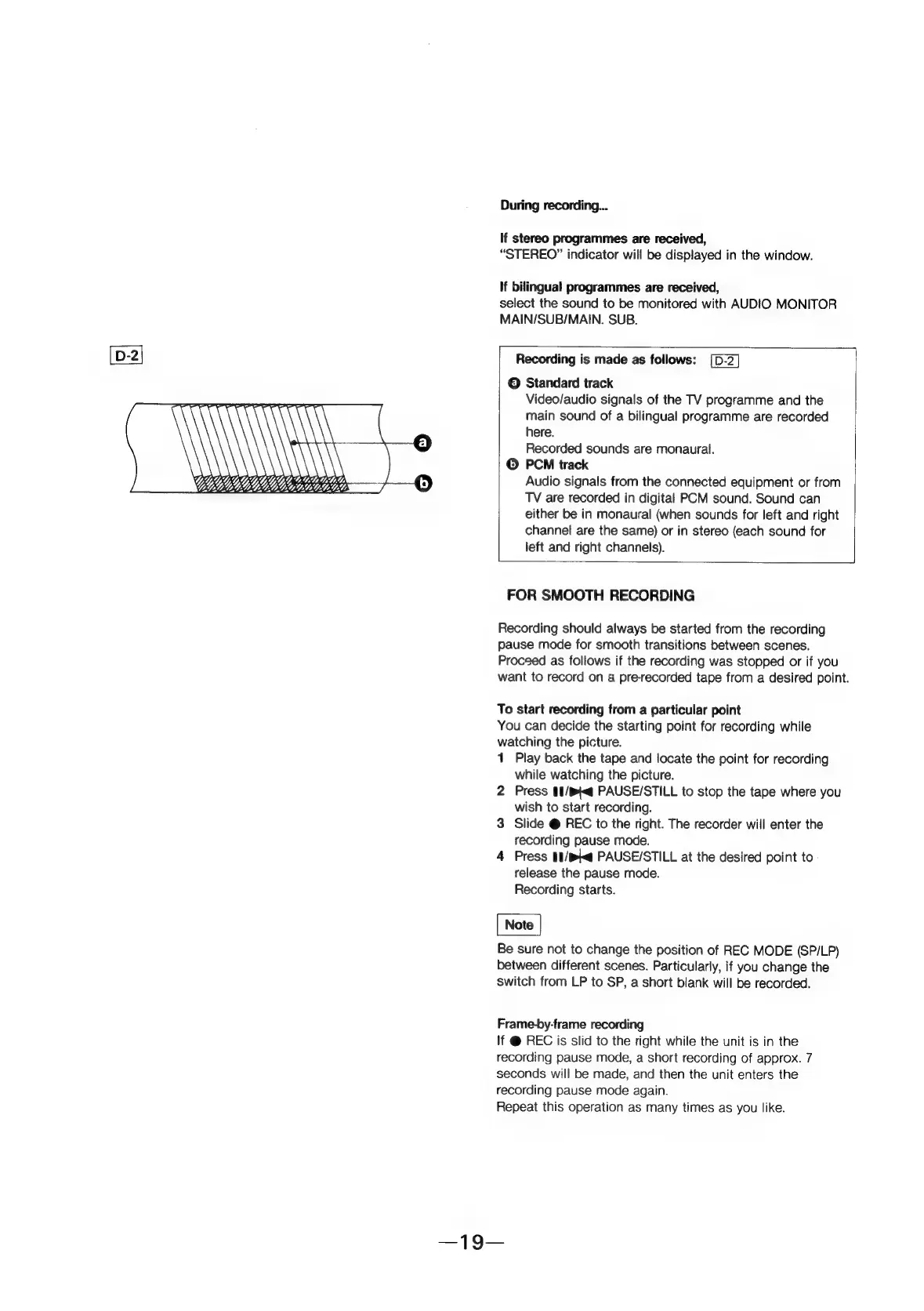
Recording
is
made
as
follows:
©
Standard
track
Video/audio
signals
of
the
TV
programme
and
the
main
sound
of
a
bilingual
programme
are
recorded
here.
Recorded
sounds
are
monaural.
©
PCM
track
Audio
signals
from
the
connected
equipment
or
from
TV
are
recorded
in
digital
PCM
sound.
Sound
can
either
be
in
monaural
(when
sounds
for
left
and
right
channel
are
the
same)
or
in
stereo
(each
sound
for
left
and
right
channels).
FOR
SMOOTH
RECORDING
Recording
should
always
be
started
from
the
recording
pause
mode
for
smooth
transitions
between
scenes.
Proceed
as
follows
if
the
recording
was
stopped
or
if
you
want
to
record
on
a
pre-recorded
tape
from
a
desired
point.
To
start
recording
from
a
particular
point
You
can
decide
the
starting
point
for
recording
while
watching
the
picture.
1
Play
back
the
tape
and
locate
the
point
for
recording
while
watching
the
picture.
2
Press
11/B\<@
PAUSE/STILL
to
stop
the
tape
where
you
wish
to
start
recording.
3
Slide
@
REC
to
the
right.
The
recorder
will
enter
the
recording
pause
mode.
4
Press
1/bi@
PAUSE/STILL
at
the
desired
point
to
release
the
pause
mode.
Recording
starts.
Be
sure
not
to
change
the
position
of
REC
MODE
(SP/LP)
between
different
scenes.
Particularly,
if
you
change
the
switch
from
LP
to
SP,
a
short
blank
will
be
recorded.
Frame-by-frame
recording
If
@
REC
is
slid
to
the
right
while
the
unit
is
in
the
recording
pause
mode,
a
short
recording
of
approx.
7
seconds
will
be
made,
and
then
the
unit
enters
the
recording
pause
mode
again.
Repeat
this
operation
as
many
times
as
you
like.