EasyManua.ls Logo

Sony EV-S800 - Advanced Editing; 1212, Tape Editing Sssscsccszscacsrsscomeveevavereeapevreans

Sony EV-S800
44 pages
Print Icon
To Next Page IconTo Next Page
To Previous Page IconTo Previous Page
Loading...
1-12.
TAPE
EDITING
ADVANCED
EDITING
If
another
Sony
VTR
with
intercomponent
control
terminals
are
used
with
this
unit,
use
of
the
supplied
Remote
Commander
brings
you
much
more
convenience
in
editing
operations.
You
can
operate
separately
the
two
units
(player
and
recorder)
by
the
supplied
Commander.
In
addition,
once
you
have
set
them
in
tape
editing
standby
mode,
you
can
start
and
stop
playback/recording
simultaneously
with
both
units
simply
by
pressing
the
SYNCHRO
EDIT
button
on
the
Commander.
(=
SYNCHRO-
EDITING)
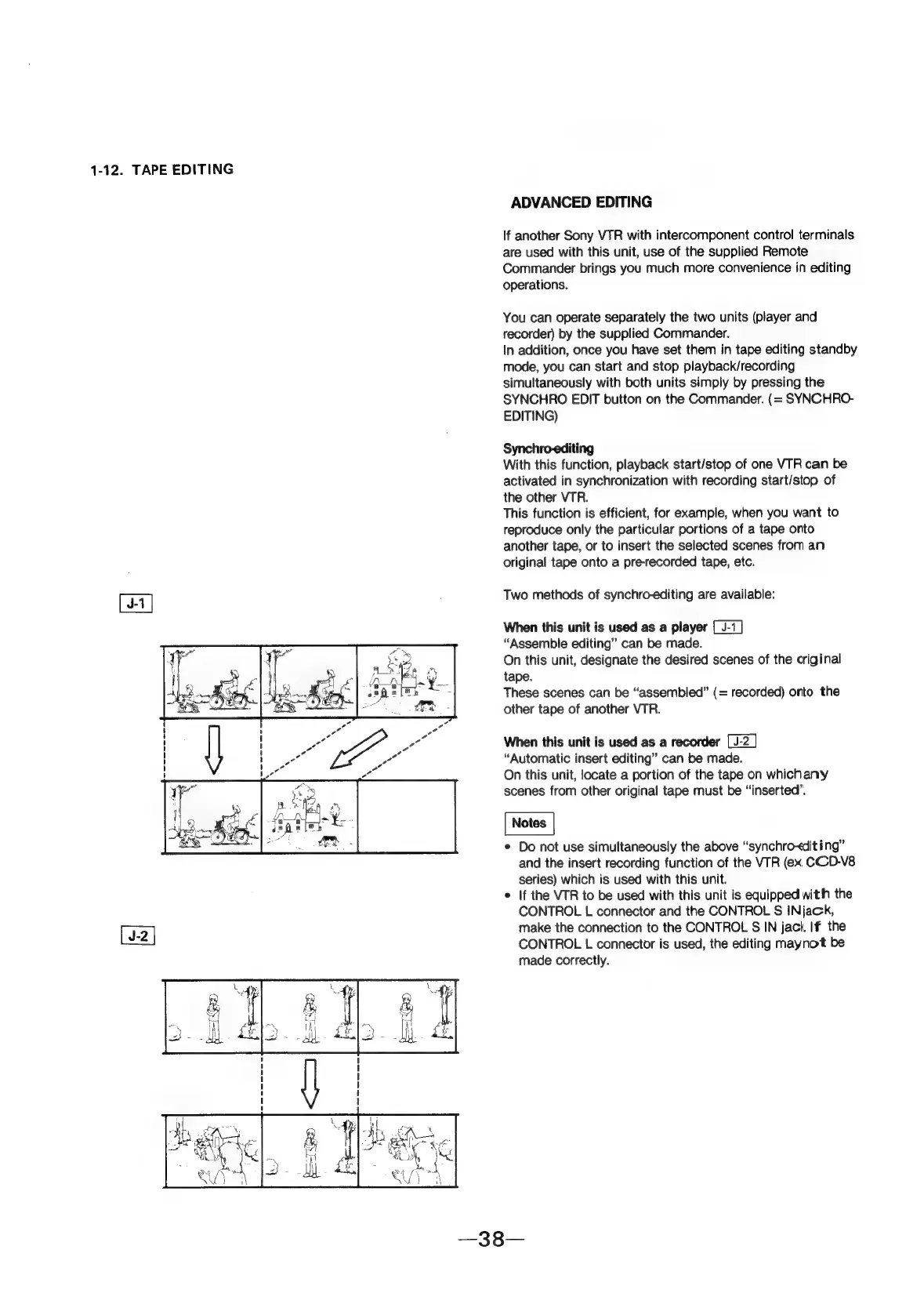
Synchro-editing
With
this
function,
playback
start/stop
of
one
VTR
can
be
activated
in
synchronization
with
recording
start/stop
of
the
other
VTR.
This
function
is
efficient,
for
example,
when
you
want
to
reproduce
only
the
particular
portions
of
a
tape
onto
another
tape,
or
to
insert
the
selected
scenes
from
an
original
tape
onto
a
pre-recorded
tape,
etc.
Two
methods
of
synchro-editing
are
available:
When
this
unit
is
used
as
a
player
“Assemble
editing”
can
be
made.
On
this
unit,
designate
the
desired
scenes
of
the
original
tape.
These
scenes
can
be
“assembled”
(=
recorded)
orto
the
other
tape
of
another
VTR.
When
this
unit
is
used
as
a
recorder
“Automatic
insert
editing”
can
be
made.
On
this
unit,
locate
a
portion
of
the
tape
on
whichany
scenes
from
other
original
tape
must
be
“inserted”.
¢
Do
not
use
simultaneously
the
above
“synchro-editing”
and
the
insert
recording
function
of
the
VTR
(ex.
CCD-V8
series)
which
is
used
with
this
unit.
e
|f
the
VTR
to
be
used
with
this
unit
is
equipped
with
the
CONTROL
L
connector
and
the
CONTROL
S
INjack,
make
the
connection
to
the
CONTROL
S
IN
jact.
If
the
CONTROL
L
connector
is
used,
the
editing
maynot
be
made
correctly.