EasyManua.ls Logo

Sony EV-S800 - Page 43

Sony EV-S800
44 pages
Print Icon
To Next Page IconTo Next Page
To Previous Page IconTo Previous Page
Loading...
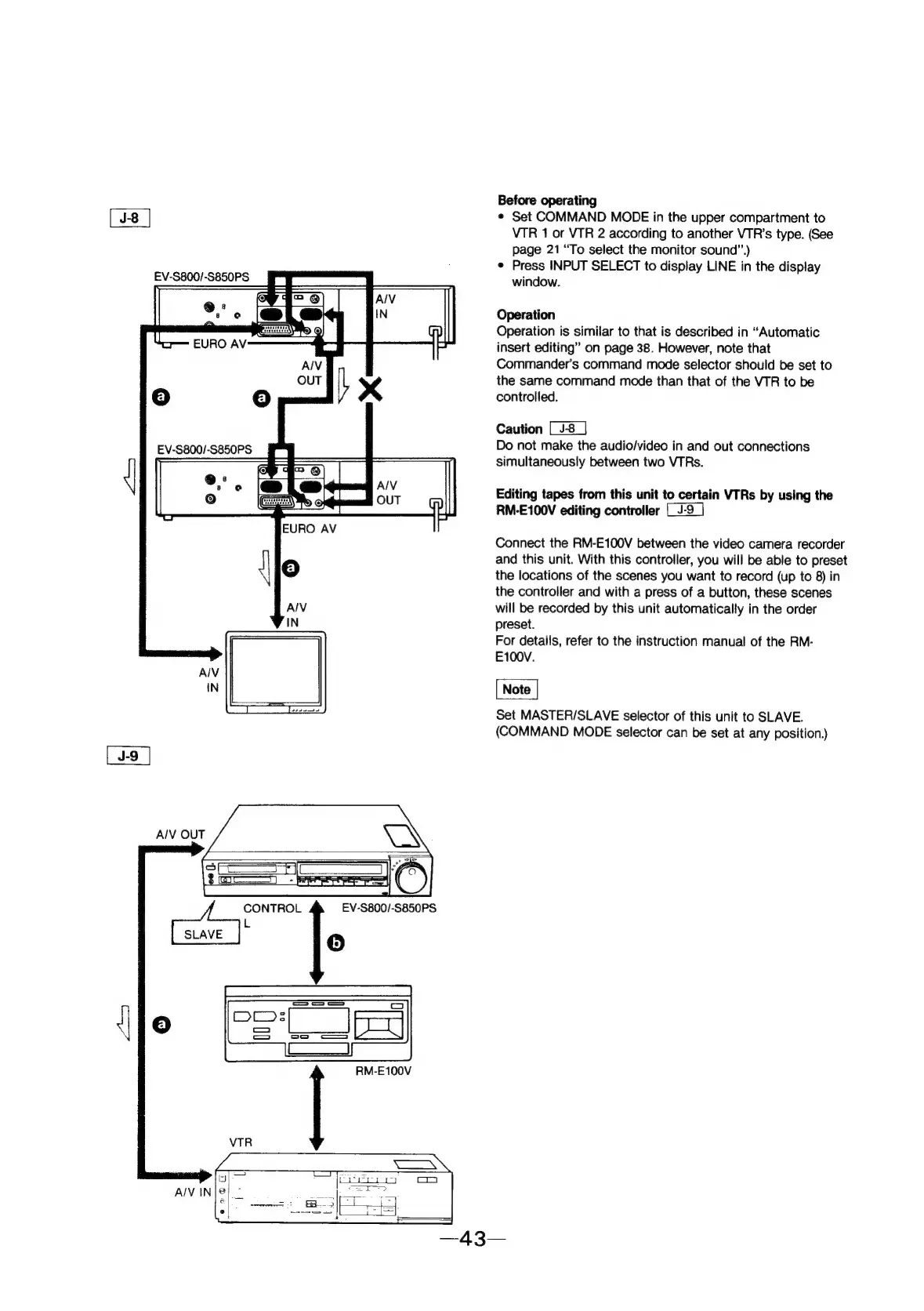
AIV
IN|@!”
RM-E100V
Before
operating
¢
Set
COMMAND
MODE
in
the
upper
compartment
to
VTR
1
or
VTR
2
according
to
another
VTR’s
type.
(See
page
21
“To
select
the
monitor
sound”.)
e
Press
INPUT
SELECT
to
display
LINE
in
the
display
window.
Operation
Operation
is
similar
to
that
is
described
in
“Automatic
insert
editing”
on
page
38.
However,
note
that
Commander's
command
mode
selector
should
be
set
to
the
same
command
mode
than
that
of
the
VTR
to
be
controlled.
Caution
Do
not
make
the
audio/video
in
and
out
connections
simultaneously
between
two
VTRs.
Editing
tapes
from
this
unit
to
certain
VTRs
by
using
the
RM-E100V
editing
controller
Connect
the
RM-E100V
between
the
video
camera
recorder
and
this
unit.
With
this
controller,
you
will
be
able
to
preset
the
locations
of
the
scenes
you
want
to
record
(up
to
8)
in
the
controller
and
with
a
press
of
a
button,
these
scenes
will
be
recorded
by
this
unit
automatically
in
the
order
preset.
For
details,
refer
to
the
instruction
manual
of
the
RM-
E100V.
Set
MASTER/SLAVE
selector
of
this
unit
to
SLAVE.
(COMMAND
MODE
selector
can
be
set
at
any
position.)