EasyManua.ls Logo

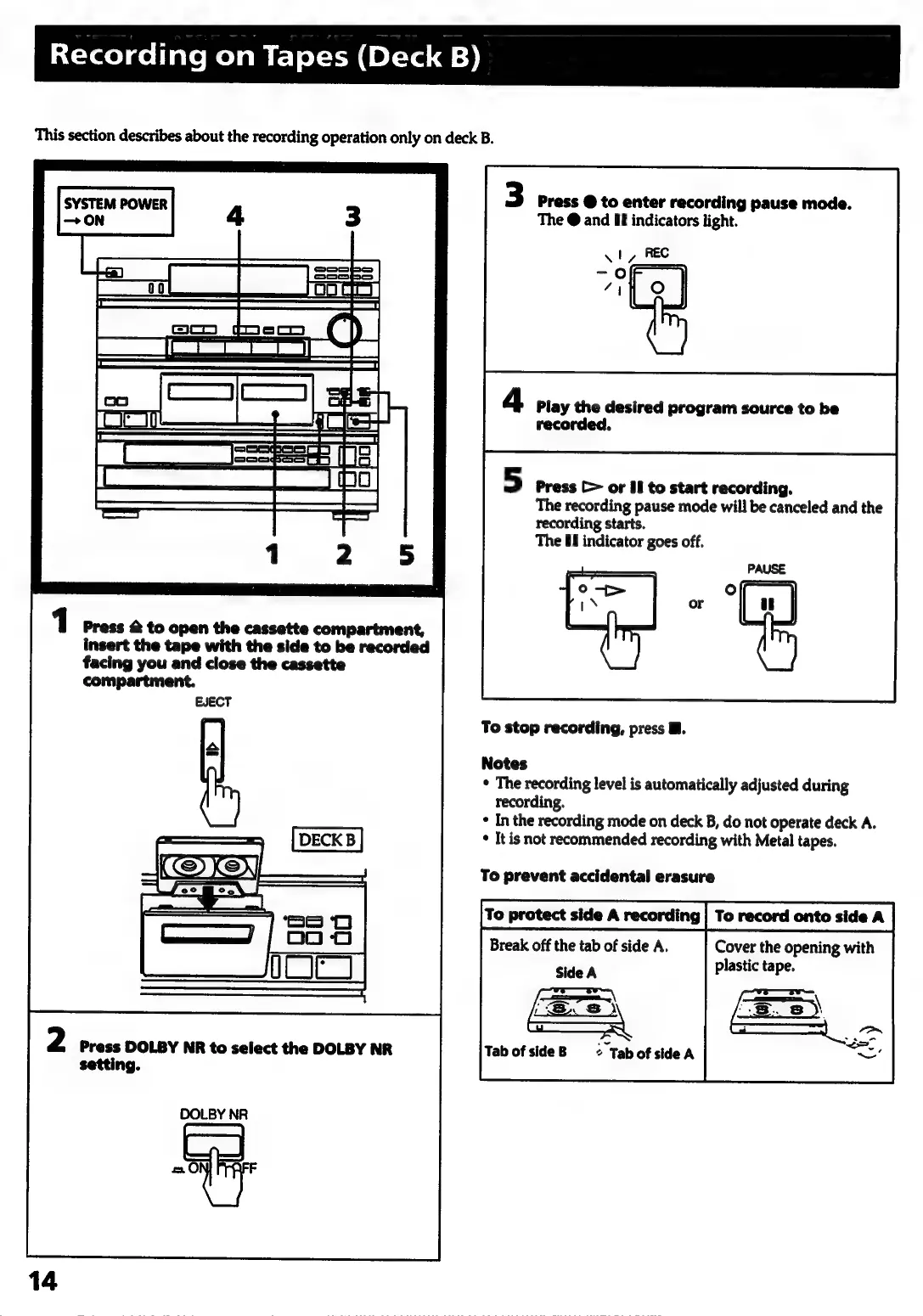
Sony HCD-441 - Recording on Tapes (Deck B); Loading Tape for Recording; Dolby NR for Recording; Entering Recording Pause

Sony HCD-441
27 pages
Print Icon
To Next Page IconTo Next Page
To Previous Page IconTo Previous Page
Loading...
Recording
on
Tapes
(Deck
B)
This
section
describes
about
the
recording
operation
only
on
deck
B.
SYSTEM
POWER
—O
|
S3Se3
et
1
Press
2
to
open
the
cassette
compartment,
insert
the
tape
with
the
side
to
be
recorded
facing
you and
close
the
cassette
compartment.
EJECT
2
Press
DOLBY
NR
to
select
the
DOLBY
NR
setting.
DOLBY
NR
es
3
Press
@
to
enter
recording
pause
mode.
The
@
and
UE
indicators
light.
recorded.
5
Press
(>
or
II
to
start
recording.
The
recording
pause
mode
will
be
canceled
and
the
recording
starts.
The
88
indicator
goes
off.
To
stop
recording,
press
M.
Notes
*
The
recording
level
is
automatically
adjusted
during
recording.
*
In
the
recording
mode
on
deck
B,
do
not
operate
deck
A.
*
It
is
not
recommended
recording
with
Metal
tapes.
To
prevent
accidental
erasure
To
protect
side
A
recording
Break
off
the
tab
of
side
A.
Cover
the
opening
with
Side
A
plastic
tape.
a,
=<
Tab
of
side
B
2
Tab
of
side
A

Related product manuals