EasyManua.ls Logo

Sony HCD-441 - Information Display

Sony HCD-441
27 pages
Print Icon
To Next Page IconTo Next Page
To Previous Page IconTo Previous Page
Loading...
el
coldaarcherolam
Oty
el
f-bi7
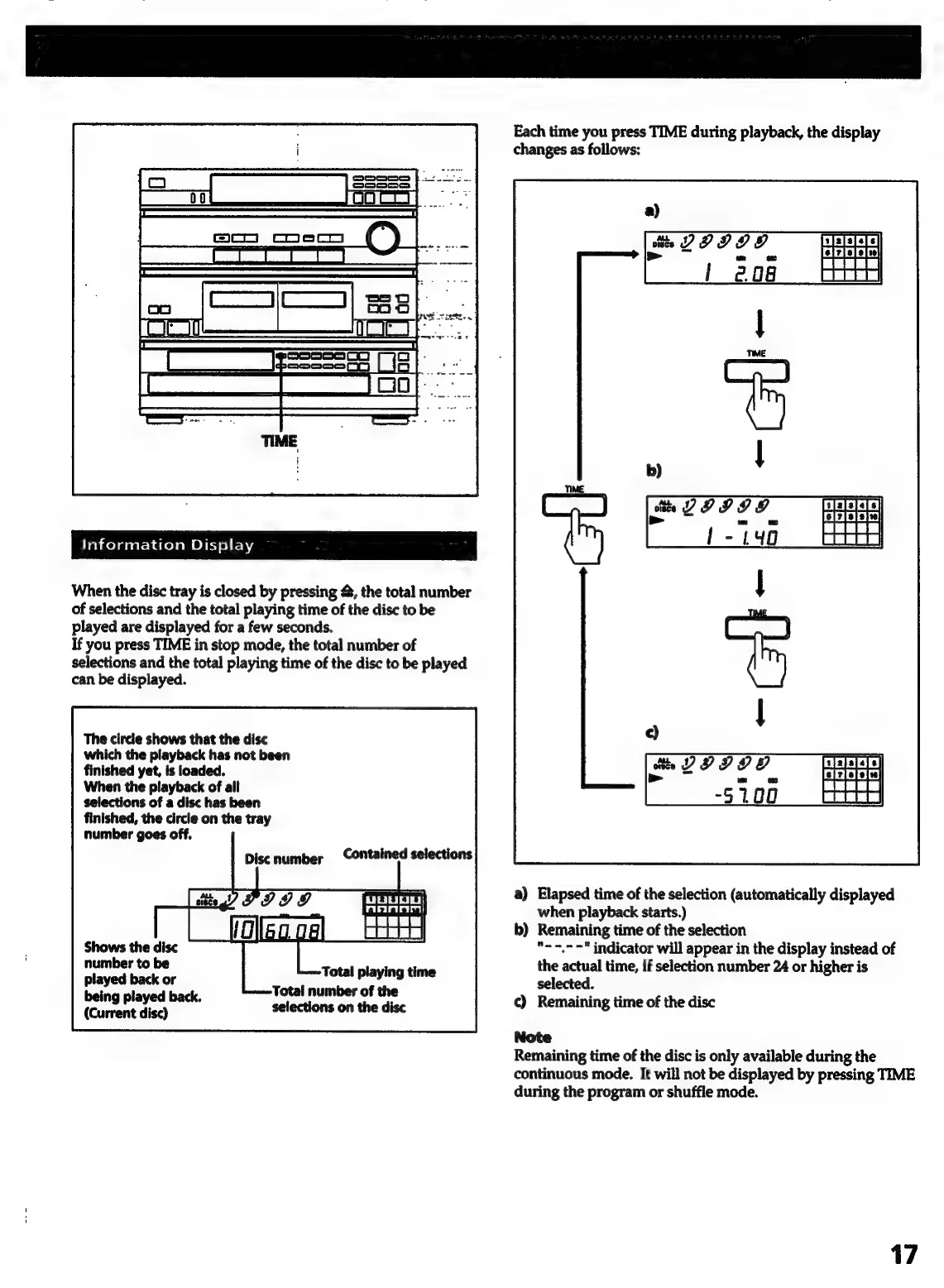
When
the
disc
tray
is
closed
by
pressing
&,
the
total
number
of
selections
and
the
total
playing
time
of
the
disc
to
be
played
are
displayed
for
a
few
seconds.
If
you
press
TIME
in
stop
mode,
the
total
number
of
selections
and
the
total
playing
time
of
the
disc
to
be
played
can
be
displayed.
The
circle
shows
that
the
disc
which
the
playback
has
not
been
finished
yet,
is
loaded.
When
the
playback
of
all
selections
of
a
disc
has
been
finished,
the
circle
on
the
tray
number
goes
off.
Discnumber
Contained
selections
Shows
the
disc
number
to
be
played
back
or
being
played
back.
(Current
disc)
Total
number
of
the
selections
on
the
disc
Each
time
you
press
TIME
during
playback,
the
display
changes
as
follows:
a)
Elapsed
time
of
the
selection
(automatically
displayed
when
playback
starts.)
b)
Remaining
time
of
the
selection
*-~=,-"
indicator
will
appear
in
the
display
instead
of
the
actual
time,
if
selection
number
24
or
higher
is
selected.
c)
Remaining
time
of
the
disc
Note
Remaining
time
of
the
disc
is
only
available
during
the
continuous
mode.
It
will
not
be
displayed
by
pressing
TIME
during
the
program
or
shuffle
mode.
17

Related product manuals