C:\4692676112\4692676112ILCE9UC2\01GB-ILCE9UC2\070WRL.indd
2017/03/15 14:08
ILCE-9
4-692-676-11 (2)
GB
193
Using network functions
To establish a Wi-Fi connection with a smartphone using
a QR code
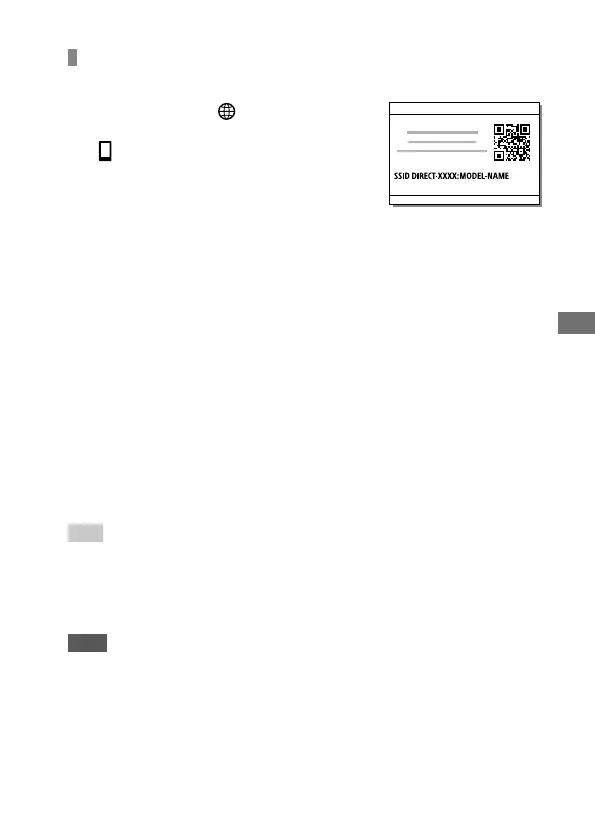
Select MENU (Network)
[Ctrl w/ Smartphone]
[ Connection Info.], to display
the QR code on the monitor of the
camera.
Launch PlayMemories Mobile on the smartphone, and
select [Scan QR Code of the Camera].
Scan the QR code.
Follow the steps below only if using an iPhone or iPad.
Install the profile by following the instructions on the
iPhone or iPad screen.
On the “Home” screen of the iPhone or iPad, select
[Settings] [Wi-Fi].
Select the SSID displayed on the camera.
Return to the “Home” screen of the iPhone or iPad and
launch PlayMemories Mobile.
Hint
• Once the QR code has been read, this product’s SSID (DIRECT-xxxx) and
password are registered to the smartphone. This enables you to easily
connect the smartphone to the product via Wi-Fi at a later date by
selecting the SSID.
Note
• If you cannot connect this product to a smartphone using the
NFC function or QR code, use the SSID and password. For detailed
instructions, refer to the “Help Guide.”



 To Next Page