C:\4692676112\4692676112ILCE9UC2\01GB-ILCE9UC2\020PRE.indd
2017/03/15 14:08
ILCE-9
4-692-676-11 (2)
GB
35
Preparations for shooting
Changing the screen display
Switching the screen display (while shooting/during
playback)
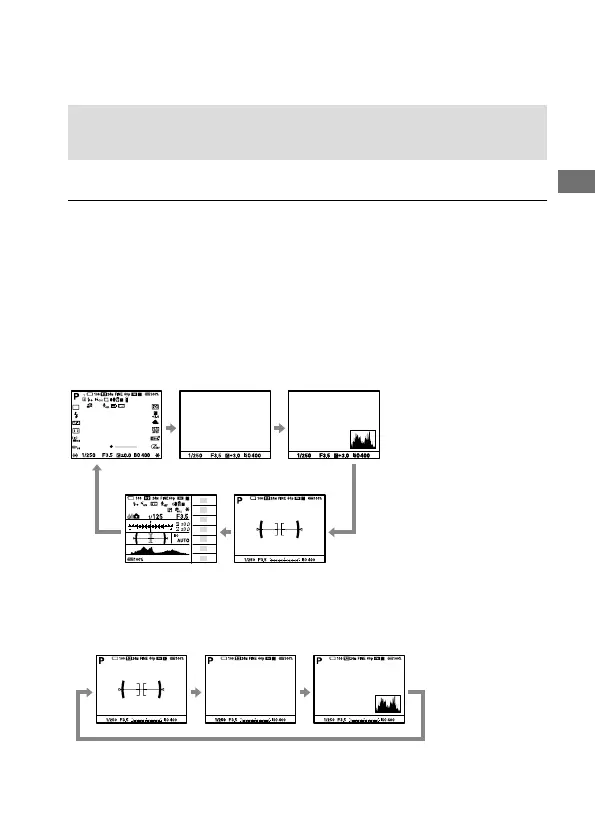
You can change the display contents on the screen.
Press the DISP(Display Setting) button.
• To switch the information displayed on the viewfinder, press the DISP
button while looking into the viewfinder.
• Each time you press the DISP button, the screen display changes.
• The displayed contents and their position are just a guideline, and may
differ from the actual display.
During shooting (Monitor)
Display All Info. No Disp. Info. Histogram
For viewfinder Level
During shooting (Viewfinder)
No Disp. Info. HistogramLevel


 To Next Page