Connecting Your TV
7
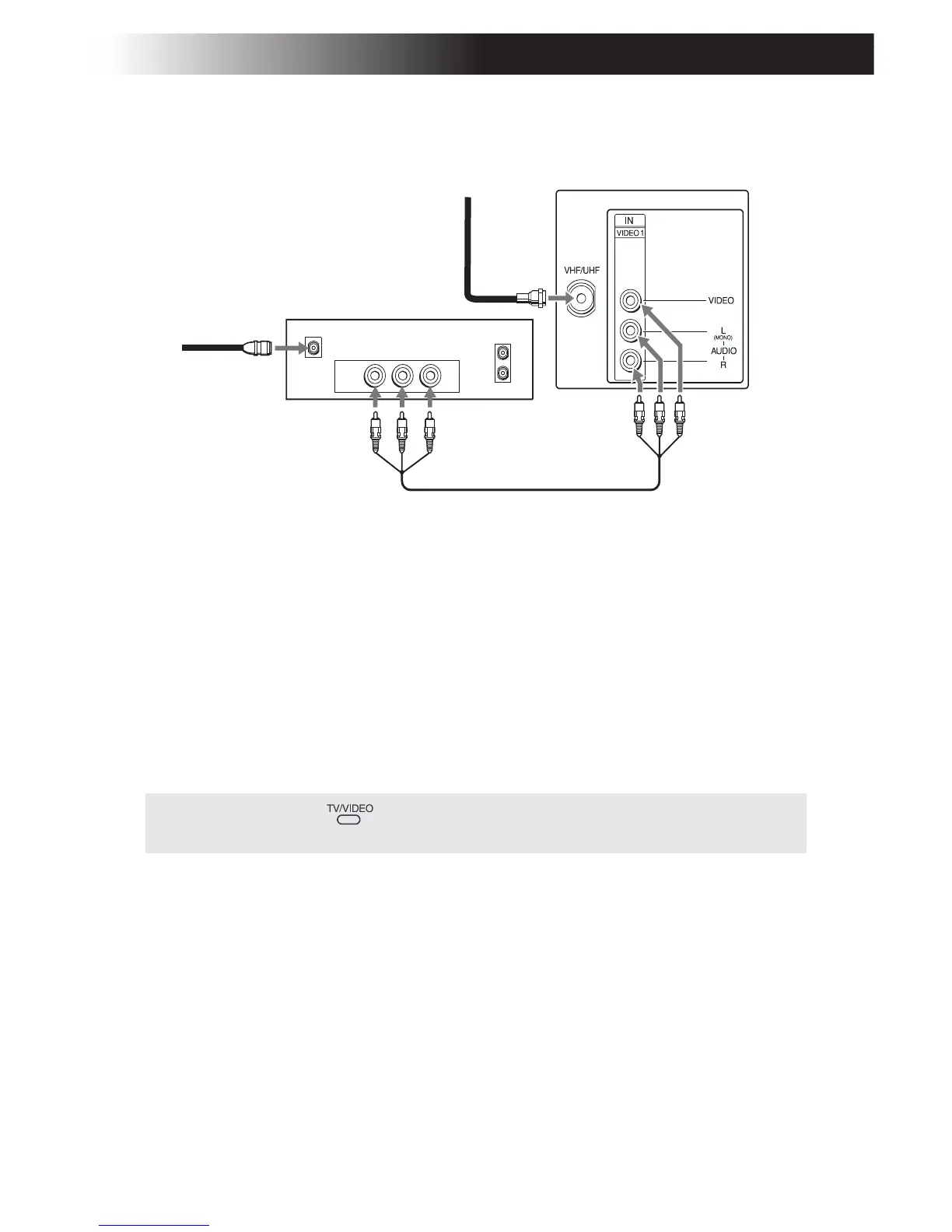
TV and Satellite Receiver
1 Connect the cable from your satellite antenna to SATELLITE IN on
your satellite receiver.
2 Connect the coaxial cable from your cable service or antenna to the
VHF/UHF jack on your TV.
3 Using A/V cables, connect AUDIO and VIDEO OUT on your
satellite receiver to AUDIO and VIDEO IN on your TV.
✍ You can use the button to switch between the VHF/UHF and VIDEO
inputs.
VHF/UHF
OUT
IN
LINE OUT
SATELLITE IN
AUDIO R AUDIO L VIDEO
Satellite receiver
Satellite
antenna
cable
1
2
3
From
cable/
antenna
Rear of TV








 To Next Page