EasyManua.ls Logo

Sony MDS-E55 - Page 27

Sony MDS-E55
36 pages
Print Icon
To Next Page IconTo Next Page
To Previous Page IconTo Previous Page
Loading...
Editing
Recorded
MDs
3
Press
DISPLAY/CHAR
to
select
the
character
6
Repeat
Steps
3
to
5
until
you
have
entered
the
type
as
follows:
entire
title.
To
select
Aor
DISPLAY/CHAR
repeatedly
Press
<4
or
>
until
the
character
to
be
corrected
starts
a
a
flashing,
and
repeat
Steps
3
to
5
to
enter
the
correct
Uppercase
letters
“A”
appears
in
the
display
character.
Lowercase
letters
“a”
appears
in
the
display
To
erase
a
character
Audibecs
“0”
appears
in
the
display
Press
<4
or
>>
until
the
character
to
be
erased
starts
flashing,
then
press
EDIT/NO.
To
enter
a
space
Press
AMS
or
®
while
the
cursor
is
flashing.
11:12
13
14
15
16 17 18
7
Press
YES.
This
completes
the
labeling
procedure
and
the
title
appears
on
the
left
side
of
the
display.
«*
°
°
it
6789
10
11:42:13
14 15
Stas
Press
Ml.
ri
os
To
cancel
labeling
s
'
bw
u
'
Lae
fe
HOO
1
ED
Note
You
cannot
label
a
track
or
an
MD
while
you
are
recording
over
an
existing
track.
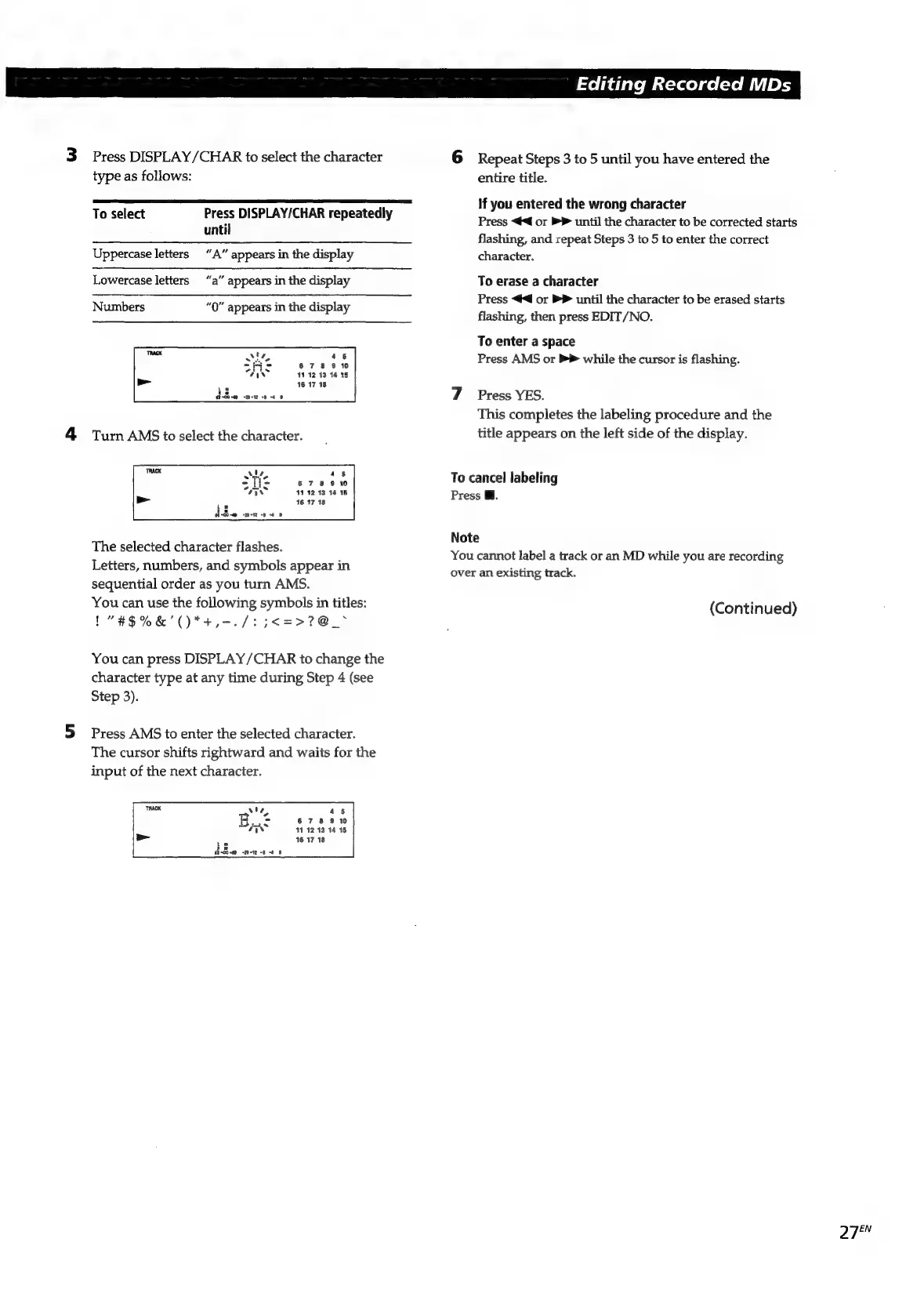
The
selected
character
flashes.
Letters,
numbers,
and
symbols
appear
in
sequential
order
as
you
turn
AMS.
You
can
use
the
following
symbols
in
titles:
(Continued)
1"#$%&'()*+,-./:
5
<=>?
@_~
You
can
press
DISPLAY/CHAR
to
change
the
character
type
at
any
time
during
Step
4
(see
Step
3).
5
Press
AMS
to
enter
the
selected
character.
The
cursor
shifts
rightward
and
waits
for
the
input
of
the
next
character.
45
678
9
10
11
12
13:14
15
16
17
18
PY
ia

Related product manuals