EasyManua.ls Logo

Sony MDS-E55 - Page 28

Sony MDS-E55
36 pages
Print Icon
To Next Page IconTo Next Page
To Previous Page IconTo Previous Page
Loading...
2
BEN
Editing
Recorded
MDs
Labeling
tracks
and
MDs
with
the
remote
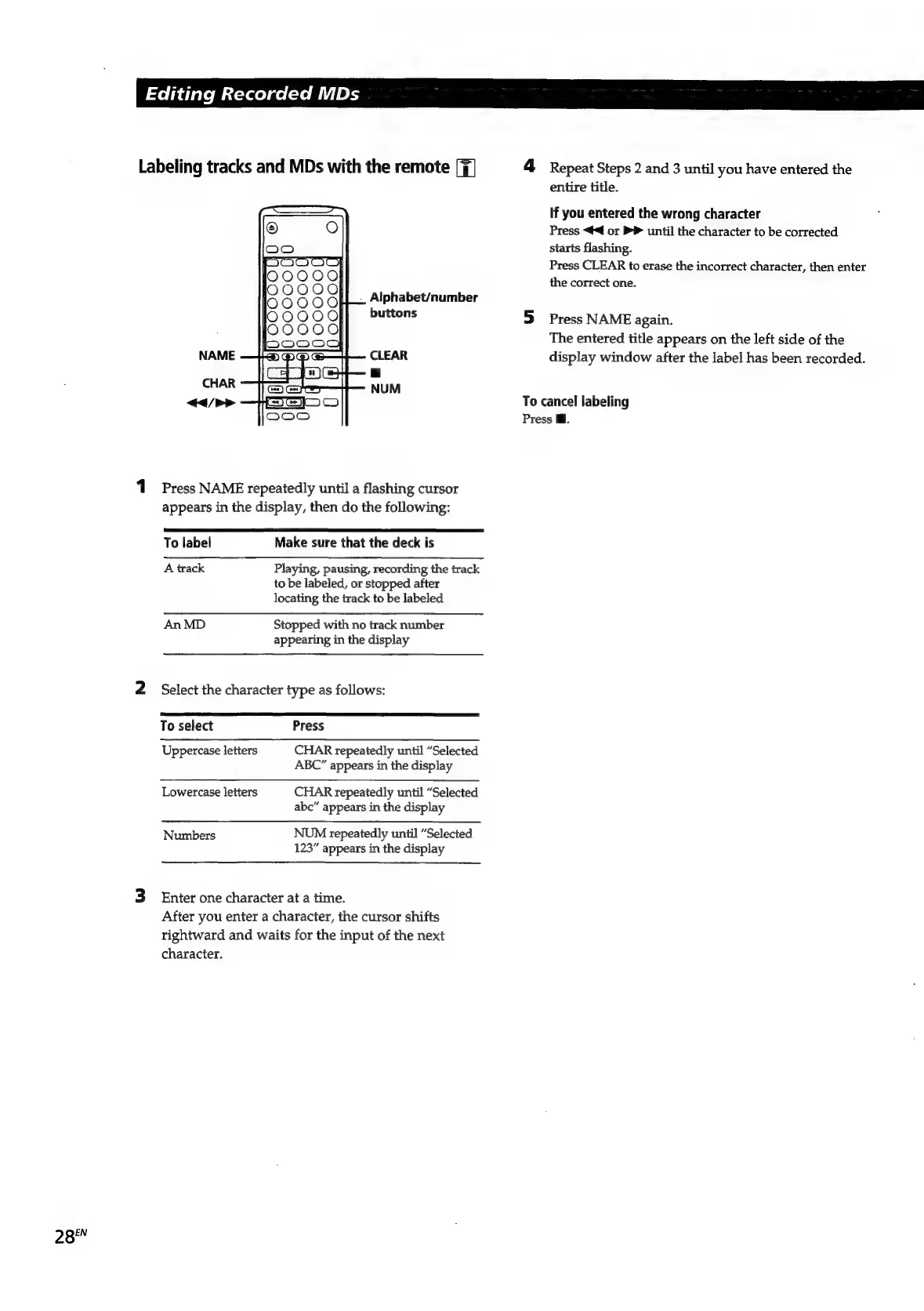
Alphabet/number
buttons
NAME
CLEAR
a
CHAR
NUM
</>
1
Press
NAME
repeatedly
until
a
flashing
cursor
appears
in
the
display,
then
do
the
following:
To
label
Make
sure
that
the
deck
is
A
track
Playing,
pausing,
recording
the
track
to
be
labeled,
or
stopped
after
locating
the
track
to
be
labeled
An
MD
Stopped
with
no
track
number
appearing
in
the
display
2
Select
the
character
type
as
follows:
To
select
Press
Uppercase
letters
CHAR
repeatedly
until
“Selected
ABC”
appears
in
the
display
Lowercase
letters
CHAR
repeatedly
until
“Selected
abc”
appears
in
the
display
Numbers
NUM
repeatedly
until
“Selected
123”
appears
in
the
display
3
Enter
one
character
at
a
time.
After
you
enter
a
character,
the
cursor
shifts
rightward
and
waits
for
the
input
of
the
next
character.
4
Repeat
Steps
2
and
3
until
you
have
entered
the
entire
title.
If
you
entered
the
wrong
character
Press
<4
or
>
until
the
character
to
be
corrected
starts
flashing.
Press
CLEAR
to
erase
the
incorrect
character,
then
enter
the
correct
one.
5
Press
NAME
again.
The
entered
title
appears
on
the
left
side
of
the
display
window
after
the
label
has
been
recorded.
To
cancel
labeling
Press
Mi.

Related product manuals