Setting the Status Display on the Viewfinder Screen and the LCD Monitor
149
Chapter 6 Menu Displays and Detailed Settings
VF DISP 3 page
3 Turn the MENU knob to select the
desired setting (ON, OFF, or value), and
press the MENU knob.
4 Repeat steps 2 and 3 until you have set
all of the desired items.
You can limit or suppress the messages that give
details of setting changes and adjustment
progress and results by setting a display mode.
The conditions under which messages are
displayed and their correspondence with the
display mode are as follows:
Y: Message is displayed.
N: Message is not displayed.
a) This is also displayed for about 3 seconds when the
SHUTTER selector is set to ON.
Changing the display mode
1 Display the VF DISP 1 page of the
OPERATION menu on the screen, and
press the MENU knob.
For details on menu operations, see “Basic
menu operations” on page 140.
2 Select VF DISP MODE, and press the
MENU knob.
3 Select the desired display mode, and
press the MENU knob.
Switch the display of the center and safety zone
markers on or off, and select whether the area
indicated by the safety zone marker is 80%, 90%,
92.5%, or 95% of the screen area.
(How to select an item in the menu screen: Turn
the MENU knob to move b to the desired item.)
1 Display the MARKER 1 or MARKER 2
page of the OPERATION menu on the
screen, and press the MENU knob.
Item Description
LOW LIGHT Turns on and off the
on-screen warning
that the average level
of the video has
dropped beneath a set
level.
LOW LIGHT LEVEL Sets the LOW LIGHT
threshold value.
VF BATT WARNING Specifies the
remaining battery
capacity level that
starts the flashing
warning in the
viewfinder.
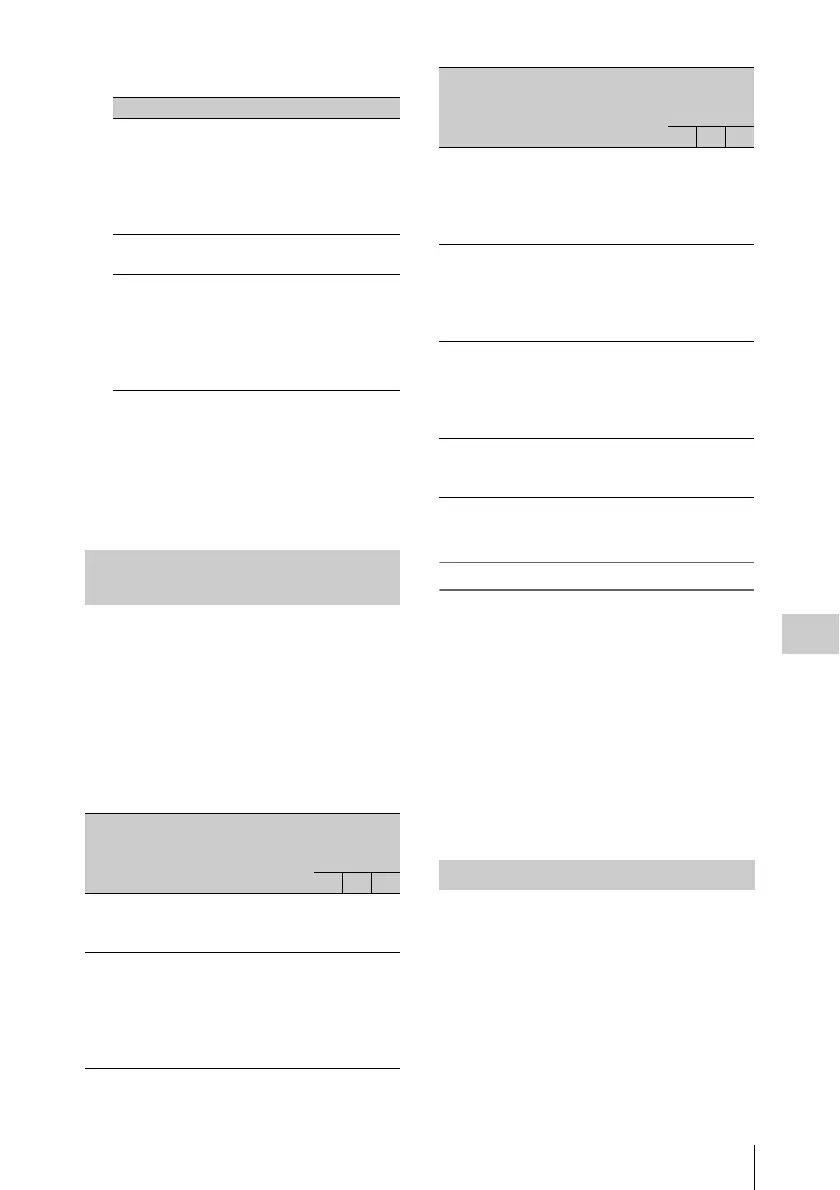
Change confirmation/adjustment
progress messages
Message display
condition
Message Display
mode
setting
1 2 3
When the filter
selection has
been changed
FILTER: n
(where n = 1, 2,
3, 4)
NNY
When the gain
setting has been
changed
GAIN: n (where
n = –6dB, –3dB,
0dB, 3dB, 6dB,
9dB,12dB, 18dB,
24dB, 30dB,
36dB, 42dB)
NNY
When the setting
of the WHITE
BAL switch has
been changed
WHITE: n
(where n = A
CH, B CH,
PRESET) or
ATW: RUN
NNY
When the
OUTPUT/DCC
switch has been
set to DCC ON
or OFF
DCC: ON (or
OFF)
NYY
When the shutter
speed and mode
setting has been
changed
a)
:SHUTTER:
1/100
(or 1/125, 1/250,
1/500, 1/1000,
1/2000, ECS)
NYY
When the black
or white balance
has been adjusted
E.g. AWB : OK N Y Y
Setting the marker display
Message display
condition
Message Display
mode
setting
1 2 3



 To Next Page