Locations and Functions of Parts and Controls
22
Chapter 1 Overview
a) Of the timecode bits for every frame recorded on the
disc, those bits which can be used to record useful
information for the user such as scene number,
shooting place, etc.
For details, see “Setting the Time Data” on page 64.
This button returns to the previous screen when
pressed during thumbnail display.
For details, see “GUI screen operations” on page
91.
r DISPLAY switch
This cycles the data displayed in the counter
display through the sequence COUNTER, TC,
and U-BIT.
COUNTER: Display the elapsed recording/
playback time (hours, minutes, seconds,
frames).
TC: Display time code.
U-BIT: Display user bit data.
For details, see “Status Display on the LCD monitor
and monochrome LCD” on page 22.
s BRIGHT (brightness) button
Switches the brightness of the LCD monitor
backlight, and turns the backlight of the
monochrome LCD on and off.
Each press of the button selects the next setting in
the order shown in the following table.
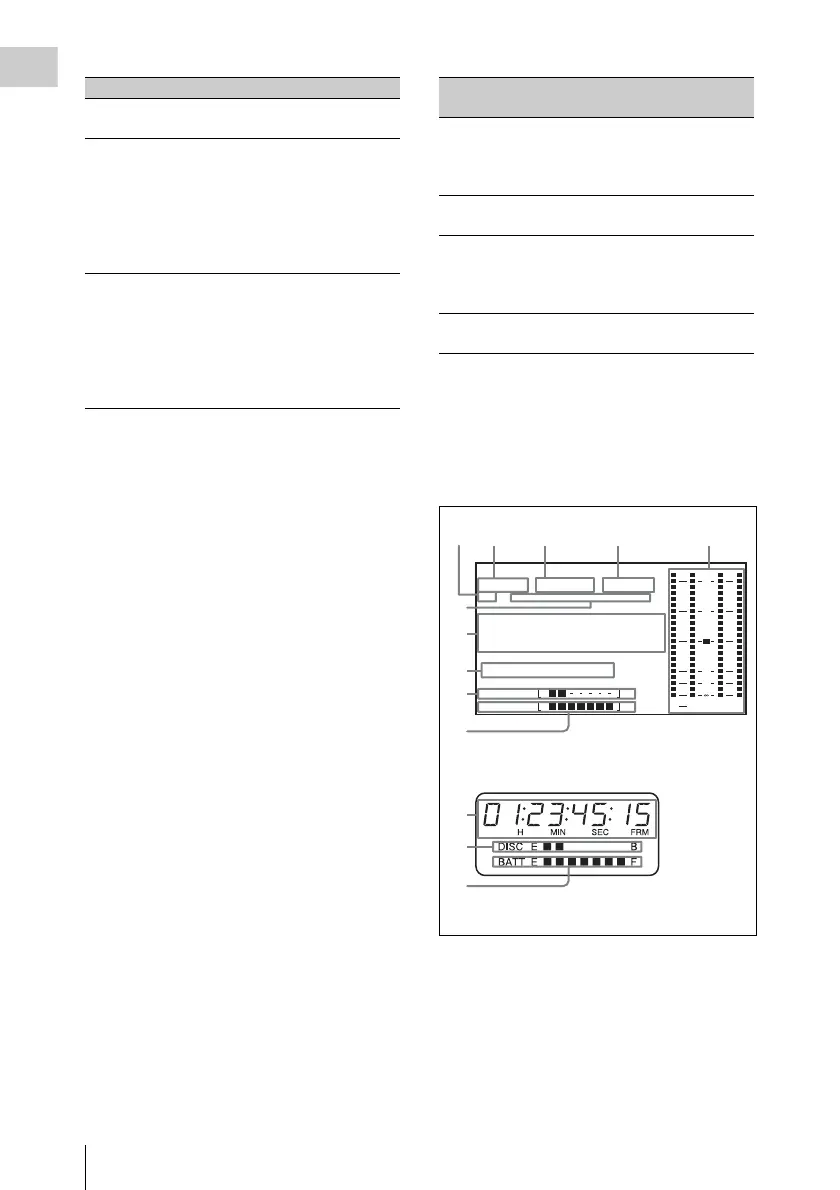
Status Display on the LCD monitor and
monochrome LCD
The following display appears on the LCD
monitor display which is set to STATUS with the
DISP SEL/EXPAND button, and on the
monochrome LCD.
a Resolution
Indicates the resolution of video being currently
played back or recorded.
1080: 1080 lines (horizontal × vertical: 1920 ×
1080)
Settings of switches To re set
DISPLAY switch:
COUNTER
Counter to 0:00:00:00
DISPLAY switch:
TC
PRESET/REGEN/
CLOCK switch:
PRESET
F-RUN/SET/R-RUN
switch: SET
Timecode to 00:00:00:00
DISPLAY switch:
U-BIT
PRESET/REGEN/
CLOCK switch:
PRESET
F-RUN/SET/R-RUN
switch: SET
User bits data
a)
to 00 00 00
00
Setting LCD monitor
backlight
Monochrome
LCD backlight
H High (select this to view
the LCD monitor
outdoors in the
daytime)
Lit
M Brightness between H
and L
Lit
L Low (select this to view
the LCD monitor
indoors or outdoors at
night)
Lit
OFF Off (the display is also
off)
Off
WARNING:HUMID
HD
422
50
1080
01
.
.
.
.
.
.
23 45 15
59.9i 24bit
H
PB NDF EXT-LK
21
HOLD
MIN SEC FRM
DISC E B
BATT E F
ST
43
dB
OVER
PEAK
20
10
30
40
0
6
7
8
9
0
7
9
Monochrome LCD
LCD monitor



 To Next Page